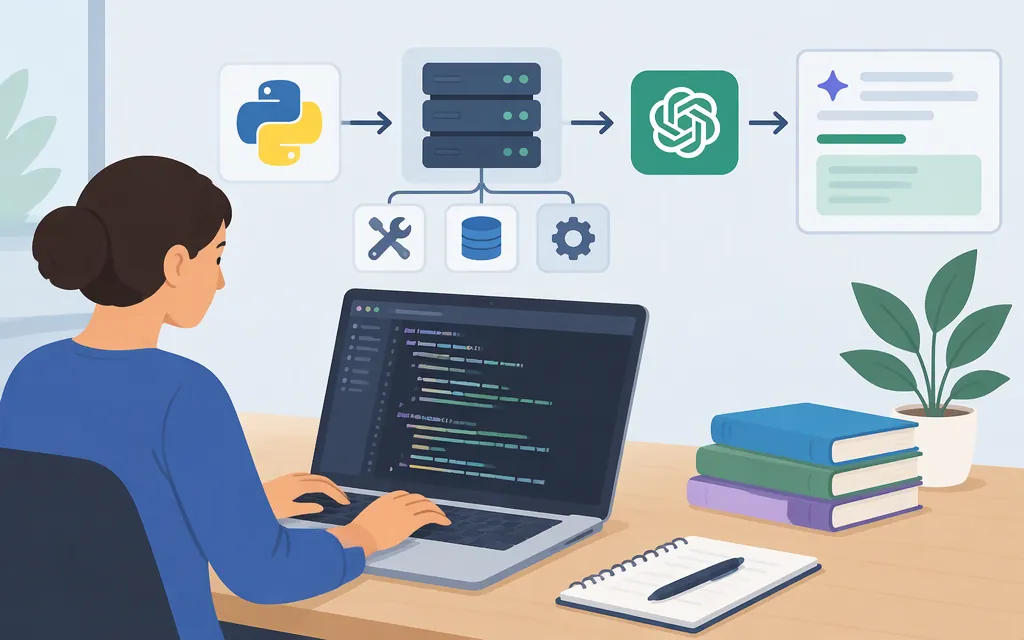
Create an MCP server by registering a tool with an MCP SDK, then run it over a transport an MCP client supports. This tutorial uses Python and the official MCP Python SDK. The example tool accepts text, sends it to OpenAI’s Responses API, and returns the model’s summary.
There are two distinct connections:
- MCP: A client connects to the server and invokes
summarize_text. - Model API: The server calls OpenAI’s Responses API, then returns the result through MCP.
An MCP server does not have to call a model API. In this example, the server makes that call because we’re deliberately putting it inside an MCP tool. In another architecture, the host application could call its model separately and use MCP only to access the server’s tools or data.
What you’ll build
A local Python MCP server using stdio and one tool, summarize_text. When invoked, the tool makes a real request to OpenAI’s Responses API. The server is local; this is not a guide to hosting or securing a remotely accessible MCP service.
The setup below pins the MCP Python SDK to 2.3.0, a published SDK release. Use Python 3.11 or newer. The SDK’s CLI-based Inspector workflow also requires Node.js and npx available on your PATH.
1. Set up the project
Install Python 3.11 or newer, uv, and Node.js/npm so npx is available. Then create a project and install the dependencies:
uv init --python 3.11 mcp-model-tool
cd mcp-model-tool
uv add "mcp[cli]==2.3.0" openai python-dotenv
The cli extra provides the mcp development command used below. The OpenAI Python library supplies the Responses API client.
Create a .env file in the project directory:
OPENAI_API_KEY=replace-with-your-api-key
OPENAI_MODEL=gpt-6-astra
gpt-6-astra is the model identifier used in OpenAI’s current API quickstart. Model availability depends on your API project; if your project cannot use it, set OPENAI_MODEL to a model identifier your project can access.
Add a .gitignore file so local credentials and generated files aren’t committed:
.env
.venv/
__pycache__/
For a deployed application, use an appropriate deployment secret mechanism rather than a committed .env file. Don’t send sensitive text to the example tool unless it is appropriate to send that text to your model provider.
2. Create the MCP server and model API tool
Create server.py:
import os

from dotenv import load_dotenv
from openai import AsyncOpenAI, OpenAIError
from mcp.server import MCPServer
from mcp.server.mcpserver.exceptions import ToolError

load_dotenv()

mcp = MCPServer("model-api-demo")
MODEL = os.getenv("OPENAI_MODEL", "gpt-6-astra")


@mcp.tool()
async def summarize_text(text: str) -> str:
    """Summarize the supplied text using the configured OpenAI model."""
    api_key = os.getenv("OPENAI_API_KEY")
    if not api_key:
        raise ToolError("OPENAI_API_KEY is not set. Add it to the environment or .env file.")

    try:
        async with AsyncOpenAI(api_key=api_key) as client:
            response = await client.responses.create(
                model=MODEL,
                instructions="Summarize the user's text clearly and concisely.",
                input=text,
            )
    except OpenAIError as exc:
        # Avoid returning credentials or detailed provider errors to the MCP caller.
        raise ToolError(
            "The model API request failed. Check the API key, model access, quota, and connection."
        ) from exc

    if not response.output_text:
        raise ToolError("The model API returned no text output.")

    return response.output_text


if __name__ == "__main__":
    mcp.run()
The MCP SDK uses the tool’s type hint and docstring to describe its input and purpose. Here, text: str is the tool input and the returned string is its result. The SDK’s default mcp.run() transport is stdio: the client launches the server as a subprocess and communicates over its standard input and output.
The model request is a separate outbound API call made by the server. It uses the Responses endpoint, POST https://api.openai.com/v1/responses; the OpenAI Python client uses the API key supplied to AsyncOpenAI and the default OpenAI API base URL. The request provides model, instructions, and input; a successful response’s text is read from response.output_text. The configured model must be available to your API project.
3. Run and test the tool
From the project directory, start the SDK’s Inspector workflow:
uv run mcp dev server.py
The command starts the server for Inspector over stdio and prints a local Inspector URL. Open that URL in your browser. In Inspector:
- Open Tools and select
summarize_text. - Enter a text value, for example:
MCP lets an application call tools exposed by a server. This example's tool sends text to a model API and returns a summary. - Run the tool.
A successful call returns a model-generated summary in the Inspector result. Exact wording will vary. Because this example calls a real model API, it requires a valid API key, access to the configured model, and a working network connection. If it fails, check the tool result and server output, then verify those prerequisites. Don’t publish API keys or paste them into source code to troubleshoot.
What this example does—and doesn’t—cover
- It does: expose one MCP tool over local stdio and have that tool call OpenAI’s Responses API.
- It doesn’t: host a remotely accessible MCP service, configure remote authentication, or provide a production deployment plan. The MCP SDK documents Streamable HTTP for servers that are deployed; this example deliberately stays with local stdio.
- It doesn’t: make a host application invoke the MCP tool automatically. The client must connect to the server and call the tool; the tool then makes its own model API request.
- It doesn’t: provide a provider-neutral model integration. This example uses the OpenAI Python library and Responses API; another provider may require a different client, endpoint, authentication method, or request format.
The tool reports expected failures through the SDK’s ToolError mechanism and avoids returning detailed provider errors to the MCP caller. This is a local development example, not a complete production security or deployment design.
Sources
Handling errors — MCP Python SDK
Running your server — MCP Python SDK