The quick answer
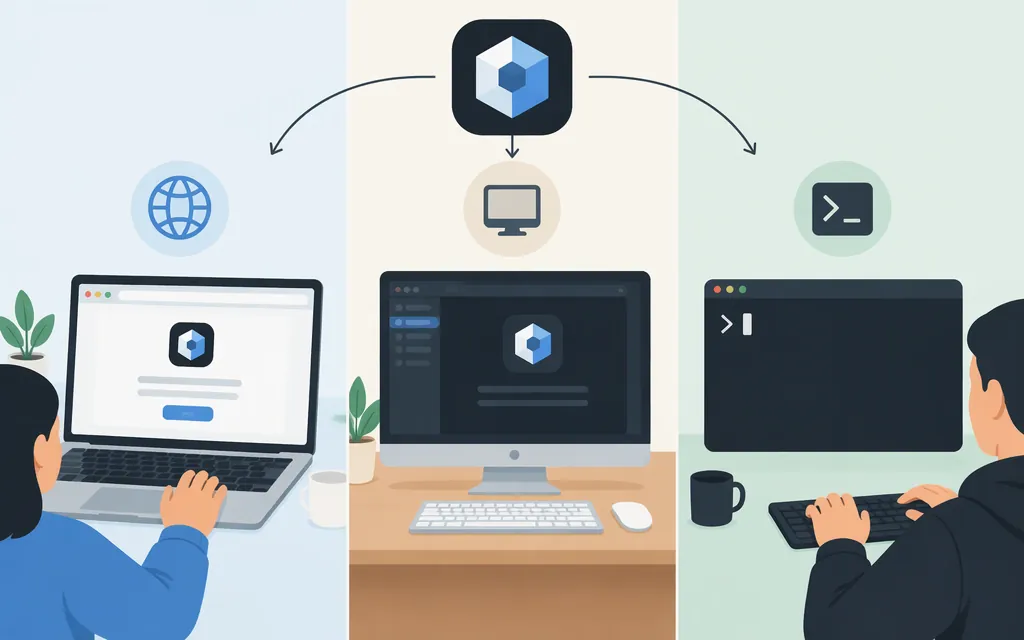
For web access, go to chatgpt.com/codex and sign in. For desktop, install the new ChatGPT app for macOS or Windows from chatgpt.com/download, sign in, and select Codex from the desktop menu. For the CLI, install @openai/codex, open your project folder, run codex, and sign in when prompted. Codex access and Codex Cloud eligibility are not the same: Cloud has separate plan and workspace conditions. (OpenAI desktop-app guide; Codex CLI)
Open Codex on the web
- Go to
chatgpt.com/codex. - Sign in with your ChatGPT account and follow the prompts.
- When the Codex experience appears, start a task. Cloud tasks may also require setting up an environment and connecting a repository. (Codex in ChatGPT)
Open Codex in the desktop app
- Download the ChatGPT desktop app for your operating system from
chatgpt.com/download. - Open the new app and sign in with your ChatGPT account.
- Select Codex from the desktop menu. You have opened the Codex view when that view is selected and displayed. OpenAI distinguishes the new app, which includes Codex, from the previous macOS app, now called ChatGPT Classic. (OpenAI desktop-app guide; macOS app download guide)
If you already use the Codex app, OpenAI says to update it as usual. After updating, it becomes the new ChatGPT desktop app, and the updated app opens in Codex for existing Codex users. (OpenAI migration guide)
Open Codex in a terminal
Install the CLI with npm:
npm install -g @openai/codex
Then open your project directory and run:
codex
Sign in with your ChatGPT account when prompted, then describe a task. If codex is not recognized, check that installation completed and that npm’s global executable directory is on your PATH. (OpenAI Codex CLI repository)
Do you need a paid plan?
OpenAI says Codex is included across ChatGPT plans, including Free and Go, with usage limits that vary by plan. Codex Cloud has separate eligibility: it is available to eligible Plus, Pro, Business, Enterprise, Healthcare, and Education accounts, subject to rollout and workspace settings; it is not included with Free or Go. If the Cloud option is missing, check which account and workspace you signed into. (Using Codex with your ChatGPT plan)
Can Codex use a production model API such as Token Forge Cloud?
OpenAI documents an Amazon Bedrock configuration for local Codex workflows in the CLI, desktop app, and VS Code extension. That documentation does not provide Token Forge Cloud configuration steps or establish that Token Forge Cloud is a supported Codex provider. Treat compatibility as unconfirmed unless current Codex and provider documentation specifies the integration. (OpenAI Bedrock configuration guide)
If your goal is to call a production model API from your own application, follow that API provider’s integration documentation; that is separate from opening Codex.
Sources
Moving to the new ChatGPT desktop app
Downloading the ChatGPT macOS app