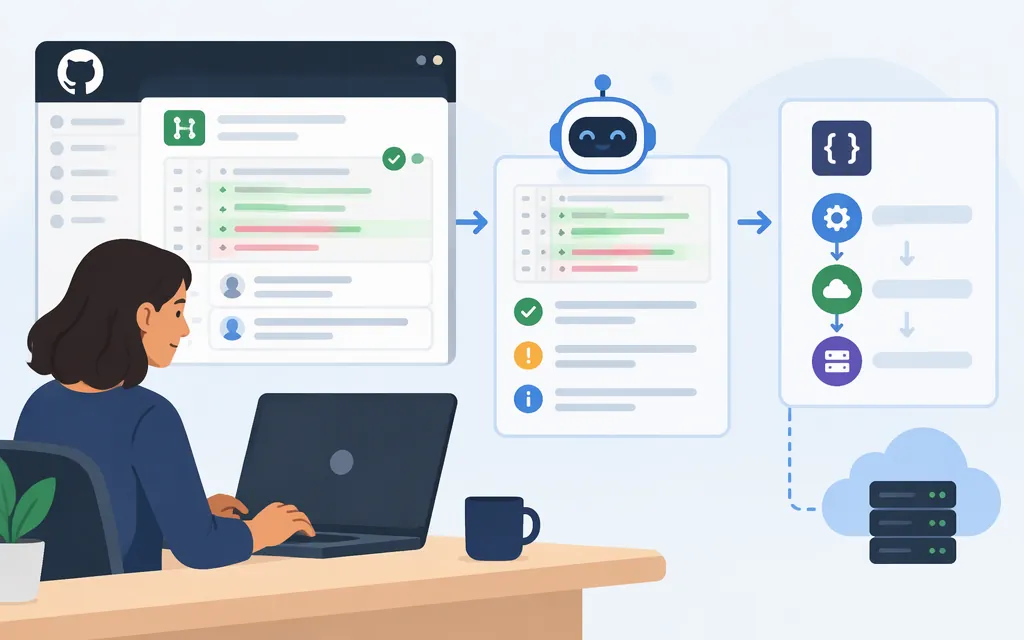
For a quick review on GitHub, comment @codex review on the pull request and wait for Codex to react and post its review. For an interactive walkthrough, open Code Review in ChatGPT on desktop or web, find the pull request, inspect its diff and findings, and ask Codex about anything that needs more investigation. These are related ways to review a pull request, but the interactive Code Review experience is not the same as a custom model-API workflow. (learn.chatgpt.com)
Choose a review path
- Request a GitHub review: Use
@codex reviewin a pull-request comment. Codex reacts while it runs, then posts a standard GitHub review. OpenAI’s guide says GitHub reviews focus on P0 and P1 issues. (learn.chatgpt.com) - Review interactively: In ChatGPT desktop or web, open Code Review, find a pull request you authored or were asked to review, and select it. This experience brings together the pull request, changed code, findings, comments, and checks. (
help.openai.com) - Automate GitHub reviews: Connect the GitHub repository to Codex, open Codex settings, select the repository, and enable Automatic review under Review code. Configuring it requires GitHub push or admin permission for the repository settings. (
learn.chatgpt.com) - Build your own API-powered workflow: Use OpenAI’s Codex GitHub Action to run Codex in your CI workflow. This is a workflow you build and control—not a documented API endpoint that simply triggers the built-in Code Review product. (
github.com)
The Code Review plugin supports desktop and web. GitLab merge-request review is a preview in the plugin; GitLab cloud code reviews are not available. (help.openai.com)
Request a review on a GitHub pull request
-
Confirm access. Your GitHub account needs access to the repository and pull request. If you are in a managed workspace, the Code Review plugin and required app connection must also be available. Installing a plugin does not itself grant repository access. (
help.openai.com) -
Ask Codex to review. Add this comment to the pull request:
@codex review -
Wait for the review. OpenAI’s guide says Codex reacts with an eyes emoji while it runs, then posts a review on the pull request. Check for the posted review before assuming the request completed. (
learn.chatgpt.com) -
Read the review against the change. The GitHub review focuses on P0 and P1 issues. Treat that as a focused pass, not a guarantee that lower-priority concerns, every defect, or every maintainability issue will be found. (
learn.chatgpt.com)
To enable automatic review instead, connect the repository to Codex, go to Codex settings, choose the repository, and switch on Automatic review under Review code. Coordinate with repository administrators before changing shared settings. (learn.chatgpt.com)
Review a pull request in ChatGPT
- Open Code Review in ChatGPT desktop or web.
- Find a pull request you authored or were asked to review. Search or filter if needed, then select it.
- Confirm the repository, title, author, and branch so you are looking at the intended change.
- Read the description and summary, then inspect the changed files and relevant lines in the diff. Check existing findings and comments, test results, other checks, and unresolved merge conflicts. (
help.openai.com) - Ask Codex a focused follow-up in the pull request conversation. For example: “Show me the code that supports this finding” or “Check whether the new error path releases the database connection.” (
help.openai.com)
If you ask Codex to prepare a fix, define its scope and request a test where appropriate—for example, ask it to address an error-handling finding only within a named function and add a test for the failing case. Then inspect the resulting diff and test results yourself before submitting comments, committing, or merging. (help.openai.com)
Make reviews more useful with repository rules
OpenAI documents custom code-review rules in AGENTS.md. Add a ## Code Review Rules section to the file closest to the code the rules govern: use the root file for repository-wide checks and a nested file for service-specific rules. (learn.chatgpt.com)
For example, a team could put this under that heading in the relevant AGENTS.md:
## Code Review Rules

- For changes that add retries to payment requests, check that the operation uses an idempotency key.
This is an illustrative rule, not a guarantee Codex will catch every violation. Keep rules specific and actionable, then verify review comments against the code and your team’s requirements. Review rules guide the review; they do not replace tests, human judgment, branch protections, or required approvals. (developers.openai.com)
Can a production model API run Codex Code Review?
The documented built-in GitHub review starts through Codex’s product workflow—for example, the @codex review pull-request comment or automatic review settings. The official sources cited here do not document a public model-API endpoint that invokes that built-in reviewer directly. Do not assume a generic model API request is equivalent to the managed Code Review feature. (learn.chatgpt.com)
If you need a custom CI review, OpenAI provides the openai/codex-action GitHub Action. Its documented pattern checks out the pull request, makes the base and head available, runs Codex with a review prompt, and can publish the output. The action installs Codex CLI and configures it with a secure proxy to the Responses API; you supply an API key for your provider as a GitHub Actions secret. This is a custom workflow that you operate, not the built-in Code Review service. (github.com)
Before using that route in production:
- Keep the API key in GitHub Actions secrets; do not put it in the repository or prompt.
- Give the workflow and Codex the narrowest permissions they need. OpenAI warns that pull-request text, commit messages, and repository instruction files can contain prompt-injection attempts; treat them as untrusted input. (
github.com) - Separate the review job from any step that has permission to write or post comments where practical. Review the current action’s security guidance before enabling it, especially for workflows that process contributions from outside the trusted team. (
developers.openai.com) - Inspect the generated findings and run your project’s relevant tests. A model-generated finding or patch is not proof that the diagnosis or fix is correct.
An older OpenAI Cookbook example for building a review with the Codex SDK is explicitly marked archived and warns against copying its credential and permission layout. Prefer current Codex Action guidance rather than copying that legacy example. (developers.openai.com)
When to use Security Review
Codex Security Review is a separate, security-focused pass over a GitHub pull request’s diff and supporting code. To request it manually, comment @codex security review. Open the associated Codex task and select Security Report to inspect the full report. (learn.chatgpt.com)
An empty pull-request result does not by itself prove the review completed without findings: Codex may post nothing when no issue meets the reporting threshold. Check the task status and full report. The documented default thresholds are High and Critical for automatic reviews, and Medium, High, and Critical for manual reviews; these are Security Review thresholds, not general Code Review thresholds. General Code Review can also flag security issues, so the two passes may overlap. (learn.chatgpt.com)
The current Security Review documentation lists Enterprise, Business, Edu, and Pro access, but not Plus; it says reviews use included Codex allowance or ChatGPT credits and does not state a fixed per-review price. These details apply to Security Review specifically, not general Code Review. (learn.chatgpt.com)
Before you merge
Use Codex as one input to review—not as the final authority. Confirm each finding in the relevant code, inspect any proposed fix, run the tests and checks appropriate to the change, and follow your team’s normal review and approval process. In ChatGPT Code Review, OpenAI specifically directs users to check findings against the code and inspect the fix’s diff and test results before acting on it. (help.openai.com)
Sources
Review GitHub pull requests with Codex
Review pull requests with Codex
Security Review – Codex Security
Codex Action security guidance
Custom Code Review rules for Codex