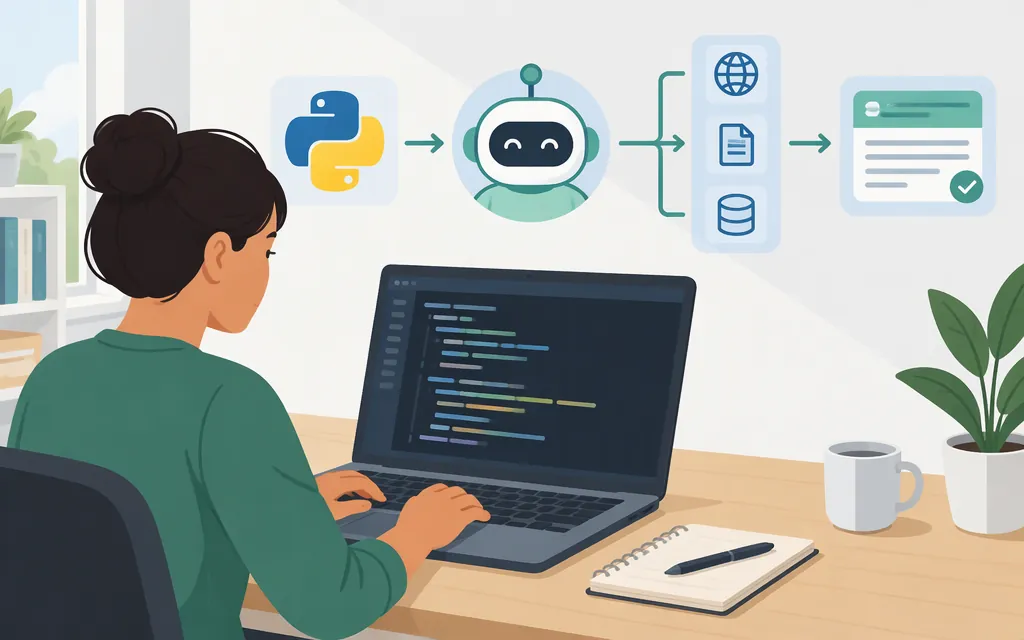
“OpenAI agent” can mean an agent feature in ChatGPT or an agent your application runs with an API. This tutorial covers the API approach: you define an agent in Python, register its tools, and run it from your application. It uses OpenAI’s Agents SDK, a higher-level runtime for agent runs. If you meant a ChatGPT interface workflow, consult the current ChatGPT help documentation instead; the interface and an API-based agent are not interchangeable. (openai.github.io)
Build a minimal API agent
The example below creates a support agent that can look up a sample order status. Its function tool reads an in-memory dictionary: it does not connect to a real store or change an order.
Prerequisites
You need Python 3.10 or newer, an OpenAI API key, and a terminal. The example pins openai-agents to 0.24.0 as its compatibility assumption; the SDK package metadata specifies Python 3.10 or newer. (github.com)
Create a project and virtual environment:
mkdir openai-agent-demo
cd openai-agent-demo
python -m venv .venv
Activate it on macOS or Linux:
source .venv/bin/activate
On Windows PowerShell:
.venv\Scripts\Activate.ps1
Install the pinned SDK version:
pip install "openai-agents==0.24.0"
Set your API key in the current terminal session. On macOS or Linux:
export OPENAI_API_KEY="your-api-key"
On Windows PowerShell:
$env:OPENAI_API_KEY = "your-api-key"
Keep the key out of source control, prompts, user-visible output, and browser-side application code. The SDK quickstart documents the OPENAI_API_KEY environment-variable setup. (openai.github.io)
Define the agent and read-only tool
Save this as main.py:
import asyncio
from agents import Agent, Runner
from agents.decorators import tool

# Illustrative data only; this does not connect to a real order system.
ORDERS = {
    "1001": "Packed; estimated delivery Friday.",
    "1002": "In transit; estimated delivery Monday.",
}

@tool
def lookup_order(order_id: str) -> str:
    """Look up the status of a sample order by its ID."""
    return ORDERS.get(order_id, "No order found for that ID.")

agent = Agent(
    name="Order Support Agent",
    model="gpt-5.6-luna",
    instructions=(
        "Help users check sample order status. "
        "Use lookup_order when they ask about an order. "
        "Do not invent a status if the lookup returns no order. "
        "This agent can only look up orders; it cannot change or cancel them."
    ),
    tools=[lookup_order],
)

async def main():
    result = await Runner.run(
        agent,
        "Can you check the status of order 1001?",
    )
    print(result.final_output)
    # Inspect rich run items to confirm what happened, including tool activity.
    print(result.new_items)

if __name__ == "__main__":
    asyncio.run(main())
The SDK documentation recommends the Responses model path for most OpenAI-only applications and identifies gpt-5.6-luna as its default when no model is specified. If that model is unavailable to your API project, select a model supported by your project and check the current SDK model guidance. (openai.github.io)
Run the example:
python main.py
The expected result is a response reporting the sample status for order 1001; wording may vary. result.final_output contains the final answer, while result.new_items provides run items with tool metadata that you can inspect to confirm whether the lookup ran. The SDK also documents traces that include function-tool calls. This example has not been executed against a live API here, so check installation, API access, and model availability in your own environment before relying on it. (openai.github.io)
What happens when an agent calls a tool?
The agent cannot directly access your order system. Your application registers lookup_order, and the function runs in your application when the SDK handles the tool call. The documented runner flow calls the model, runs requested tools, returns tool results to the workflow, and continues until it gets final output or exceeds the configured turn limit. (openai.github.io)
That separation is important: the model can request an available tool, but your application defines what the tool actually does. Validate tool inputs and give functions only the access they need. A model response is not, by itself, authorization to perform an external action.
Require approval for consequential actions
The sample lookup is read-only. If you add a function that sends a message, issues a refund, cancels an order, or changes an account, require approval before its side effect. In the SDK, a function tool can declare that it always needs approval with @tool(needs_approval=True). A run with a pending approval pauses for a person to approve or reject the call; your application must handle that flow. (openai.github.io)
For example, mark a write-capable function as requiring approval:
from agents.decorators import tool

@tool(needs_approval=True)
async def cancel_order(order_id: int) -> str:
    """Example declaration: require approval before cancellation."""
    # Connect to a real cancellation operation only after your application
    # has handled and received authorized approval for the pending call.
    return f"Cancellation approved for order {order_id}."
The decorator declares the approval requirement; it does not replace your application’s approval interface, authorization checks, or handling of approval and rejection. Do not treat an agent’s interpretation of a user message as authorization by itself. (openai.github.io)
What to check before production
A small demo is not a production deployment. Before connecting an agent to real systems:
- Protect credentials. Keep API keys on the server and out of source control and user-visible outputs.
- Limit tool permissions. Give each function only the permissions and data access it needs. Start with read-only tools when practical.
- Validate inputs, outputs, and effects. The SDK offers input, output, and function-tool guardrail hooks, but they do not automatically enforce every business rule. In particular, agent-level input guardrails run at the start of a chain, output guardrails run for the final agent, and tool guardrails can check each guarded function-tool call before and after execution. (
openai.github.io) - Gate side effects. Require approval for consequential operations and enforce authorization in application code, not only in agent instructions. (
openai.github.io) - Test failures and bound runs. Test unknown IDs, malformed inputs, tool errors, and cases where the agent should not guess. The SDK documents
max_turns; if the run exceeds that limit, it raisesMaxTurnsExceeded. Handle such failures in the surrounding application. (openai.github.io) - Review tracing and data handling. SDK tracing is enabled by default and can record model generations and function-tool calls. The documentation notes that traces may contain sensitive data and describes how to disable sensitive-data capture. Tracing is unavailable for organizations using the API under a Zero Data Retention policy, so check that condition before relying on it. (
openai.github.io)
Keep the first task narrow and its effects easy to inspect. Add integrations or write-capable tools only when you have tests and approval controls for the specific workflow.
Agents SDK or the API directly?
Use the Agents SDK when you want a higher-level runtime to manage agent turns and tool execution. Use the Responses API directly when you want to own the orchestration loop, tool dispatch, and state handling yourself. The SDK documentation recommends the Responses model path for most OpenAI-only apps. (openai.github.io)
For a first Python implementation, the SDK example is a compact starting point: define the agent and its tools, then run it with Runner. Your application still owns permissions, approval logic, data access, and checks on real-world effects.
Sources
Quickstart — OpenAI Agents SDK
Human-in-the-loop — OpenAI Agents SDK
Running agents — OpenAI Agents SDK
Guardrails — OpenAI Agents SDK