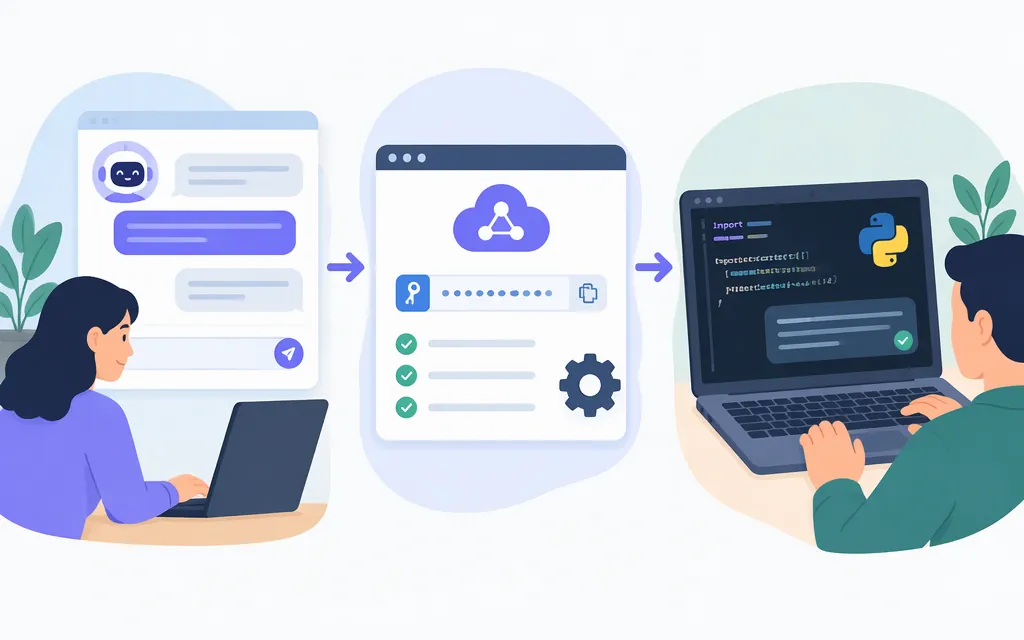
You can use Qwen by chatting at Qwen Chat for manual tasks, or by calling a Qwen model through an API when you want to integrate it into an application. This tutorial shows the API route with Alibaba Cloud Model Studio, using the qwen-plus model and its US (Virginia) endpoint. The example uses the OpenAI-compatible Chat Completions interface, a Python SDK, and an API key stored outside your code. (Qwen Chat)
Choose the route that fits your task
| What you want to do | Start here | What you need |
|---|---|---|
| Ask questions or try Qwen manually | Qwen Chat | A browser and whatever sign-in the service requests. (Qwen Chat) |
| Call Qwen from a script or application | Alibaba Cloud Model Studio API | An Alibaba Cloud account, a US (Virginia) workspace, a region-matched API key, and a model name. (Model Studio first API call) |
For the API walkthrough, this guide selects qwen-plus. Model Studio lists it for US (Virginia), where the documented model input and output modalities are text. Available features can differ by region, so check the model listing for your selected region before relying on a feature. (qwen-plus model information)
Before you start
You’ll need Python and an Alibaba Cloud account. Complete any account activation steps shown in Model Studio; if setup prompts for identity verification, follow that prompt. See Make your first API call to Qwen.
Set up the US (Virginia) workspace and credentials in this order:
- Select US (Virginia) in the Model Studio console. Before calling models in this region, Model Studio says to create a workspace and choose a service deployment scope: Global or US. Choose the scope that fits your needs. (US (Virginia) region and endpoints)
- Create or select the workspace for this example. Use the workspace you intend the API key and endpoint to use. To find its ID, open the Model Studio console home page, select the target region, and click the icon in the upper-right corner. The dialog displays the current workspace’s ID. If you need to choose another workspace, use the Workspace Management page and copy that workspace’s ID. (Get the Workspace ID)
- Create or copy an API key for US (Virginia). Open the Model Studio API Key page and select US (Virginia) in the upper-right region selector. Click Create API Key, choose the owner account and the workspace you selected above, configure permissions, and click OK. If you select custom model permissions, allow
qwen-plus. Copy the key from the list. If you cannot create a key, ask a super administrator or workspace administrator. Keys and model lists are region-specific; do not mix a key from another region with this endpoint. (Obtain an API key)
Keep the Workspace ID and API key from the same US (Virginia) setup. The workspace-specific endpoint includes the Workspace ID. (US (Virginia) region and endpoints)
Make your first Qwen API call with Python
1. Install the OpenAI Python SDK
Model Studio supports an OpenAI-compatible interface, so this example uses the OpenAI Python SDK. In a terminal, run: (OpenAI-compatible Chat API)
python -m pip install openai
2. Set your key and endpoint
Set DASHSCOPE_API_KEY to your Model Studio API key. Set DASHSCOPE_BASE_URL to the US (Virginia) workspace-specific endpoint, replacing <WorkspaceId> with the ID of the workspace you selected and used for the key. The documented endpoint format for OpenAI-compatible calls in that region is shown below. (Base URL overview)
macOS or Linux (current terminal session):
export DASHSCOPE_API_KEY='paste-your-api-key-here'
export DASHSCOPE_BASE_URL='https://<WorkspaceId>.us-east-1.maas.aliyuncs.com/compatible-mode/v1'
Windows PowerShell (current session):
$env:DASHSCOPE_API_KEY = 'paste-your-api-key-here'
$env:DASHSCOPE_BASE_URL = 'https://<WorkspaceId>.us-east-1.maas.aliyuncs.com/compatible-mode/v1'
Treat the key like a password: don’t commit it to source control, paste it into public logs, or expose it in client-side browser or mobile code. For a deployed application, load it from your hosting platform’s secret manager instead of embedding it in the application. (Obtain an API key)
3. Send a small test request
Save this as qwen_test.py and run python qwen_test.py in the same terminal where you set the environment variables:
import os
from openai import OpenAI

client = OpenAI(
    api_key=os.environ['DASHSCOPE_API_KEY'],
    base_url=os.environ['DASHSCOPE_BASE_URL'],
)

response = client.chat.completions.create(
    model='qwen-plus',
    messages=[
        {'role': 'system', 'content': 'You are a concise assistant.'},
        {
            'role': 'user',
            'content': (
                'Summarize this in one sentence: '
                'The library will close at 6 p.m. on Friday for maintenance.'
            ),
        },
    ],
)

answer = response.choices[0].message.content
if not answer:
    raise RuntimeError('The response did not contain text.')

print(answer)
The request specifies the model with model, sends the conversation as messages, and prints the generated message text from the response. A successful run should print a one-sentence summary; the exact wording is generated by the model and may vary. Model Studio documents qwen-plus as a model identifier and supports the OpenAI-compatible Chat API. (Model Studio first API call)
Check whether the answer is good enough
A successful API response means the request returned an answer; it does not prove that the answer is accurate or appropriate for your use. Test with examples that resemble your real inputs. For the library example, check that the summary preserves the important facts—Friday, 6 p.m., and maintenance—rather than judging it only by fluency.
For a real task, write down what a correct answer must contain, test several representative inputs (including ambiguous or incomplete ones), and verify consequential claims against the original material or a qualified reviewer. The qwen-plus model page describes model features, but those descriptions are not a guarantee of accuracy on your particular task. (qwen-plus model information)
Basic troubleshooting
Read the provider’s returned error code and message before choosing a fix; the HTTP status alone may not identify the specific cause. (Model Studio error codes)
- 401 /
InvalidApiKeyorinvalid_api_key: Confirm the key is valid and that the key’s region matches the endpoint’s region. (Model Studio error codes) - 403 /
AccessDeniedoraccess_denied: Follow the error message to check permissions, service activation, and whether the API supports the kind of call you are making. If you configured custom model permissions for the key, check thatqwen-plusis allowed. (Model Studio error codes; API key setup) - 404 /
ModelNotFoundorNotFound: Check the model name, its availability in the selected region, and the request path and method. Also compare the endpoint URL with the Workspace ID and region you selected. (Model Studio error codes; US (Virginia) region and endpoints) - 400 /
InvalidParameter: Use the error message to check request parameters, format, and API requirements, then correct the request. (Model Studio error codes) - 429 / rate or quota limit: Check the returned error to identify the limit. If it is a rate limit, reduce request rate, concurrency, or token rate as applicable. For an exhausted quota, follow the relevant quota instructions rather than repeatedly resending the same request. (Model Studio error codes)
- 5xx /
InternalErrororServiceUnavailable: Check the matching error entry for the recommended action. Retry only if that entry recommends it; when retrying, use a maximum retry count and total retry duration. (Model Studio error codes)
The Python SDK raises an exception when a request fails; don’t silently treat an error as generated text. When logging failures, avoid logging the API key or other secrets. For other provider-specific cases, consult Model Studio’s error-code documentation.
Sources
- Alibaba Cloud Model Studio, Make your first API call to Qwen
- Alibaba Cloud Model Studio, OpenAI-compatible Chat API
- Alibaba Cloud Model Studio, Base URL overview
- Alibaba Cloud Model Studio, Obtain an API key
- Alibaba Cloud Model Studio,
qwen-plusmodel information - Alibaba Cloud Model Studio, Error codes
- Alibaba Cloud Model Studio, US (Virginia) region and endpoints
- Alibaba Cloud Model Studio, Get the App ID and Workspace ID
- Qwen, Qwen Chat
Sources
Make your first API call to Qwen
US (Virginia) region and endpoints