Short answer
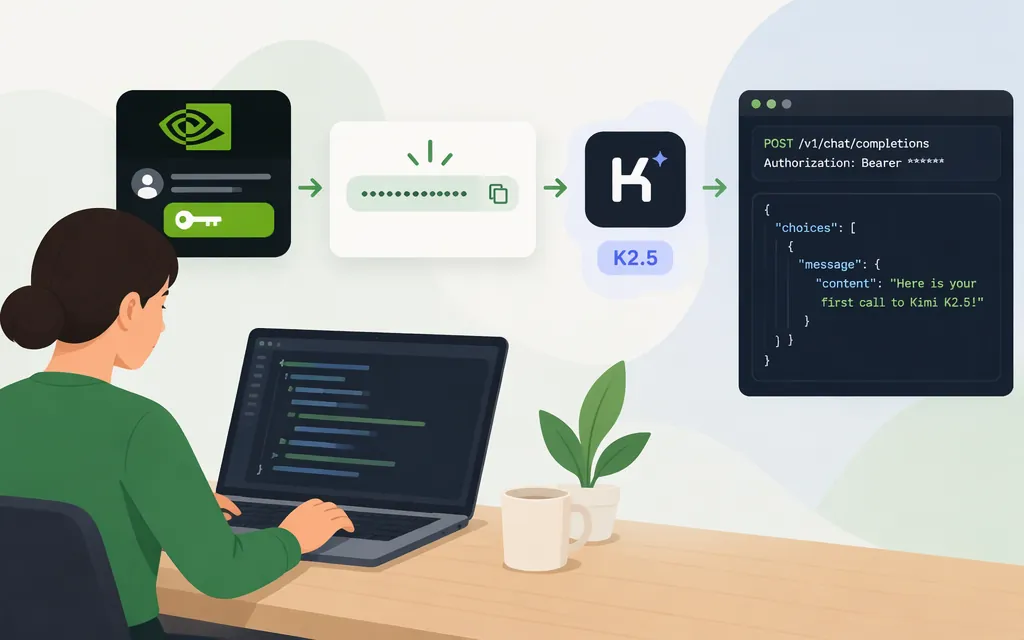
“Kimi K2 5” most likely means Kimi K2.5. NVIDIA’s API Catalog documents a hosted route for it: use an NVIDIA API key with NVIDIA’s Chat Completions API and the model ID moonshotai/kimi-k2.5. This is an NVIDIA key for NVIDIA’s endpoint, not a Moonshot-issued key. NVIDIA identifies the route as trial access, so it is for evaluation—not production use. (docs.api.nvidia.com)
Get an NVIDIA API key
- Sign in to or create an NVIDIA account.
- Open NVIDIA’s API key settings and generate a key. NVIDIA’s catalog quickstart identifies this as the key location; the model page may also offer a Get API Key action. (
build.nvidia.com) - Keep the key in an environment variable rather than committing it to source code. For macOS or Linux:
export NVIDIA_API_KEY="paste-your-key-here"
Do not share the key publicly. If inference is denied even though the key appears valid, check NVIDIA account/API access permissions or the error returned by the endpoint; having a key alone does not guarantee that every model call is authorized.
Make a first Kimi K2.5 API request
NVIDIA documents the hosted base URL and Bearer-token authentication. Its Kimi K2.5 NIM guide shows chat requests using model and messages; it notes that reasoning requests can need a larger output-token budget. This minimal text request omits a token cap and streaming option so it does not impose a small output limit. It is a documentation-based example, not a report of a live test. (docs.nvidia.com)
curl https://integrate.api.nvidia.com/v1/chat/completions \
  -H "Authorization: Bearer $NVIDIA_API_KEY" \
  -H "Content-Type: application/json" \
  -d '{
    "model": "moonshotai/kimi-k2.5",
    "messages": [
      {"role": "user", "content": "Reply with exactly: Kimi K2.5 API is working."}
    ]
  }'
A successful response should be a chat-completion JSON response containing a choice and assistant message. Check that the returned message has usable content; if the response indicates that generation stopped at an output limit, do not treat it as a complete reply. NVIDIA’s Kimi K2.5 NIM guide warns that reasoning outputs may require a higher max_tokens budget, but the hosted quickstart excerpts do not specify a universal budget for this request. (docs.nvidia.com)
Important provider and production caveats
- Match the key to the provider. This request sends an NVIDIA key to NVIDIA’s endpoint. Do not assume a Moonshot key works there, or that an NVIDIA key works with another provider.
- NVIDIA’s hosted API Catalog route is trial access, not a production route. The applicable NVIDIA API Trial Terms limit access to trial purposes and prohibit using the API service or generated content in production. NVIDIA’s Kimi K2.5 model page separately describes the model license; that does not override the hosted trial-service terms. This guide therefore establishes a trial integration only, not production availability. (
docs.api.nvidia.com) - Do not confuse Kimi K2.5 with Kimi K2 or K2-preview. For example, a third-party Kimi K2 page shows
moonshot/kimi-k2-preview; that is not the NVIDIA K2.5 model ID used above. (docs.api.nvidia.com)
Sources
NVIDIA API Reference: moonshotai / kimi-k2.5
NVIDIA API Reference: Kimi K2.5 inference request
NVIDIA API Catalog Quickstart Guide
NVIDIA API Catalog getting-started and authentication information
NVIDIA API Trial Terms of Service