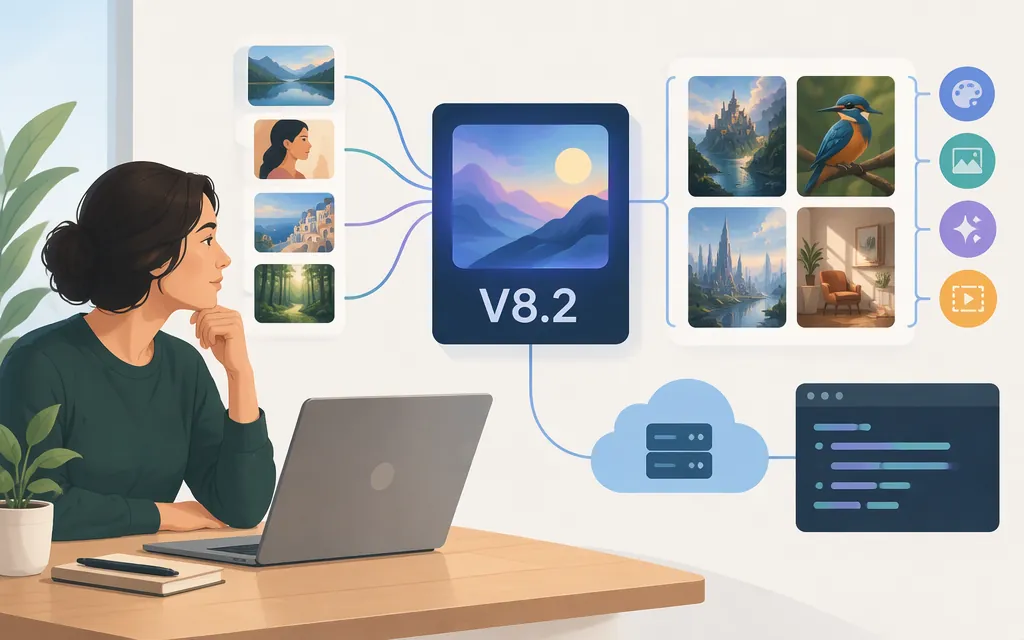
Direct answer
Midjourney’s documentation currently names V8.2 as the default image model. Start there, then choose the workflow based on whether you need image references, style matching, or editing. A model version is distinct from the website or Discord interface—and neither interface, by itself, establishes API access. (docs.midjourney.com)
For production integration, the documentation reviewed here does not document a public Midjourney API. Midjourney’s current Terms of Service say users may not use automated tools to access, interact with, or generate assets through its services; its Community Guidelines also disallow unauthorized automation and third-party apps. Do not treat website or Discord access as permission to automate. Ask Midjourney directly about any proposed authorized programmatic access. (docs.midjourney.com)
Token Forge Cloud’s homepage advertises production APIs for Qwen, DeepSeek, GLM, and Seedance. That homepage excerpt does not establish whether Token Forge Cloud supports Midjourney; confirm directly with the provider before planning around it. (tokenforgecloud.com)
What “Midjourney model” means
Midjourney describes versions as different image-generation models released over time, with possible differences in prompt handling, artistic style, and image quality. Its documentation identifies V8.2 as the current default and says it was released on July 24, 2026. These are version and availability statements from Midjourney’s documentation, not a guarantee that every feature works identically across interfaces. (docs.midjourney.com)
Keep three things distinct:
- Model/version: the image-generation model, currently listed by Midjourney as V8.2.
- Interface: the website or Discord, which Midjourney documents as ways to create images.
- API access: a separately authorized and documented programmatic route. Neither interface access nor a third-party service listing, by itself, proves that such access is available or permitted. (
docs.midjourney.com)
Choosing a model or workflow by task
Use the current documented version as your starting point, then match the tool to the kind of control you need.
| If your priority is… | Evaluate… | What the documentation says |
|---|---|---|
| Influencing image content, composition, or colors with a reference image | Image Prompts | Midjourney says Image Prompts let you include an image to guide content, composition, and colors; its current guide marks the feature as supported in V8.2. (docs.midjourney.com) |
| Matching the overall look of a reference image | Style References | Midjourney says Style References guide the visual style—such as colors, medium, textures, or lighting—rather than copying the reference’s objects or people. The guide says they are compatible with versions 6 and later. (docs.midjourney.com) |
| Editing an existing image or combining references | Edit model | The Edit model guide says it works with V8.1 and V8.2, supports up to four reference images, and can perform inpainting and outpainting. It also says Edit results are not currently compatible with Remix. (docs.midjourney.com) |
| Creating through the website or Discord | The interface that suits your workflow | Midjourney’s getting-started guide describes prompting on the Create page and generating a set of four images. This is a user-facing workflow, not API documentation. (docs.midjourney.com) |
The current Edit-model guide also says the Edit model can be used with Image Prompts and Style References. Check its compatibility notes before relying on a particular combination of tools. (docs.midjourney.com)
What older model comparisons can—and can’t—tell you
A third-party review dated July 17, 2026 compared V8.1, V8, and V7. For three specific prompts, the reviewer preferred V7 for a hybrid product image, V8 for an oil-paint landscape, and V8.1 for an event photograph. The reviewer says each model generated four images and only the best output was shown. These are subjective, prompt-specific observations—not a general ranking—and the review predates V8.2’s July 24, 2026 release. Treat them as ideas for what to test, not evidence of how V8.2 will perform. (Source: Banani, “I Tested Midjourney AI Image Models on UI Asset Brief (2026).”)
Capabilities and limits worth checking
Midjourney’s V8.2 announcement says the update focuses on aesthetics, image quality, and personalization. It describes expected improvements, but does not supply a comparative benchmark in the announcement. (updates.midjourney.com)
For reference-based work, distinguish the tools by purpose: Image Prompts guide content, composition, and colors; Style References guide the visual look; and the Edit model supports instruction-based changes and targeted inpainting or outpainting. The documentation lists Edit-model compatibility with V8.1 and V8.2 and notes its Remix limitation. (docs.midjourney.com)
Older release notes need version context. For example, Midjourney’s July 30, 2024 V6.1 announcement described --q 2 as taking 25% longer and sometimes adding texture at the cost of reduced coherence. It also said certain operations fell back to V6.0 at that release. These are V6.1-era statements, not evidence of V8.2 behavior. (updates.midjourney.com)
Production API: what is verified
Midjourney: The documentation reviewed here does not document a public production API, endpoint, model ID, authentication method, request or response schema, API pricing, or production guarantees. Separately, Midjourney’s Terms of Service prohibit using automated tools to access, interact with, or generate assets through its services, and its Community Guidelines disallow unauthorized automation and third-party apps. Do not assume an API or automated workflow is permitted; seek direct confirmation from Midjourney about any authorized programmatic access before building. (docs.midjourney.com)
Token Forge Cloud: Its homepage excerpt advertises production APIs for Qwen, DeepSeek, GLM, and Seedance. That excerpt does not confirm Midjourney support, and it is not enough to establish that Midjourney is absent from the provider’s entire catalog. Verify current availability and request technical documentation directly from Token Forge Cloud. (tokenforgecloud.com)
Before building around any provider, confirm in its current documentation or directly with the provider:
- Whether Midjourney access is supported and authorized, and the exact model identifier.
- Which operations are supported, such as image generation, editing, or reference inputs.
- Authentication, request and response formats, errors, and usage limits.
- Pricing, production terms, and any reliability or data-handling commitments relevant to your application.
Do not substitute a Discord command, website feature, or unofficial wrapper for confirmation of authorized, documented production access.
A practical evaluation before committing
- Confirm the version and access route. Check Midjourney’s current version documentation and the rules for the interface or provider you plan to use. Midjourney’s documentation currently names V8.2 as the default. (
docs.midjourney.com) - Write representative prompts. Include a typical request, a difficult edge case, and any requirements such as layout, text, subject consistency, or editing.
- Compare results against your own criteria. For example, note whether key objects appear, the composition is usable, the style fits, and edits follow instructions. This is a suggested evaluation method, not a published benchmark.
- Test the complete workflow. If references or editing matter, test those steps too; a good initial image does not establish that later edits will fit your needs.
- For production, confirm permission and documentation first. Do not begin implementation until the relevant provider confirms authorized access and documents the model and operations.
Bottom line: Midjourney’s documentation names V8.2 as its current default, but the best workflow depends on the image task and the controls required. Test current features with representative prompts. Treat production API access as unconfirmed unless the provider documents and authorizes it directly.
Sources
Version — Midjourney Documentation
Community Guidelines — Midjourney
Image Prompts — Midjourney Documentation
Style Reference — Midjourney Documentation
Edit Model — Midjourney Documentation
Getting Started Guide — Midjourney Documentation
I Tested Midjourney AI Image Models on UI Asset Brief (2026)