Short answer
For a new MiniMax text-to-speech evaluation, start with Speech 2.8: MiniMax’s model documentation lists speech-2.8-hd and speech-2.8-turbo, while listing Speech 2.6 and Speech-02 models as legacy. Consider HD when its sound-tag and “ultra-realistic quality” positioning fits your audio; consider Turbo when you want the option MiniMax describes as combining speed with natural flow. These are documented positioning differences, not a guaranteed quality or latency comparison—test your own text, voices, and response-time requirements before committing. (MiniMax model documentation)
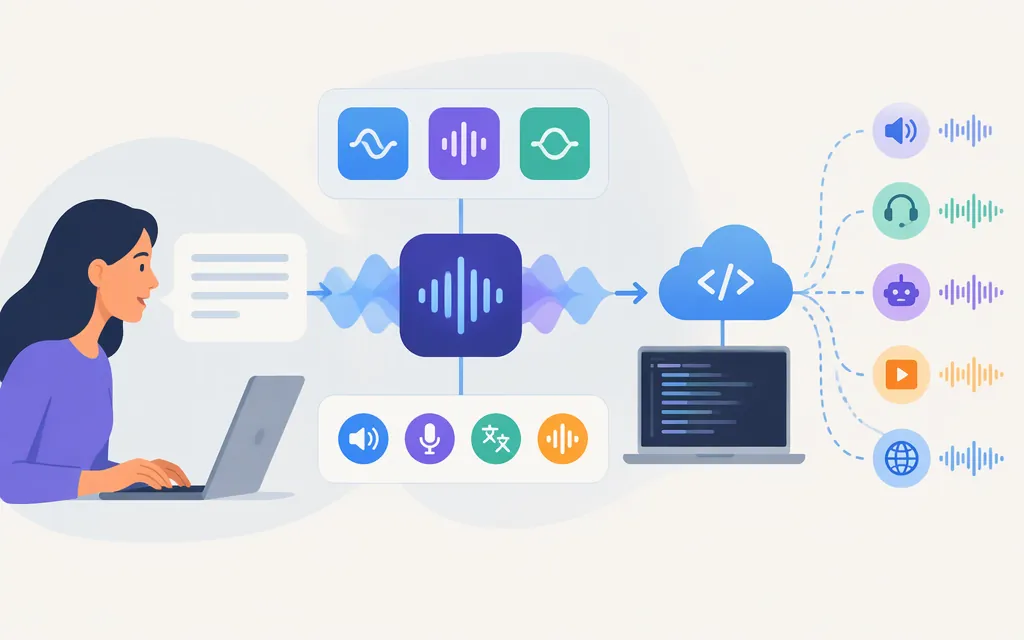
MiniMax documents a production TTS API at POST https://api.minimax.io/v1/t2a_v2, with bearer-token authentication, optional streaming, and a WebSocket route for streamed audio. That establishes a documented MiniMax API path, but not that every model, account, or region has identical access or terms. (MiniMax HTTP API reference)
Which MiniMax TTS model should you consider?
| Workload | Option to evaluate first | What the documentation supports—and what it doesn’t |
|---|---|---|
| Voiceovers, narration, or audio where sound tags and a high-quality profile matter | speech-2.8-hd |
MiniMax describes it as “ultra-realistic quality featuring sound tags.” Treat that as product positioning, not an independent sound-quality test. (MiniMax model documentation) |
| Interactive speech where speed is an important selection criterion | speech-2.8-turbo |
MiniMax describes it as “seamless speed meets natural flow.” The cited documentation does not give a specific latency guarantee. (MiniMax model documentation) |
| An existing integration using Speech 2.6 | Check the current API model list and your account before changing anything | MiniMax lists speech-2.6-hd and speech-2.6-turbo as legacy. The documentation does not, by itself, say when any given account or integration will stop working. (MiniMax model documentation) |
Practical choice: If you’re building an agent, try Turbo first and measure when playable audio arrives under your expected load. If you’re generating finished narration, compare HD samples using representative passages and the voices you plan to ship. The product labels narrow down what to evaluate; they don’t replace listening tests or a latency test in your own deployment.
Capabilities that can change the decision
Language coverage. MiniMax’s API guide lists 40 supported languages, including English, Spanish, French, Japanese, Korean, Hindi, and Cantonese. If your application depends on a particular language or dialect, confirm that the desired voice and language combination works for your use case; a language list is not a promise that every voice is available in every language. (MiniMax TTS guide)
Text normalization. MiniMax documents normalization for expressions such as numbers, dates, times, currencies, and phone numbers. Its basic mode uses rule-based normalization and is positioned for lower latency; quality uses a hybrid LLM-and-rules approach and adds latency. The documentation available for this guide does not establish a complete model-and-transport compatibility matrix for quality. For streaming or a particular model, verify current compatibility in the API documentation rather than assuming the setting is supported. (MiniMax TTS guide)
Voice and delivery controls. The synchronous API documentation describes voice settings and audio settings, alongside fields such as model and text. Check the API reference for accepted values and verify the voice IDs you intend to use before building a request around them. (MiniMax HTTP API reference)
Sound tags and cloning. MiniMax’s Speech 2.8 announcement describes native sound tags, while the official API guide documents interjection tags for Speech 2.8 HD and Turbo, including tags such as (laughs), (breath), and (sighs). MiniMax also describes voice cloning in its announcement. Treat promotional claims about cloning quality as claims—not as a substitute for testing your source audio, target language, permissions, and intended use. (MiniMax Speech 2.8 announcement)
Production API: what is documented
For a standard synchronous request, MiniMax documents the /v1/t2a_v2 endpoint, bearer authentication, and request fields for the model, text, voice settings, and audio settings. The reference also describes the response. Before copying a payload into an application, consult the official HTTP API reference for the exact field placement, accepted values, and response encoding; this guide does not reproduce a verified voice ID or complete executable request.
Choose the API mode by workflow:
- HTTP synchronous: send the complete text in a request and receive synthesized audio; the documentation says synchronous requests support up to 10,000 characters. It recommends streaming output for text over 3,000 characters. (MiniMax HTTP API reference)
- WebSocket: send text sentence by sentence and receive audio chunks for real-time playback. MiniMax describes this route as suited to low-latency playback; that is an intended use, not a measured end-to-end latency promise. (MiniMax WebSocket API reference)
- Asynchronous long-form synthesis: MiniMax’s guide describes an async workflow for long audio and states a maximum of 1 million characters per request. Use the async create-task documentation for task handling rather than assuming the synchronous response flow applies. (MiniMax asynchronous TTS guide)
API access and price checks
MiniMax’s API overview distinguishes pay-as-you-go API keys from subscription keys used for M Plan subscriptions and purchased credits. Confirm which credential and billing arrangement apply to your account before estimating production cost. The cited API documentation establishes the request path and key types, but does not provide a single numeric TTS API price suitable for quoting here; don’t use MiniMax Audio website subscription prices as though they were API prices. (MiniMax API overview)
Before adopting a model, verify in your own MiniMax account and current documentation:
- The model ID and API access available to your account and region.
- Whether you need a complete response, HTTP streaming, WebSocket playback, or asynchronous long-form generation.
- The voice IDs, languages, output format, and normalization settings your product requires.
- Current API billing and applicable limits; calculate cost using the provider’s current API rate and your expected character volume.
- For interactive use, measured time to first playable audio and failure behavior under realistic network and request conditions.
Bottom line
For most new evaluations, compare Speech 2.8 HD and Speech 2.8 Turbo against the actual job: HD for its documented sound-tag and quality positioning, Turbo for its speed-oriented positioning. MiniMax documents a production TTS API and several request modes, but a model name or feature list alone cannot establish the latency, audio quality, price, or account-level availability you will experience. Run a small representative test, then verify current access and billing in MiniMax’s API documentation before production selection. (MiniMax model documentation)
Sources
Synchronous Text-to-Speech Guide (WebSocket) - MiniMax API Docs
Synchronous Text to Speech - MiniMax API Docs
Synchronous Text to Speech - MiniMax API Docs
Async Long TTS Guide - MiniMax API Docs