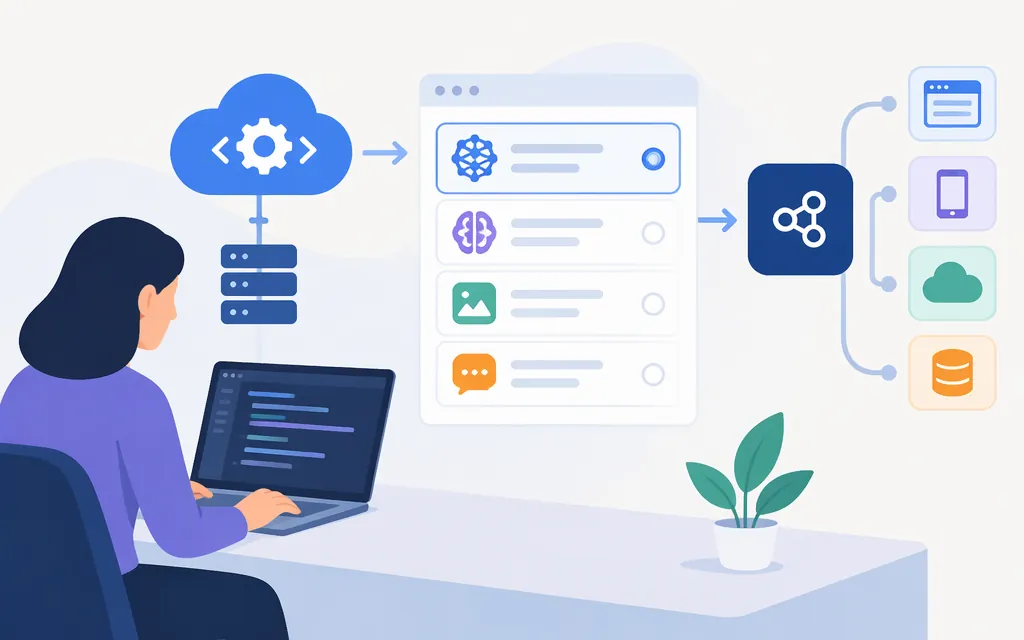
MiniMax uses different models and API routes for text, speech, and video. For chat, the official text guide covers models such as MiniMax-M3.1-Flash; text-to-speech uses a separate endpoint and speech model; video generation creates an asynchronous task. Don’t assume one model, credential, or request format works across all three. The examples and links below are tied to the specific MiniMax documentation they describe.
Choose a model by task
| Task | Model options identified in MiniMax documentation | What to check |
|---|---|---|
| Text and chat | MiniMax-M3.1-Flash, MiniMax-M3 |
The text guide describes M3.1-Flash as a 1-million-token-context model with tunable thinking effort. Use the model and request format supported by your chosen integration. Text-generation guide |
| Text-to-speech | speech-2.8-hd |
MiniMax’s synchronous TTS reference uses this model. Check the official model list for other listed speech models. Model list · TTS API reference |
| Video generation | MiniMax-H3; the model list also identifies Hailuo video models |
H3 task creation is documented separately from chat. Check the video guide for the generation mode and constraints that apply to your task. Video-generation guide |
What about MiniMax 2.5?
MiniMax’s model-list notice gives October 19, 2026 as a cutoff for new-user access and November 18, 2026 as the retirement date for existing pay-as-you-go users. Confirm that the notice applies to the exact M2.5 model ID or variant you use and to your account plan before relying on it or planning a migration; its applicability beyond the stated pay-as-you-go users is not clear here. MiniMax model list and notice
Access: credentials and endpoints
MiniMax distinguishes a pay-as-you-go API key, created under API Keys, from an M Plan subscription key, found under Billing → M Plan. These are different credential types; don’t assume one can replace the other for every model or endpoint. Confirm the eligible credential and account requirements in the relevant API guide before making a request. Quickstart prerequisites · API overview
| Task | Documented route | Applicability |
|---|---|---|
| Text chat | MiniMax documents Anthropic-compatible and OpenAI-compatible chat routes. The text guide gives the applicable base URLs and request examples. | Follow the format and credential instructions for the SDK or API route you choose; don’t combine settings from different formats. Text-generation guide |
| Synchronous text-to-speech | POST https://api.minimax.io/v1/t2a_v2 |
This is the documented HTTP TTS endpoint. Use the TTS reference for its required body and response fields. TTS API reference |
| H3 video generation | POST https://api.minimax.io/v2/video_generation |
The creation reference describes an asynchronous task and a returned task ID. The eligible credential and any account prerequisite for this H3 route are not established here; confirm them in the current video guide before choosing a key. Create-video reference · Video-generation guide |
The URLs above are the global hosts shown in the linked MiniMax documentation. The materials available here do not establish that the same host, credential, or plan requirements apply to every region and modality.
First integration step
There is no single verified request body that covers chat, speech, and video. Start with the official reference for the selected task: the text-generation guide, synchronous TTS reference, or H3 task-creation reference. Each provides a modality-specific example; use its required fields and credential instructions rather than copying a shared template.
If you want a named client setup rather than a raw API request, MiniMax documents this Codex setup:
-
Obtain an M Plan API key from Plan Details. The guide recommends Codex CLI 0.146.0 or newer.
-
Close Codex and any editor that has
~/.codex/config.tomlopen. -
Run the setup wizard and select Codex:
npx -y mmx-cli@latest agent setup -
Restart Codex after setup. The wizard configures Codex configuration and model-catalog files. Use
/modelto inspect the available model and reasoning choices; the guide describes an optional catalog configuration for showingMiniMax-M3.1-Flashand its supported reasoning levels. Seeing a model in that list is a configuration check, not proof that an API request succeeded.
This path is specifically for Codex and MiniMax-M3.1-Flash; its manual configuration uses an M Plan API key, https://api.minimax.io/v1, and the Responses wire format. It is not a general-purpose request example for speech or video. MiniMax Codex guide
Video task completion
The H3 creation step returns a task_id; it does not return the finished video. This article covers task creation only. Use MiniMax’s video-generation guide for the status and result workflow; the exact query parameters and result fields are not reproduced here.
Which route should you use?
- Chat or coding: Start with the text-generation guide and select a listed chat model such as
MiniMax-M3.1-Flash. Its guide describes a 1M-token context window and tunable thinking effort; follow the guide’s exact API format and request example. - Speech from text: Use the TTS endpoint and a speech model such as
speech-2.8-hd, not the chat endpoint. Choose the synchronous HTTP reference for that request; consult MiniMax’s speech documentation for other modes. - Video creation: Use the video-generation API and follow the task-based workflow. The eligible credential and account requirements for H3 remain unconfirmed here, so verify them in the current official guide before choosing a key.
- An existing M2.5 integration: Check the model-list notice against your account type and exact variant. It gives November 18, 2026 as the retirement date for existing pay-as-you-go users; confirm whether that notice covers your precise model ID and plan before making a migration decision.
Common integration pitfalls
- Don’t mix chat formats. Use the base URL, headers, and body from the same MiniMax compatibility guide.
- Don’t use the chat endpoint for TTS or video. TTS has its own
/v1/t2a_v2endpoint; H3 task creation uses/v2/video_generation. - Don’t assume credentials are interchangeable. MiniMax lists pay-as-you-go and M Plan credentials separately. Check the selected model’s guide for eligibility.
- Don’t treat video task creation as completed generation. Keep the task ID and follow MiniMax’s status and result instructions in the video guide.
- Keep API keys out of source code. MiniMax’s quickstart prerequisites explain where to obtain the relevant credential and recommend using an environment variable. Quickstart prerequisites
Official documentation
- MiniMax model list
- API overview
- Quickstart prerequisites
- Text generation
- Synchronous text-to-speech API
- Video generation guide
- Create an H3 video task
- MiniMax setup in Codex
Sources
API Overview - MiniMax API Docs
Prerequisites - MiniMax API Docs
Model Invocation - MiniMax API Docs
Synchronous Text to Speech - MiniMax API Docs
Video Generation - MiniMax API Docs