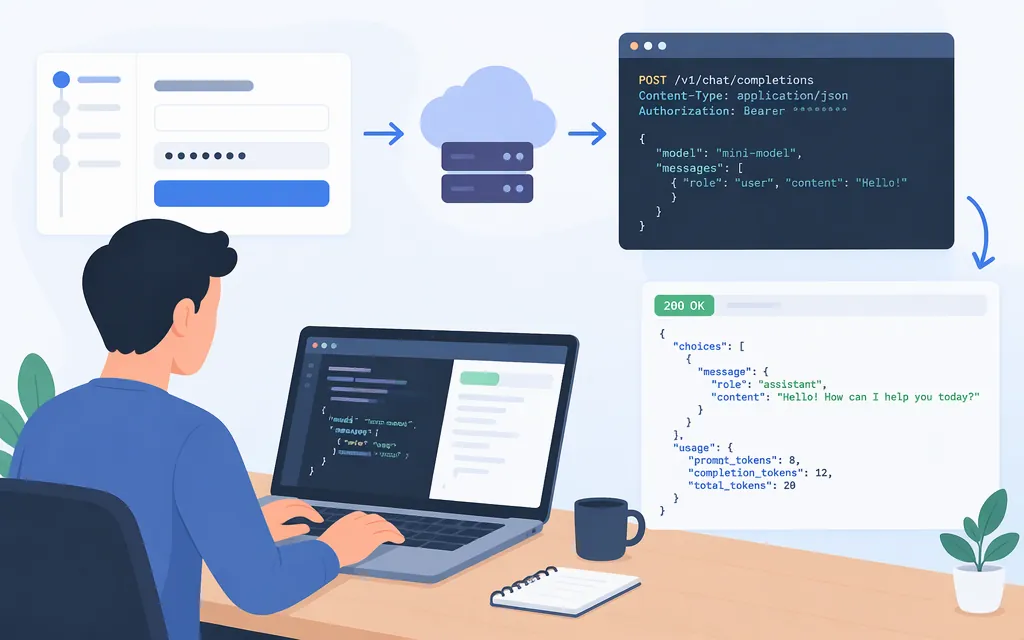
The MiniMax API lets applications call hosted MiniMax models. For a first text integration, MiniMax recommends the Anthropic SDK and documents requests for MiniMax-M3.1-Flash and MiniMax-M3. This walkthrough uses credentials issued through the MiniMax API Platform at platform.minimax.io and the api.minimax.io/anthropic host shown in MiniMax’s setup instructions. MiniMax’s documentation does not establish whether credentials from another regional portal work on this host; if you use a different portal, follow its own current setup instructions. The code follows documented examples but has not been live-tested here.
Choose a model and interface
Use the Anthropic SDK if you want to follow MiniMax’s recommended documented path. MiniMax’s Anthropic-compatible interface supports MiniMax-M3.1-Flash and MiniMax-M3. If your application already uses the OpenAI SDK, MiniMax also lists an OpenAI-compatible option; use that interface’s current reference rather than assuming parameters or responses behave identically. The Anthropic-compatible interface is limited to those two models, according to MiniMax’s documentation.
Set up access and make a first request
1. Get the credential for your billing path
Register or sign in to the MiniMax API Platform at platform.minimax.io. For pay-as-you-go usage, create a key under API Keys. For M Plan usage, find the separate Subscription Key under Billing → M Plan. These credentials are not interchangeable; choose the one associated with the billing resources you intend to use. MiniMax’s setup guide shows either credential with the Anthropic SDK configuration below.
2. Install the SDK and configure the connection
Install the Python SDK and set the documented base URL and the credential you obtained above:
pip install anthropic

export ANTHROPIC_BASE_URL="https://api.minimax.io/anthropic"
export ANTHROPIC_API_KEY="YOUR_MINIMAX_API_KEY_OR_SUBSCRIPTION_KEY"
Keep the key on your server. Use a secret manager in a deployed service; do not put it in browser code or commit it to source control.
3. Send a short test request
import anthropic

client = anthropic.Anthropic()

message = client.messages.create(
    model="MiniMax-M3.1-Flash",
    output_config={"effort": "max"},
    max_tokens=4096,
    system="You are a helpful assistant.",
    messages=[
        {
            "role": "user",
            "content": [{"type": "text", "text": "Reply with a short greeting."}],
        }
    ],
)

for block in message.content:
    if block.type == "text":
        print(block.text)
A text block in message.content is the visible reply. MiniMax’s example also handles thinking blocks; for a multi-turn tool workflow, its documentation says to preserve the full returned content when continuing the conversation. This code has not been live-tested here.
Pay-as-you-go API pricing estimates
These are pay-as-you-go token estimates, not M Plan subscription or quota pricing. Check MiniMax’s pricing page and your account’s billing terms before budgeting; rates and billing arrangements can change.
| Model and tier | Input per 1 million tokens | Output per 1 million tokens |
|---|---|---|
| M3.1-Flash | $0.15 | $0.60 |
| M3 Standard, up to 512K input tokens | $0.30 | $1.20 |
For a hypothetical request with 20,000 input tokens and 2,000 output tokens:
- M3.1-Flash: (20,000 × $0.15 ÷ 1,000,000) + (2,000 × $0.60 ÷ 1,000,000) = $0.0042.
- M3 Standard, up to 512K input tokens: (20,000 × $0.30 ÷ 1,000,000) + (2,000 × $1.20 ÷ 1,000,000) = $0.0084.
These estimates use only the listed input and output token rates; actual usage and billing may differ.
Production checklist
Before sending real user traffic:
- Protect and attribute credentials. Keep keys server-side, use the credential tied to the intended billing resource, and rotate a key if you suspect exposure.
- Validate the response your application needs. Check that the expected text content is present and record usage if you need it for cost monitoring. The quickstart demonstrates content-block handling, not a complete response-validation contract.
- Set budgets and monitor traffic. Check the current rate limit for your account and selected model/interface before setting concurrency; MiniMax says limits depend on model and interface.
- Make retry behavior explicit. The Anthropic SDK retries connection errors and HTTP 408, 409, 429, and 5xx responses by default, up to two retries. Include SDK-managed retries when setting your application’s overall attempt cap, or configure the SDK’s retry behavior using the documentation for your installed version. Retry only safe operations and selected transient failures, with bounded attempts and a total deadline. MiniMax’s captured Anthropic-interface documentation does not establish a MiniMax-specific mapping from its error details to SDK exceptions, so validate that behavior for your deployed route.
- Review data handling. Confirm your organization’s requirements are met for the prompts and files you plan to send; the setup references here do not establish terms for every account or use case.
- Test the deployed route. Exercise realistic prompt sizes, expected outputs, timeouts, and failure handling with the same model, SDK, and credential type planned for production.
Bottom line: obtain the credential from the MiniMax API Platform account used for this setup, configure the Anthropic SDK for the documented host, and try a short request. Before production, confirm any other regional setup with its own platform instructions, protect the key, and test response and retry behavior.
Sources
Prerequisites — MiniMax API Docs
API Overview — MiniMax API Docs
Anthropic SDK — MiniMax API Docs
Pricing Overview — MiniMax API Docs
Rate Limits — MiniMax API Docs