Quick answer
MiniMax’s official OpenAI-compatible API documents MiniMax-M3 as an available model. For a direct request, use https://api.minimax.io/v1/chat/completions, authenticate with a MiniMax credential as a Bearer token, and set the request’s model to MiniMax-M3. This is MiniMax’s endpoint—not an API gateway’s URL or key. (platform.minimax.io)
Make a first request
Create the MiniMax credential that matches your account’s billing setup, then store it in an environment variable rather than putting it in source code:
export MINIMAX_API_KEY="your-minimax-key"
Send a minimal chat-completions request:
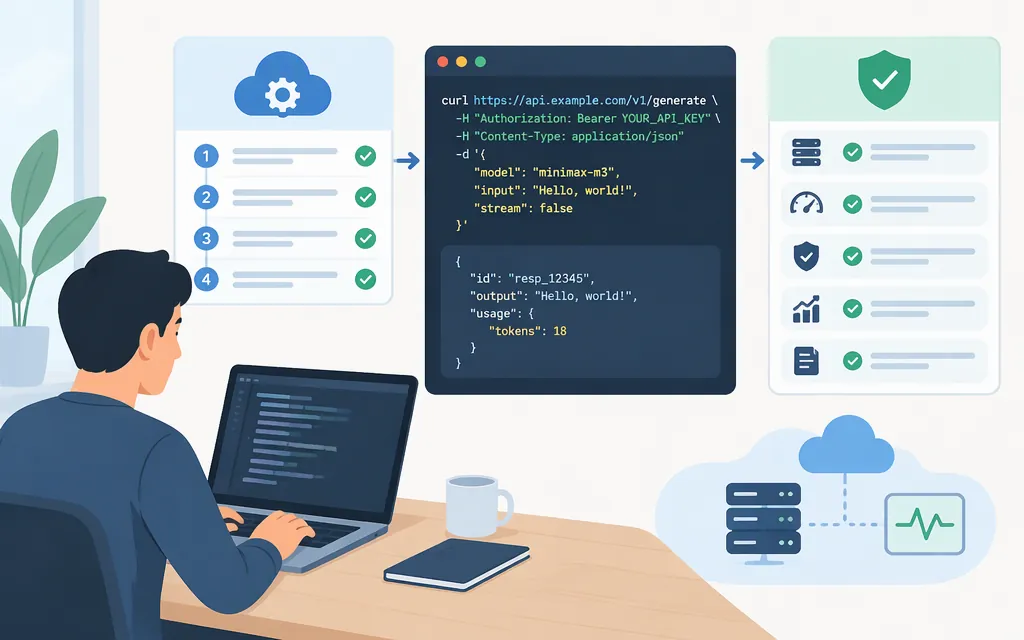
curl --request POST \
  --url https://api.minimax.io/v1/chat/completions \
  --header "Authorization: Bearer $MINIMAX_API_KEY" \
  --header "Content-Type: application/json" \
  --data '{
    "model": "MiniMax-M3",
    "messages": [
      {"role": "user", "content": "Reply with a short greeting."}
    ]
  }'
The endpoint, Bearer authorization, JSON content type, and chat-completions format follow MiniMax’s OpenAI-compatible API documentation. The official model listing includes the exact identifier MiniMax-M3. (platform.minimax.io)
Check the result
MiniMax’s documented example shows an HTTP 200 response containing a choices array and an assistant message. For this request, inspect choices[0].message.content for the generated text. The example response also includes base_resp.status_code with value 0; check the response your account actually receives rather than assuming every route or failure case has the same shape. (platform.minimax.io)
Direct MiniMax API vs. an API gateway
The example above calls MiniMax directly. A gateway may offer its own OpenAI-compatible endpoint, but then its host, API key, model identifier, pricing, and supported features apply. Don’t combine a gateway’s key or base URL with the direct MiniMax request.
For example, third-party integration pages show different hostnames and model-ID casing from one another. Those are examples for their respective services, not a substitute for MiniMax’s direct API details. (platform.minimax.io)
MiniMax also documents an Anthropic-compatible interface and describes it as recommended. If your application already uses the OpenAI SDK or Chat Completions format, the official OpenAI-compatible endpoint above is the direct path shown in this guide. (platform.minimax.io)
Production checks before rollout
- Use the intended credential. MiniMax distinguishes pay-as-you-go API keys from M Plan subscription keys. Create and use the credential for the billing arrangement on your account; the request authenticates with a Bearer token. (
platform.minimax.io) - Confirm model availability. MiniMax’s model-list endpoint is
GET https://api.minimax.io/v1/models; its documentation showsMiniMax-M3in the returned model list. (platform.minimax.io) - Test optional features on the direct route. The official OpenAI-compatible documentation says Chat Completions supports streaming and non-streaming. It also documents image and video input for M3: images may be JPEG, PNG, GIF, or WEBP; videos may be MP4, AVI, MOV, or MKV. Its stated limits include 10 MB per image, 50 MB for URL- or base64-supplied video, and 64 MB per request body. Verify your actual payload and workflow against the current documentation before depending on those features. (
platform.minimax.io) - Don’t assume M3 and M3.1-Flash have identical controls. MiniMax lists both models, but its documentation specifically describes tunable thinking depth for M3.1-Flash. Don’t copy that model’s reasoning settings into an M3 integration unless the M3 reference documents them. (
platform.minimax.io)
This article documents MiniMax’s direct API route. It does not establish a separate Token Forge Cloud M3 endpoint or gateway configuration; use that service’s own current documentation if you intend to call M3 through a gateway.
Sources
Create Chat Completion — MiniMax API Docs
List Models — MiniMax API Docs