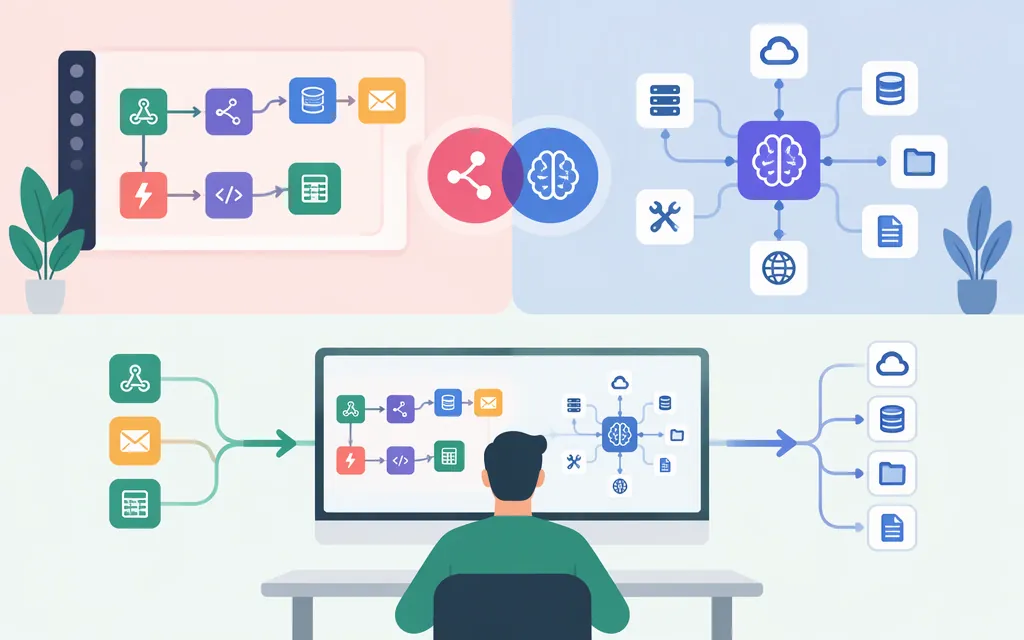
Short answer: n8n and MCP aren’t direct substitutes. n8n is a platform for building and running workflows. MCP is a protocol that lets AI applications connect to tools and other systems. Use n8n to orchestrate steps; use MCP when an AI application needs a standard way to access tools; combine them when your design needs both.
A model API is a separate part of the picture: it gives an application access to a model. n8n can call a model through a supported node, while MCP provides a way to connect an AI application to external tools or context. MCP itself does not choose the model or define how an application uses one. (modelcontextprotocol.io)
n8n vs MCP at a glance
| n8n | MCP | |
|---|---|---|
| What it is | Workflow automation platform | Open protocol for connecting AI applications to external systems |
| Main job | Orchestrate workflow steps, such as triggers, transformations, and actions | Let an AI application connect to MCP servers and use the tools or resources they expose |
| How it relates to a model API | Can use model nodes in workflows or agents | Does not replace the model API; it addresses connections between AI applications and external systems |
| Can it work with the other? | Yes. n8n documents both an MCP Client Tool and ways to expose n8n workflows through MCP | Yes. An MCP client can connect to an n8n MCP server |
n8n’s documentation describes MCP as a standard for AI tools to connect to other apps. It also documents two directions of integration: n8n can act as an MCP client that calls external MCP servers, or expose tools and workflows to external MCP clients. (docs.n8n.io)
Where n8n, MCP, and a model API fit
Think of them as different components, not competing versions of the same thing:
- Workflow orchestration: n8n runs a configured sequence of steps, such as receiving an event, transforming data, calling a service, and routing a result.
- Model access: A model API or supported model integration lets an application send input to a model and receive its output. n8n’s documentation, for example, describes an OpenAI Chat Model node for using OpenAI models with conversational agents. That is one provider-specific example, not a requirement to use OpenAI. (
docs.n8n.io) - Tool connection: MCP defines how an AI application connects to MCP servers. Those servers expose tools or resources; the AI application coordinates its model and the connections. (
modelcontextprotocol.io)
Example architecture (illustrative, not a tested configuration): A scheduled n8n workflow gathers new support tickets, sends selected text to a model through a configured model node, and routes the result for review. Separately, an AI client could connect to an n8n MCP server to find or run workflows that have been made available to it. In this design, n8n orchestrates the scheduled process, the model integration handles the model call, and MCP provides the client-to-tool connection.
The exact path depends on what should initiate the work. If a workflow runs on a schedule or incoming event, n8n can orchestrate it. If an AI client should discover and call available tools, an MCP connection may be appropriate. If both apply, connect the components deliberately rather than treating MCP as the workflow engine or as a model provider.
When should you choose n8n, MCP, or both?
Choose n8n when the main need is workflow orchestration
Use n8n when you want to define how a process starts and what steps follow: for example, receive an event, call a model, apply routing logic, and send an output to another service. This is a fit when the sequence and control flow are part of the requirement.
Choose MCP when an AI application needs access to tools
Use MCP when an AI client needs a protocol-based connection to tools or resources exposed by an MCP server. The server determines what it exposes; MCP does not automatically grant access to every system or action. In n8n’s MCP Client Tool, for example, you can choose which server tools to expose to an AI agent. (docs.n8n.io)
Use both when you need workflow logic and AI tool access
A common pattern is for an n8n workflow to call an external MCP server, or for an AI client to call selected n8n workflows through an MCP server. These are different connection directions, and the right one depends on which component should initiate the action.
n8n documents an MCP Client Tool for connecting workflows or agents to external MCP servers. It also documents an instance-level MCP server and an MCP Server Trigger node for exposing n8n capabilities to MCP clients. (docs.n8n.io)
| Your main requirement | Starting point |
|---|---|
| A defined, multi-step process runs after an event or schedule | n8n workflow |
| An AI client needs to discover and call tools exposed through MCP | MCP client and server |
| A workflow needs to call tools from an external MCP server | n8n MCP Client Tool |
| An AI client needs to run selected n8n workflows | n8n’s MCP server options |
| The process needs both model calls and repeatable routing or integrations | n8n orchestration, with the model and tool connections chosen for the task |
Production checks before connecting them
The architecture choice does not, by itself, establish that a particular setup is secure, reliable, or supported in every deployment. Before using an integration in production:
- Confirm the integration path and version. n8n distinguishes instance-level MCP access from an MCP Server Trigger node inside a single workflow. Check the current documentation for the feature and deployment you plan to use. (
docs.n8n.io) - Limit what the AI client can access. n8n says instance-level MCP access does not expose every workflow by default: workflows must be enabled for MCP access. Its MCP Client Tool also offers controls for selecting or excluding tools. (
docs.n8n.io) - Check authentication and permissions for the chosen connection. Consult the documentation for the specific client, server, and deployment rather than assuming that options or requirements for one MCP implementation apply to another. (n8n MCP Client Tool documentation)
- Treat model API credentials and MCP access as separate configuration decisions. A model provider credential authorizes model use; MCP authentication governs a client’s connection to an MCP server. Check each component’s documentation and permission scope.
- Test the complete flow before relying on it. Verify inputs, outputs, tool permissions, failure handling, and what happens when a model or connected service returns an error. The cited documentation describes connection and configuration options; it does not establish a production guarantee for your particular workflow.
Bottom line
If you’re comparing n8n vs MCP, first identify the job: n8n orchestrates workflows; MCP standardizes connections between AI applications and tools or systems. A model API supplies model access, which is another distinct role. Choose n8n for the workflow, MCP for the tool connection, and both when the architecture needs both functions. n8n’s own documentation describes options for each integration direction, but the right configuration depends on your version, deployment, authentication, and intended access. (docs.n8n.io)