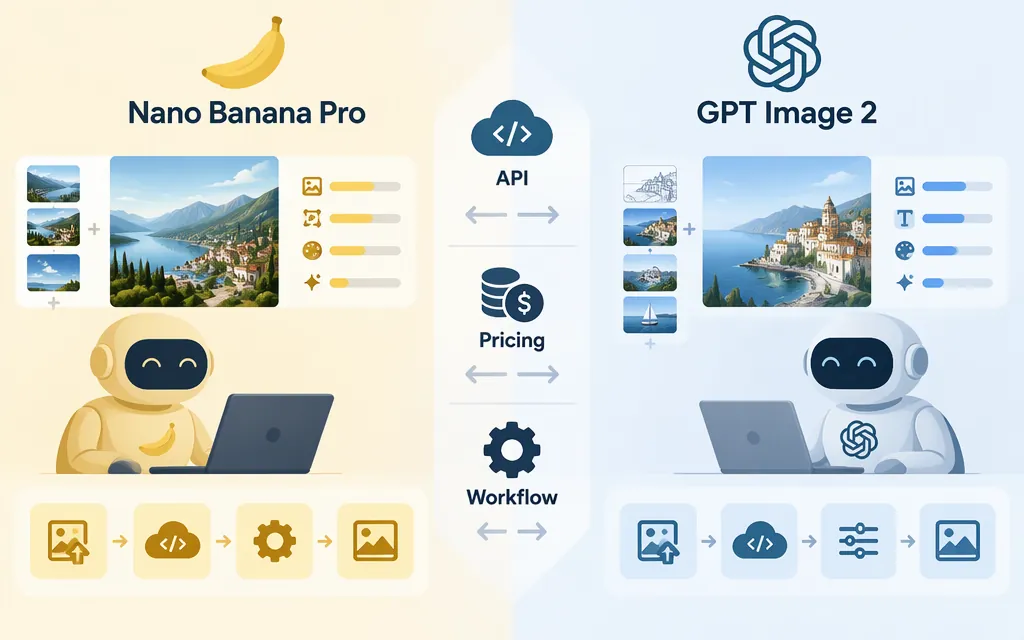
Short answer: Start with Nano Banana Pro if your workflow needs complex, multi-turn image editing on Google Cloud’s Gemini Enterprise Agent Platform, Google Search grounding, or up to 14 input images. Consider GPT Image 2 if you need OpenAI’s Images API generation or editing endpoints, flexible image sizes, or high-fidelity image inputs. These are starting points based on provider documentation—not proof that one model wins a head-to-head quality test.
One version detail matters if you’re choosing now: OpenAI’s model page lists the snapshot gpt-image-2-2026-04-21 alongside the gpt-image-2 alias. OpenAI also announced GPT Image 2.6 for the API on November 4, 2026. If you’re choosing from scratch, include the newer option in your evaluation rather than assuming GPT Image 2 is OpenAI’s latest image model. (GPT Image 2 model page; Images 2.6 announcement)
At a glance
| Decision factor | Nano Banana Pro | GPT Image 2 |
|---|---|---|
| Official model identity | Google Gemini 3 Pro Image; model ID gemini-3-pro-image |
OpenAI API model gpt-image-2; listed snapshot gpt-image-2-2026-04-21 |
| Production API information covered here | Google Cloud’s Gemini Enterprise Agent Platform documents the model’s GenerateContent API and multi-turn image editing support | OpenAI’s model page lists Images API generation and edit endpoints for GPT Image 2 |
| Documented capabilities | Image generation and editing, multi-turn editing, up to 14 images per prompt, and Google Search grounding | Image generation and editing, flexible image sizes, and high-fidelity image inputs |
| Output controls | Google Cloud model documentation lists 1K, 2K, and 4K supported resolutions | Flexible sizes; check OpenAI’s image guide and cost calculator for settings and estimates |
| Pricing basis | Google Cloud lists output-image charges by resolution; input images are also charged | Token-priced; the exact per-token rates are omitted here because the available pricing excerpt did not include the column headings needed to map the figures confidently |
| Best next step | Test if grounding, multi-turn edits, or multiple image inputs matter most | Test the exact model and settings you plan to deploy; evaluate newer OpenAI options too if you are choosing from scratch |
The providers’ feature descriptions are not an independent, matched comparison of image quality. Also, the Google Cloud availability and preview labels above apply to that named channel; don’t assume they describe every Google product or API. (Google Cloud model documentation; OpenAI API pricing)
Which one should you choose?
Choose Nano Banana Pro as your first test when…
- You need multi-turn image editing and are evaluating the documented Google Cloud Agent Platform route.
- Your workflow can use Google Search grounding or multiple image inputs.
- You’re making complex graphic designs, product mockups, or data visualizations. Google positions the model for these tasks; treat that as a reason to test it, not a guarantee that every detail will render correctly. (Gemini API model page; Google Cloud model documentation)
Choose GPT Image 2 as your first test when…
- You want to use the OpenAI Images API for image generation or editing with this model.
- You need flexible image sizes or high-fidelity image inputs, and will calculate costs using your actual request settings.
- You specifically need
gpt-image-2. If you are selecting an OpenAI model from scratch, compare the newer options as well. (GPT Image 2 model page)
Don’t choose from a test of a different Google model
A published Vidguru comparison reports GPT Image 2 scoring 48/50 against Nano Banana 2, at 40/50. That benchmark tested Nano Banana 2—not Nano Banana Pro—so it does not establish which of the two models in this article is better. An Apiyi comparison makes Pro-versus-GPT Image 2 claims about speed, text rendering, and reference-image handling, but does not provide a reproducible head-to-head method in the captured article; its API example uses gpt-image-1.5, not gpt-image-2. Treat neither as verified results for a production choice.
Production API access: what the documentation confirms
Both providers document production API routes, but the routes and conditions differ:
- OpenAI: The GPT Image 2 model page lists the Images API generation and edit endpoints and the snapshot
gpt-image-2-2026-04-21. The general image guide discusses both the Image API and Responses API workflows; that general guidance alone is not confirmation that a particular image workflow supports GPT Image 2 through Responses. This comparison relies on the model page’s listed Images API routes, not an assumption of endpoint parity. (GPT Image 2 model page; image-generation guide) - Google Cloud: The Gemini Enterprise Agent Platform model page identifies Nano Banana Pro as
gemini-3-pro-imageand lists GenerateContent API support, image editing, multi-turn image editing, and up to 14 images per prompt. Google announced general availability through this platform on May 28, 2026. Its current model documentation lists 1K, 2K, and 4K supported resolutions. Confirm that this specific access channel fits your deployment; API and platform terms are not interchangeable. (Google Cloud model documentation; availability announcement)
Before integrating either model, confirm the current model ID, endpoint, supported inputs and output settings, usage limits, and commercial terms in the provider documentation. If you use an aggregator, verify its model availability, billing, and feature support separately; an aggregator’s compatible interface is not proof of direct provider support or identical behavior.
Pricing: compare a defined workload
For Google Cloud’s Agent Platform, Nano Banana Pro output-image charges are approximately $0.134 for a 1K or 2K image and $0.24 for a 4K image. Google also lists a 560-token charge per input image. For a bounded example, 10 output-only 1K or 2K images cost about $1.34 at the listed rate, before any input-image charges or other applicable usage. (Google Cloud pricing)
For the OpenAI API, GPT Image 2 image usage is token-priced rather than a fixed price per image. The available pricing excerpt did not include the table headings needed to confidently assign its listed numeric rates to input, output, or cached input tokens, so those figures are omitted here. OpenAI directs users to its image-generation cost calculator for configuration-specific estimates. (OpenAI API pricing; image cost calculator)
A matching GPT Image 2 estimate for a specified output size and quality is still needed to produce a comparable per-image figure. The token-billing description alone does not provide the output-token count for that configuration; input usage also depends on the prompt and any reference images. So the Google example above is reproducible, but it is not a like-for-like price verdict. Compare the same image count, output requirements, and input-image assumptions using OpenAI’s calculator and Google’s applicable rate. Keep subscriptions and third-party platform charges separate from provider API charges.
A practical A/B test for your workflow
If the documentation does not settle the choice, test the exact model versions and API channels you expect to use:
- Select 10–20 representative prompts, including your most important text-heavy design, product or character edit, and typical production image.
- Use the same prompt, source images, and output requirements for both. Match resolution and quality as closely as each API allows; record any setting that cannot be matched.
- Generate one output per prompt first. Score each against your own acceptance criteria—for example, text accuracy, subject consistency, instruction adherence, editing fidelity, and manual cleanup required.
- Record latency and total API cost from the actual requests. Don’t assume an online speed estimate applies to your account, settings, or workload.
- If evaluating OpenAI for a new integration, test GPT Image 2 separately from any newer model rather than assuming one model’s results predict another’s.
Bottom line: Nano Banana Pro is a sensible first evaluation for grounded, complex, multi-turn visual work on the documented Google Cloud channel. GPT Image 2 is a sensible candidate when its OpenAI Images API routes, flexible sizing, and image-input workflow suit your product. The available evidence here does not establish a universal quality winner. Make the decision with a matched test and the current API pricing for your chosen settings.
Sources
GPT-Image-2 Model | OpenAI API
Image input token and cost calculator | OpenAI API
Introducing Images 2.6 | OpenAI
Gemini 3 Pro image | Gemini API
Gemini 3 Pro Image (Nano Banana Pro) | Google Cloud documentation
Agent Platform Pricing | Google Cloud
Nano Banana 2 and Nano Banana Pro available for everyone | Google Cloud