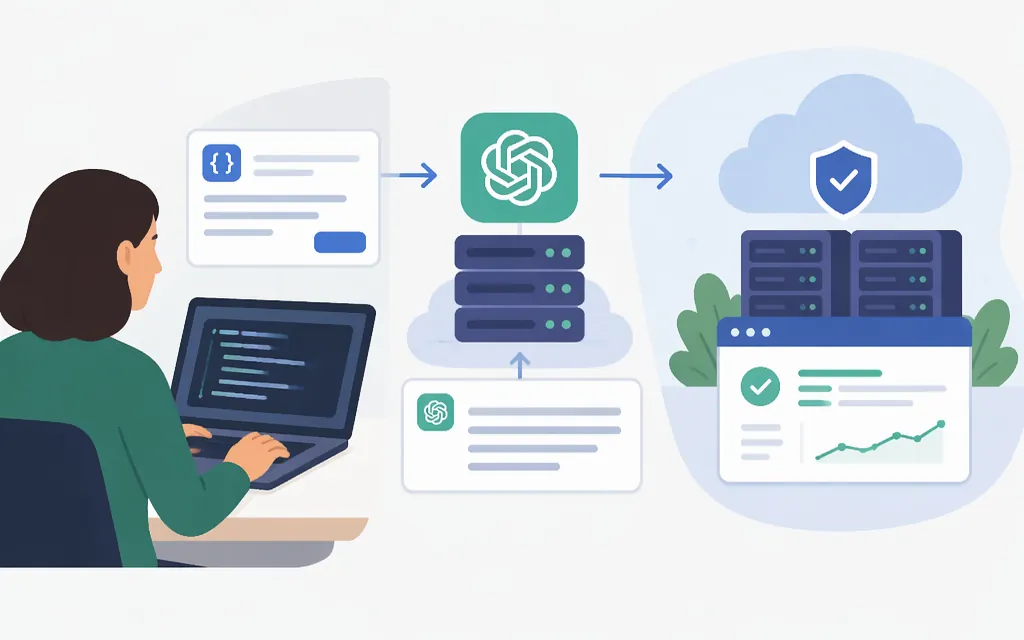
“OpenAI API usage” can mean either sending requests to a model or checking how much those requests consume and cost. This guide starts with a working model request, then covers the security, reliability, and monitoring checks to consider before deploying it.
Make a first OpenAI API request
This example uses the official Python SDK and the Responses API. The current OpenAI Python library supports Python 3.10 or later. You’ll also need the openai package and an API key. To create a key, use the API key creation flow in the OpenAI dashboard. For a deployed application, OpenAI recommends a project service-account credential rather than relying on an individual developer’s key; organization or project key-governance settings may restrict which types of keys can be created. (developers.openai.com)
- Install the SDK:
pip install openai
- Set your key in the environment. In macOS or Linux:
export OPENAI_API_KEY="your_api_key_here"
In PowerShell, set it in the current session so the Python process started from that window can read it:
$env:OPENAI_API_KEY = "your_api_key_here"
- Save this as
example.py:
from openai import OpenAI

client = OpenAI()
response = client.responses.create(
    model="gpt-6-astra",
    input="Write a one-sentence bedtime story about a unicorn.",
)

print(response.output_text)
- Run it from the same terminal session where you set the key:
python example.py
The SDK reads OPENAI_API_KEY from the environment. This SDK call sends a POST request to https://api.openai.com/v1/responses and authenticates with an API key in an Authorization: Bearer … header. The input field contains the prompt; response.output_text gives you the generated text. This is a small synchronous example—not a full application with user input, logging, or error handling. (developers.openai.com)
Protect credentials and separate environments
An API key authenticates requests; treat it as a secret. For deployed applications and automated workloads, OpenAI recommends using a project service account rather than making an individual developer’s identity the application’s permanent credential. Keep the key out of source code and public repositories, and don’t expose it in browser or mobile-app code. Load credentials server-side through a secret-management service or environment configuration. OpenAI also recommends key expiration and a rotation process. (developers.openai.com)
Before launch, consider these project controls:
- Separate staging and production projects when useful. This can isolate testing and allow separate access, usage, and spend controls; it is an option, not a requirement for every integration. (
developers.openai.com) - Limit production-project access to the people and workloads that need it. Use a service-account identity for the deployed workload and grant only the permissions it needs. (
developers.openai.com) - Check key-governance settings. Organization-level restrictions take precedence over project settings; a project cannot loosen an organization-wide restriction. (
developers.openai.com) - Plan key rotation. Create and test a replacement before revoking the old key, so rotation does not unexpectedly interrupt requests. (
developers.openai.com)
Monitor usage and estimate cost
Making a model request and monitoring usage are separate tasks. To review API activity, use the Usage Dashboard: select the organization and reporting period, then choose the relevant project or projects. Access is limited to organization owners and users explicitly granted Usage Dashboard permission. Dashboard dates are shown in UTC, so use UTC when comparing reports with application logs. OpenAI also documents CSV exports for usage activity and cost reporting. (help.openai.com)
For an individual request, the API response includes usage information; the dashboard provides a broader view across requests and billing periods. If several applications share the same project or key, the project total alone may not identify which application made each request—keep your own request records if you need that attribution. (developers.openai.com)
API pricing depends on the model and the applicable rate for each token category. As one concrete example, the GPT-6 Astra model page lists standard text-token rates of $10 per 1 million input tokens and $50 per 1 million output tokens; it lists cached input separately at $1 per 1 million tokens. Rates and pricing options differ by model and service mode, so consult the pricing page for the model and mode you actually use. (developers.openai.com)
Illustrative calculation: at those listed standard GPT-6 Astra rates, a request using 1,000 input tokens and 300 output tokens would cost about $0.025: (1,000 ÷ 1,000,000 × $10) + (300 ÷ 1,000,000 × $50). This is a calculation from the published per-token rates, not a measured API bill; it excludes any other applicable charges and assumes the tokens are billed at those standard input and output rates.
To manage spend, set spend alerts to notify you while API traffic continues. A hard spend limit is different: affected requests return a 429 error when tracked spend reaches the configured limit. Enforcement is not instantaneous; while the limit state propagates, the platform may process a small amount of additional usage, so recorded spend can slightly exceed the configured amount. Review this production impact before enabling a hard limit. (developers.openai.com)
Plan for rate limits and latency
Rate limits can apply at organization or project level and vary by model. A 429 response does not always mean the same thing: it can indicate a request/token rate limit, an exhausted prepaid balance, or a usage or spend limit. Inspect the error code and message before retrying. For a temporary rate-limit error, OpenAI recommends exponential backoff; retries alone will not fix a billing, credit, or configured-spend limit. (developers.openai.com)
Check your organization’s Limits page for the limits that apply to your project and model. Avoid sending bursts that exceed those limits, and set output-token limits to fit the size of the answer you actually need. OpenAI’s guidance notes that short bursts can trigger limits even when a per-minute total appears to be within the limit. (developers.openai.com)
Choose a model and output length based on your task’s quality, speed, and cost requirements. Streaming can start delivering partial output sooner, but does not reduce the time needed to generate the complete answer. Batching may reduce request count in some workloads, but test it: it can also increase generated tokens or slow the response. (developers.openai.com)
Pre-deployment checklist
- Make a successful request from your server using the intended project and model.
- Keep the API key server-side; don’t hard-code it or ship it in browser or mobile code.
- Use a workload-specific credential, and decide whether staging and production need separate projects.
- Confirm who can access the production project and which organization-level key rules apply.
- Review usage in the dashboard and compare its UTC reporting period with your own request records.
- Check current model pricing and choose spend alerts; use a hard limit only after considering that it can interrupt API traffic and may be exceeded slightly while enforcement propagates.
- Handle
429responses by identifying whether they are rate-related or caused by billing or spend limits; use backoff for temporary rate limiting, not as a substitute for fixing a limit or balance issue.
The short version: send model requests through the Responses API, protect the API credential as a server-side secret, and monitor usage separately through the Usage Dashboard and applicable pricing documentation.
Sources
Developer quickstart | OpenAI API
OpenAI Python API library | OpenAI API Reference
Production best practices | OpenAI API
API keys and service accounts | OpenAI API
Reviewing API usage and costs | OpenAI Help Center
API Usage Dashboard | OpenAI Help Center
GPT-6 Astra Model | OpenAI API
Troubleshooting API usage and spend limits | OpenAI Help Center