Quick answer
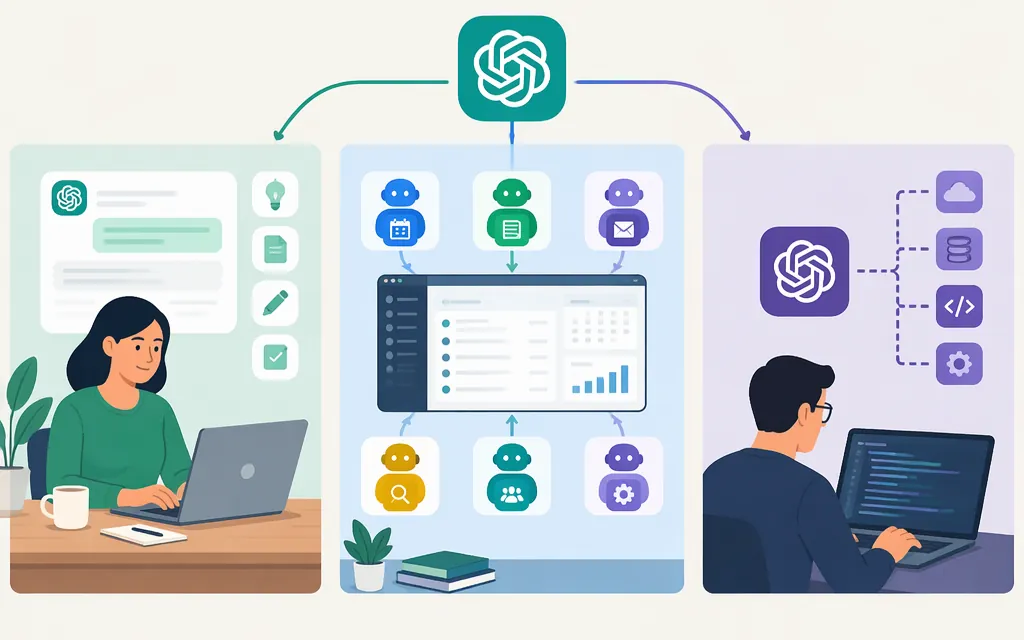
“OpenAI ChatGPT agents” may mean an agent experience for ChatGPT users, shared agents for a team, or agents built into an application with OpenAI’s API. These are different routes. OpenAI’s Help Center says the original ChatGPT Agent is no longer available and points users to ChatGPT Work for longer, multi-step tasks and finished deliverables, and cloud browser for supported browser workflows. For a shared team workflow, OpenAI documents Workspace Agents. For a production application, OpenAI documents the Agents API, Agents SDK, and Responses API. (OpenAI Help Center; OpenAI API: Agents)
The July 2025 launch report described ChatGPT Agent as a feature within ChatGPT. It also reported that the feature could use APIs to access certain apps; that does not establish whether a developer-facing API existed to invoke ChatGPT Agent itself. For application development, evaluate the separately documented API routes rather than inferring access from that report. (TechCrunch)
What happened to ChatGPT Agent?
TechCrunch reported that OpenAI introduced ChatGPT Agent in July 2025 as a ChatGPT feature for multi-step computer tasks. That is historical context, not a statement of current availability. OpenAI’s Help Center now says the feature is no longer available and directs readers to ChatGPT Work or cloud browser for different kinds of work. (TechCrunch; OpenAI Help Center)
For a team workflow inside ChatGPT, Workspace Agents are a separate option. OpenAI says teams can create, test, share, schedule, and connect these agents to apps and tools, and trigger them through an API. That is distinct from the developer-facing Agents API; check the relevant product documentation and access conditions for the route you plan to use. (OpenAI Help Center: Workspace Agents)
Which OpenAI API route should you evaluate?
OpenAI’s comparison distinguishes API routes by where orchestration runs, who manages state, and where tools execute. (OpenAI API: Agents)
| Route | Consider it when… | Main trade-off |
|---|---|---|
| Agents API | You want OpenAI to run its managed Codex harness for multi-step work and maintain a session that can continue across turns. | OpenAI manages sessions and orchestration; your application supplies tools and chooses the execution environment. The API is in beta, so account for that status in production planning. (OpenAI Help Center: Agents API FAQ) |
| Agents SDK | You want the agent loop in your application, with control over deployment, storage, approvals, and runtime integration. | Your team takes on more implementation and operational responsibility. (OpenAI API: Agents) |
| Responses API | You want to work directly with model responses or build more of the agent orchestration yourself. | You have more integration and state-management work to design. (OpenAI API: Agents) |
Workload fit: If your application needs an agent to write and run code in a managed workspace—for example, generating a script and showing its output—the Agents API quickstart documents that kind of workflow in an OpenAI-hosted sandbox. The broader documentation says an agent can run code, edit files, connect to MCP servers, and produce artifacts depending on its tools and execution environment. This is a documented starting point for evaluating code-and-file tasks, not a guarantee of suitability for every workload or model. The API is in beta, which is a material constraint to assess before production deployment. (Agents API quickstart; Agents API overview; Agents API FAQ)
Practical starting point: Evaluate the Agents API when managed orchestration and durable sessions fit your application; consider the Agents SDK when your application needs to control the loop, approvals, or runtime; use the Responses API when you want direct model interactions or to build the orchestration yourself. These are route-selection suggestions based on OpenAI’s documented distinctions, not guarantees about workload performance. (OpenAI API: Agents API overview)
The Agents API quickstart uses gpt-6-astra with the beta.agents namespace and an OpenAI-hosted environment. Treat that as the quickstart’s example configuration—not a universal “best agent model.” Confirm the model, route, environment, permissions, and limits that apply to your deployment. (OpenAI Agents API quickstart)
What capabilities and reliability should you expect?
TechCrunch’s July 2025 launch coverage reported OpenAI descriptions of ChatGPT Agent’s intended capabilities, including web research, website interaction, calendar navigation, editable presentations, code execution, and connectors such as Gmail and GitHub. Those were launch-era descriptions; they do not establish current availability or prove that an API implementation will behave identically. (TechCrunch)
A July 22, 2025 review by Understanding AI illustrates why a capability list is not a reliability guarantee. In one grocery-shopping task, the reviewer reported that ChatGPT Agent put 15 of 16 items in a cart but missed onions; a login-flow block also required the reviewer to intervene. This was one dated test on one shopping site—not a general success rate, a current product test, or evidence about API agents. For consequential actions such as purchases, account changes, or sending messages, test the workflow you intend to deploy and include appropriate human review. (Understanding AI)
A practical evaluation could use representative tasks and record whether each completed correctly, where a person had to intervene, what failed, and the cost per completed task. For example, a team assessing invoice extraction could compare agent outputs with a verified answer key and separately test whether payment approval remains with a person. This is a suggested evaluation method, not a reported product test.
API access, setup, and cost checks
The Agents API is a developer-facing route. OpenAI’s quickstart describes creating an application API key with Agents and Responses permissions, creating a session, and submitting a task. In its example, OpenAI manages the sandbox; the documentation also distinguishes that setup from environments your application manages. The quickstart says to keep the API key outside the agent’s sandbox. (OpenAI Agents API quickstart)
An Agents API session can continue across turns: save its session ID to continue work in that session. If the event stream disconnects, OpenAI’s FAQ says to retrieve the existing session and its saved items before retrying, so you can check what happened before submitting more work. A completed turn does not necessarily mean every tool succeeded, so review the reported result. (OpenAI Help Center: Agents API FAQ)
Before choosing a production route, verify the current reference for the model, tools, environment, permissions, and limitations your application needs. OpenAI says Agents API model usage is billed at the selected model’s API rates, OpenAI tools at their applicable rates, and OpenAI-hosted sandboxes at container rates. These are API usage charges, not ChatGPT subscription pricing; check current rates and billing units for your configuration before estimating total cost. (OpenAI Agents API overview)
Selection checklist
- Using an agent in ChatGPT? OpenAI says the original ChatGPT Agent is no longer available; it points users to ChatGPT Work for longer tasks and cloud browser for supported browser workflows. (OpenAI Help Center)
- Creating a shared team workflow? Evaluate Workspace Agents and confirm the workspace access rules and documented API-triggering path if you need one. (OpenAI Help Center: Workspace Agents)
- Building an agent into your application? Compare the managed Agents API, the in-application Agents SDK, and the Responses API based on who should manage orchestration, state, tools, and runtime. (OpenAI API: Agents)
- Could a mistake have real consequences? Test representative tasks, record failures and human interventions, and keep consequential actions reviewable.
- Comparing costs? Include model usage, applicable tool charges, and sandbox or container use—not just the model name. (OpenAI Agents API overview)
Sources
ChatGPT agent — OpenAI Help Center
ChatGPT Workspace Agents for Enterprise and Business — OpenAI Help Center
Agents API (beta) FAQ — OpenAI Help Center
Agents API quickstart — OpenAI API
OpenAI launches a general purpose agent in ChatGPT — TechCrunch
ChatGPT Agent: a big improvement but still not very useful — Understanding AI