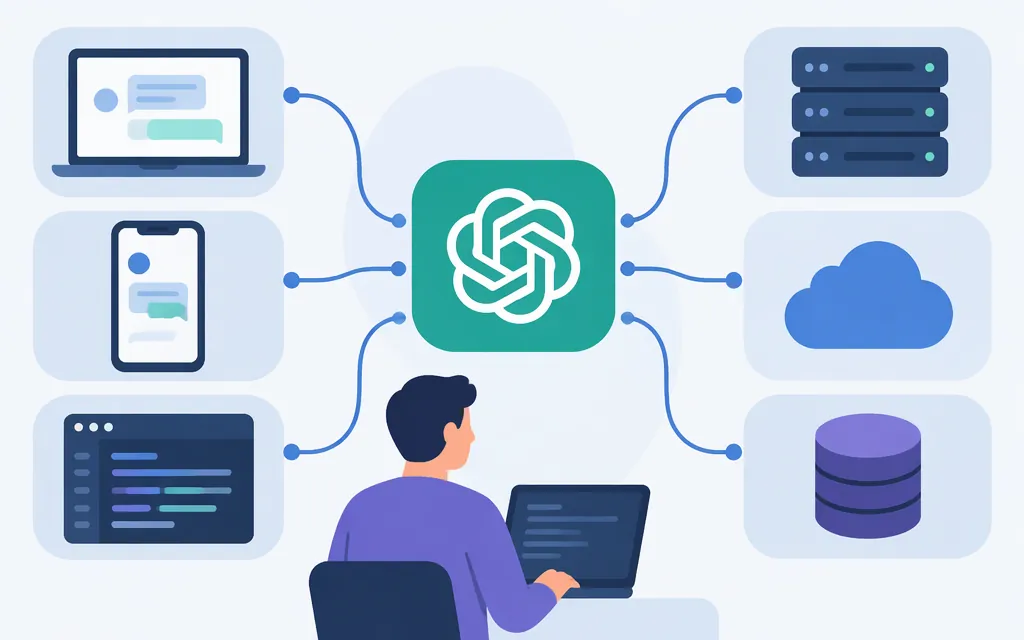
What does “OpenAI-compatible API” mean?
An OpenAI-compatible API accepts at least part of an OpenAI-style interface, so a client such as the OpenAI SDK may work with provider-specific configuration changes. “Compatible” is not a guarantee that every endpoint, option, response, error, or model behaves the same. Providers can support different subsets of the interface, and similar model names do not establish equivalent capabilities. (Zhipu AI documentation)
The practical starting point is usually to configure the provider’s base URL and API key, then select a model ID that the provider documents for that route. The example below uses Chat Completions; it does not establish support for other APIs, such as Responses, or for tools, streaming, or structured output on every model.
Scope: The settings below are for direct provider API access, not Token Forge Cloud. A gateway may require its own base URL, credential, and model name; don’t assume direct-provider settings work through it.
Direct API settings and example model IDs
These are documented examples, not a cross-provider equivalence table. Model availability and supported features can depend on your account, region, and route. Confirm the ID in the documentation for your account before deployment.
| Direct provider route | OpenAI SDK base_url |
Example documented model ID | Authentication setup |
|---|---|---|---|
| Kimi API Platform | https://api.moonshot.cn/v1 in the cited Kimi Open Platform guide |
kimi-k3.1-pro |
Pass the Kimi API key to the SDK; the platform documents Bearer authentication for HTTP requests. The URL is from the cited Kimi platform guide; use the endpoint and credentials belonging to your own Kimi platform account. (Kimi API overview; quickstart and model ID) |
| Alibaba Cloud Model Studio (Qwen) | Region- and workspace-specific; for example, https://{WorkspaceId}.us-east-1.maas.aliyuncs.com/compatible-mode/v1 for US (Virginia) |
qwen-plus |
Create a Model Studio API key and configure it in the OpenAI client. Replace {WorkspaceId} and choose the endpoint for the same region as your workspace. Alibaba lists qwen-plus for US (Virginia); confirm model access for your workspace and key. (Virginia endpoint; Qwen model and regional availability) |
| Zhipu GLM | https://open.bigmodel.cn/api/paas/v4/ |
glm-5.3 |
Pass the Zhipu API key to the client; the HTTP guide documents Authorization: Bearer YOUR_API_KEY. This row is for the standard Model API, not GLM Coding Plan. (GLM-5.3 route and model; OpenAI SDK example and response parsing) |
| MiniMax | https://api.minimax.io/v1 |
MiniMax-M3.1-Flash |
Configure the MiniMax key in the client. The cited OpenAI SDK guide demonstrates this base URL, model ID, and SDK pattern; confirm applicable credentials and model access in your MiniMax account. (MiniMax OpenAI SDK reference) |
The Qwen row is specifically for Alibaba Cloud Model Studio, which offers Qwen models and documents workspace- and region-specific endpoints. It is not a universal endpoint for every service that offers Qwen. Likewise, the table describes provider routes, not Token Forge Cloud model aliases.
The IDs above are examples to make the configuration concrete—not claims that the models are equivalent, interchangeable, or the best choice for the same workload. Model IDs and aliases can change; pin an available documented ID for testing rather than assuming a familiar product name identifies a fixed model. (Kimi model list)
A minimal Chat Completions migration
Prerequisite: install the OpenAI Python SDK, create an API key with the selected provider, and set the matching base URL and model ID from the table. Keep the key outside source code—for example, in an environment variable or secret manager.
import os
from openai import OpenAI

# Example: direct GLM standard Model API route. Replace these three values together
# when switching to another provider in the table.
client = OpenAI(
    api_key=os.environ["PROVIDER_API_KEY"],
    base_url="https://open.bigmodel.cn/api/paas/v4/",
)

response = client.chat.completions.create(
    model="glm-5.3",
    messages=[
        {"role": "system", "content": "Answer clearly and concisely."},
        {"role": "user", "content": "In one sentence, what is an API?"},
    ],
)

print(response.choices[0].message.content)
For another provider, change the key, base_url, and model together. For Qwen, first substitute your actual workspace ID and region in the base URL. For Kimi, use the endpoint associated with your Kimi platform account. This example uses the standard GLM Model API. GLM Coding Plan is configured separately: its documentation specifies https://open.bigmodel.cn/api/coding/paas/v4 for OpenAI Chat Completion and a plan-specific API key. Do not mix those settings with the standard API row above. (GLM Coding Plan endpoint guidance; API compatibility example)
The example follows Zhipu’s documented GLM-5.3 Chat Completions pattern: send a model and messages array, then read assistant text from response.choices[0].message.content. That is a basic request/response check—not proof that your full application is compatible. (Zhipu OpenAI API compatibility guide)
What the shared request format does—and doesn’t—cover
In this example:
modelselects a provider-supported model ID.messagesis an ordered conversation history. Each message has arolesuch assystemoruser, andcontentholds the text.- The SDK sends the request to the configured base URL and handles the provider’s API-key configuration.
Optional fields and behavior need their own checks. For example, streaming changes how responses arrive; tool calls require your application to interpret the returned tool-call data; structured output requires checking both schema behavior and the returned content. A provider may support a feature only on certain models or routes, or may implement it differently. The cited provider documentation does not establish identical feature support across all four routes. (Alibaba Cloud Model Studio Chat API)
How to validate the migration
Before switching application traffic:
- Record the route. Note the provider, base URL, region or workspace where applicable, SDK version, and exact model ID.
- Replay representative requests. Use the same messages and relevant options on the old and new routes. Compare responses against your application’s acceptance criteria, not just HTTP success.
- Test only the features you rely on. If the application uses streaming, tools, or structured output, test those paths explicitly; a basic text reply does not validate them.
- Check failure handling. Exercise an invalid request and the timeout or interruption cases your application needs to handle. Confirm your client reports failures appropriately rather than treating partial output as a complete answer.
- Keep rollback available. If you deploy the change, move traffic in a controlled way and retain a path back to the prior route until the application’s checks pass.
A useful compatibility record is small but specific: provider and route; key source (never the secret itself); model ID; request fields used; response fields consumed; tested features; and observed failures. This makes a model or endpoint change easier to review later. These are general migration checks, not a report that the providers passed a test. (Migration testing guidance)
Bottom line
OpenAI-compatible means some shared interface conventions, not guaranteed behavioral equivalence. For Kimi, Qwen, GLM, or MiniMax, verify the exact direct API route, credential, model ID, and features your app uses. If you use a gateway such as Token Forge Cloud, verify its own configuration and model mapping separately; the direct-provider values in this guide do not document that gateway.
Sources
GLM-5.3 — Zhipu AI Documentation
OpenAI API Compatibility — Zhipu AI Documentation
Call Qwen Models via OpenAI API — Alibaba Cloud Model Studio
qwen-plus Model Info — Alibaba Cloud Model Studio
OpenAI-compatible Chat — Alibaba Cloud Model Studio
API Overview — Kimi API Open Platform
Quickstart — Kimi API Open Platform