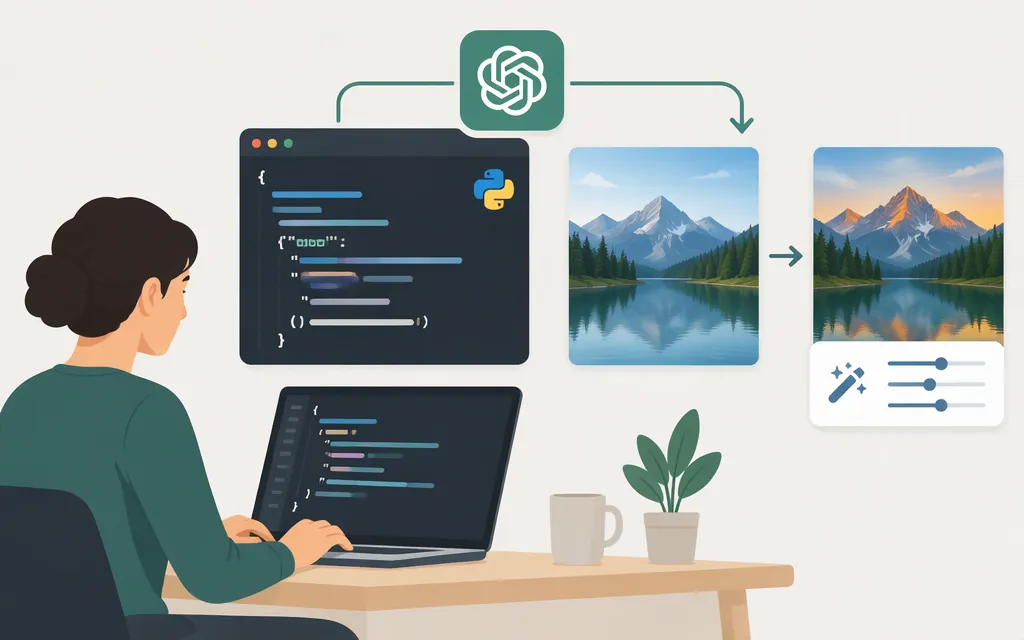
To edit an existing image, send a source image and an edit prompt to POST /v1/images/edits using a GPT Image model. OpenAI lists GPT-Image-2.6 Sunburst for detailed work and Flare for faster iteration. (API reference; Sunburst model; Images 2.6 announcement)
For one image and one edit prompt, use the Images API. For a conversational workflow that refines an image over multiple turns, use the Responses API and its image-generation tool instead. (Image generation guide)
Minimal Python example
Prerequisites: Python 3, an OpenAI API key available as OPENAI_API_KEY, and a local PNG image named input.png. The example uses Python’s standard library. It sends the image as a base64 data URL in a JSON request, then decodes the returned image bytes into an extensionless file named edited_image. The edit reference documents a JSON images array; each image can be referenced by a File API ID or by a fully qualified URL or base64-encoded data URL. (Create image edit reference)
import base64
import json
import os
from pathlib import Path
from urllib.request import Request, urlopen

source = Path("input.png")
image_data_url = "data:image/png;base64," + base64.b64encode(
    source.read_bytes()
).decode("ascii")

payload = {
    "model": "gpt-image-2.6-sunburst",
    "images": [{"image_url": image_data_url}],
    "prompt": (
        "Replace only the background with a sunny beach. "
        "Keep the person, pose, clothing, framing, and appearance unchanged."
    ),
}

request = Request(
    "https://api.openai.com/v1/images/edits",
    data=json.dumps(payload).encode("utf-8"),
    headers={
        "Authorization": f"Bearer {os.environ['OPENAI_API_KEY']}",
        "Content-Type": "application/json",
    },
    method="POST",
)

with urlopen(request) as response:
    result = json.load(response)

image_bytes = base64.b64decode(result["data"][0]["b64_json"])
Path("edited_image").write_bytes(image_bytes)
print("Saved edited_image")
Expected outcome: if the request succeeds, edited_image contains the returned image bytes. The filename has no extension because this request does not specify an output format, and this example does not assume one. Inspect the actual file format before adding an extension. This is a documentation-based example, not a live API test; the model is not guaranteed to preserve every detail exactly. (Image generation guide)
Keep the API key on your server or in a secure environment variable—never expose it in browser-side code. OpenAI documents bearer credentials for API authentication. (API authentication overview)
Do you need a mask?
For the current GPT Image edit flow, provide the source image and describe the requested change in the prompt; the edit endpoint supports partial or complete edits. OpenAI also documents markup-guided edits: an optional transparent PNG overlay with the same pixel dimensions as the first input image can guide an edit. Do not assume historical DALL·E 2 mask instructions apply to this GPT Image workflow. (Create image edit reference; Image prompting guide)
For example, a prompt can request “replace only the background with a beach; keep the person and framing unchanged.” If you need to indicate placement more explicitly, consult the current markup-edit guidance rather than sending an empty transparent mask and expecting it to define the edit region. The prompt describes the desired change; optional markup provides a visual guide. (Image prompting guide)
Choose Images API or Responses API
- Images API (
/v1/images/edits): the simpler choice for a single image edit from one prompt. The edit endpoint accepts source-image references and a prompt. (Create image edit reference) - Responses API: better suited to conversational or multi-step image editing. OpenAI documents multi-turn editing and File IDs as input options for that workflow. (Image generation guide)
- Image generation (
/v1/images/generations): use this when creating an image from a prompt rather than editing an existing source image. (Image generation guide)
For detailed edits, start with gpt-image-2.6-sunburst; if turnaround time matters more, compare gpt-image-2.6-flare on the same prompt and input. That is a model-selection starting point, not a guarantee about results for every image or workload. (Sunburst model; Flare model)
Input and request troubleshooting
- Check that the request includes
imagesand a non-emptyprompt. The edit reference defines the source images and prompt as request inputs. (Create image edit reference) - Check the image reference. This example base64-encodes the original image bytes and prefixes them with the matching MIME type,
data:image/png;base64,. The endpoint also documents fully qualified image URLs and File API IDs as input references. (Create image edit reference) - If you need an iterative conversation, use the Responses API workflow. It is the documented option for multi-turn edits; the one-shot Images API example above is not a conversation. (Image generation guide)
- If GPT Image requests are unavailable to your organization, check whether API Organization Verification is required. (Image generation guide)
Older OpenAI Community posts discuss DALL·E-era masks, multipart binary uploads, and earlier SDK calls. Those discussions are historical troubleshooting reports, not the current GPT Image API specification; use the current API reference and guide for implementation.
Sources
Create image edit | OpenAI API Reference
GPT-Image-2.6 Sunburst Model | OpenAI API
GPT-Image-2.6 Flare Model | OpenAI API