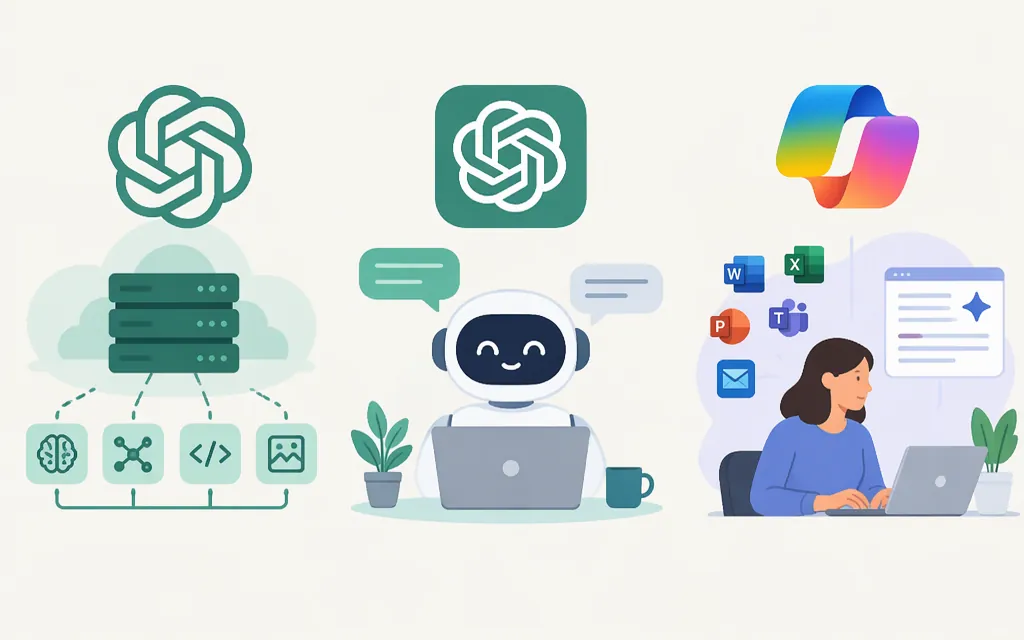
OpenAI vs. ChatGPT vs. Copilot: the short answer
OpenAI is a company. ChatGPT is an assistant from OpenAI. Microsoft Copilot is a family of Microsoft products. They are not three equivalent tools. For a ready-made assistant, compare ChatGPT with the specific Copilot product you need. To build an AI feature into your own software, consider the OpenAI API: it is a developer service, not a ChatGPT subscription. (OpenAI)
Scope: This comparison focuses on ChatGPT and Microsoft Copilot for work. Microsoft distinguishes Copilot Chat, its included chat experience for eligible work accounts, from the paid Microsoft 365 Copilot add-on, which adds work-data grounding and app capabilities. The enterprise pricing page names the $30 offer “Microsoft 365 Copilot (add-on)”; Microsoft’s licensing overview uses “Microsoft Copilot” for the broader licensed offering. GitHub Copilot is a separate coding product and is not the subject here. (Microsoft pricing, Microsoft licensing)
| What you need | Consider | What to check |
|---|---|---|
| A ready-made assistant for general tasks | ChatGPT | Plan features, usage limits, and personal-account data settings. |
| Chat for work, without buying the paid work-data add-on | Microsoft Copilot Chat | An eligible Microsoft 365 subscription and Microsoft Entra account; work-data grounding is not included by default. |
| Work assistance grounded in Microsoft organizational data | Microsoft 365 Copilot add-on | An eligible base license, user permissions, and tenant configuration. |
| An AI feature inside your own product | OpenAI API | Model choice, usage costs, integration, evaluation, data handling, and operations. |
ChatGPT vs. Microsoft Copilot for work
The practical difference is often the work context. ChatGPT is a ready-made assistant. The paid Microsoft 365 Copilot add-on can use Microsoft Graph content that the user is permitted to access and work in Microsoft apps. Capabilities depend on the product, license, permissions, and setup; do not assume every Copilot product can access every company file. (Microsoft Learn)
Illustrative example, not a product test: If you need a project update based on company files and meeting material, the paid Microsoft 365 Copilot add-on may fit when those sources are available to you and covered by your setup. With another assistant, you may need to provide the material or configure an integration. Confirm access to the specific sources before buying.
Microsoft says Copilot Chat is available at no additional cost to Microsoft Entra account users with an eligible Microsoft 365 subscription. It is not grounded in organizational files, emails, or chats by default. The paid Microsoft 365 Copilot add-on is a separate offering with work-data grounding and additional app capabilities. (Microsoft pricing, Microsoft Learn)
OpenAI API vs. ChatGPT: building vs. using
A ChatGPT subscription provides access to the ChatGPT product. The OpenAI API lets developers use models in their own applications; API usage is billed separately from ChatGPT Plus. OpenAI lists the Responses API and client SDKs as supported routes for using its models. Check the current model documentation for identifiers, capabilities, and limits before selecting one. (OpenAI Help Center)
For a production application, evaluate candidate models on representative tasks and estimate costs from expected input and output. OpenAI’s API prices vary by model and processing option. For example, the standard, short-context rates listed for gpt-6.1-sol are $2 per million input tokens and $10 per million output tokens; for gpt-6-luna, they are $0.10 per million input tokens and $0.50 per million output tokens. Long-context rates differ, so these examples do not determine which model is best for your workload. (OpenAI API pricing)
Before launch, identify the model and integration route, estimate usage costs, and test representative cases. Also review access controls, failure handling, usage limits, and data handling. The API is a building block, not a complete ready-made application.
Prices and data handling
US prices and eligibility below reflect the cited official pages as checked November 12, 2026. Microsoft licensing and plan terms can change; verify the specific offer before purchase.
| Offering | Published price | Important qualification |
|---|---|---|
| ChatGPT Plus | $20 per month, billed monthly | API usage is separate. (OpenAI Help Center) |
| ChatGPT Business, standard seat | $20 per user/month with annual billing, or $25 per user/month with monthly billing | A workspace usually requires two paid seats, in any combination of Standard and Premium. Some new workspaces may start with one paid seat if checkout offers that option. (OpenAI Business FAQ, OpenAI billing and seats) |
| Microsoft 365 Copilot (add-on) | $30 per user/month, paid yearly | This is the add-on named on Microsoft’s enterprise pricing page, not Copilot Chat. A separate eligible Microsoft 365 license is required; eligibility varies by plan. Microsoft 365 E7 includes Copilot. (Microsoft pricing, Microsoft licensing) |
| Microsoft Copilot Chat | No additional cost for eligible users | Available to Microsoft Entra account users with an eligible Microsoft 365 subscription. This is not the paid work-data add-on. (Microsoft pricing) |
| OpenAI API | Usage-based; model-specific | Rates are charged by input and output tokens; check the live pricing table for the selected model and processing option. (OpenAI API pricing) |
These are different cost categories: ChatGPT seats, a Microsoft add-on that requires an eligible base license, and API usage. Copilot Chat’s included access is also distinct from the paid Microsoft 365 Copilot add-on.
Training use is not the same as retention. In personal ChatGPT accounts, users can turn off model-improvement sharing in Data Controls while keeping chat history. Regular saved chats remain until deleted or removed under an applicable workspace policy; deleted chats are scheduled for permanent deletion within 30 days, subject to stated legal and security exceptions. (OpenAI Data Controls, OpenAI Chat Retention)
For ChatGPT Business, OpenAI says workspace data is excluded from model training by default. Saved chats remain until deleted; OpenAI schedules deleted chats for permanent deletion within 30 days, subject to exceptions. The cited Business material does not establish that Business administrators can set a custom chat-retention period, so do not assume Enterprise-style retention controls apply. (OpenAI Business privacy, OpenAI Chat Retention)
For the OpenAI API, abuse-monitoring logs may contain prompts and responses and are retained for up to 30 days by default, with stated exceptions. For the Responses API, application state is retained for 30 days by default when stored; specific features can have different behavior. This is separate from the fact that API data is not used for model training by default. (OpenAI API data controls, OpenAI Help Center, OpenAI data-use policy)
For Microsoft Copilot for work and Copilot Chat, Microsoft says prompts, responses, and Microsoft Graph data are not used to train foundation models. Copilot Chat interactions may be logged for auditing and eDiscovery. Check the relevant workspace policies and product configuration rather than treating “not used for training” as “not stored.” (Microsoft Learn, Microsoft Learn, Microsoft Learn)
Which should you choose?
- Choose ChatGPT for a ready-made assistant when you do not need it automatically grounded in Microsoft work content. Review your plan limits and personal-account data controls. (ChatGPT pricing, OpenAI Data Controls)
- Choose Copilot Chat when included work-account chat is enough. Confirm your Microsoft Entra account and Microsoft 365 subscription are eligible; do not assume it has default access to organizational files. (Microsoft pricing)
- Choose the paid Microsoft 365 Copilot add-on when Microsoft-app workflows or permitted work data are central. Confirm the base license, permissions, and the applicable price tier. (Microsoft pricing, Microsoft licensing)
- Choose the OpenAI API when you are building an AI feature into your own application and can manage integration, evaluation, data handling, and usage costs. Select a model based on its current documentation and measured performance on your tasks. (OpenAI models, OpenAI API pricing)
- Use more than one route if different workflows justify it—for example, a ready-made assistant for staff and an API-powered feature in your product. Keep each route’s costs, permissions, and data rules distinct.
There is no universal winner. Choose based on the workflow, data context, and development responsibility you actually need.
Sources
Microsoft Copilot Plans and Pricing—Enterprise
License Options for Microsoft Copilot
License Options for Microsoft Copilot
Managing Billing and Seats in ChatGPT Business
Managing Data, Sharing, and Privacy in ChatGPT Business