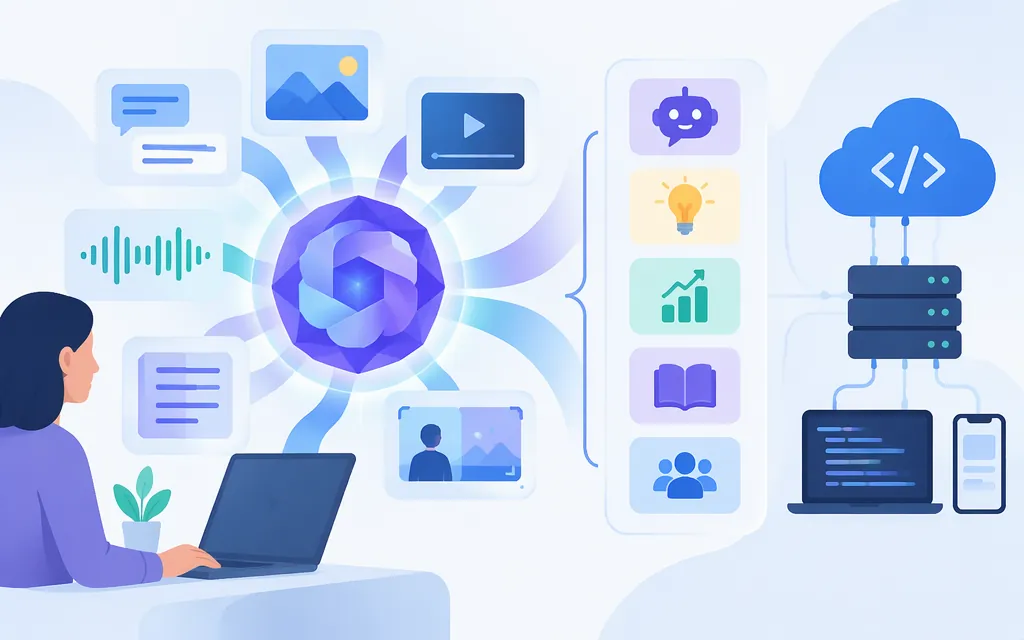
Qwen2.5-Omni is an end-to-end multimodal model designed to handle text, images, audio, and video, and to generate text and natural-speech responses. Qwen’s project materials and technical report describe those capabilities, including streaming input and speech generation. For a more practical signal, vLLM examples show offline workflows for audio, images, video, and mixed inputs—but those examples are not a complete model specification or proof that a hosted API offers the same features. (github.com)
TokenForge Cloud API availability for the exact Qwen2.5-Omni model is not confirmed by the published material cited here. TokenForge discusses Qwen API access generally, but that alone does not establish that this specific model, its audio-generation capability, or a particular request format is available. Confirm the exact model and modality support in current provider documentation before building against it. (tokenforgecloud.com)
What Qwen2.5-Omni does
Qwen describes Qwen2.5-Omni as a model that can perceive text, images, audio, and video, while generating text and natural speech. Its technical report describes a Thinker-Talker design: the Thinker generates text, while the Talker produces audio tokens for speech output. These are model-level descriptions; what you can call depends on the deployment and serving implementation. (github.com)
For a concrete implementation example, the vLLM v0.10.0 documentation loads Qwen/Qwen2.5-Omni-7B and demonstrates:
- Audio, image, or video input in separate examples.
- A combined audio, image, and video prompt.
- Video processed with its associated audio.
- Comparing multiple audio clips.
- Text generation through the Thinker-only example.
The distinction matters: that Thinker-only example returns text. It does not by itself demonstrate speech generation. Qwen’s project materials and report support the broader speech-generation description, but you should still confirm that a particular serving route exposes audio output before depending on it. (docs.vllm.ai)
Is it a fit for your workload?
Use the documented examples to see whether your input pattern is a plausible match—not as proof of accuracy, speed, or superiority over another model.
| Your requirement | Evidence to consider | What to verify before choosing |
|---|---|---|
| Ask questions about images, audio, or video | vLLM lists individual audio, image, and video inference examples. | Supported file formats, input limits, and performance on your own samples. |
| Combine modalities in one request | The vLLM example passes audio, an RGB image, and video frames together. | Whether your chosen provider accepts the same combination and payload structure. |
| Analyze video together with its audio | vLLM includes a use_audio_in_video example. |
Engine and deployment compatibility; the documented example has a specific vLLM engine caveat. |
| Compare multiple audio clips | The vLLM example passes two audio assets for a comparison question. | Whether your serving path supports multiple audio inputs in one request. |
| Return spoken answers | Qwen’s project description and technical report describe natural-speech output. | Whether the actual deployment exposes audio generation, and what output controls and formats it supports. |
vLLM caveats are deployment-specific
In the cited vLLM v0.10.0 documentation, the video-with-audio example requires VLLM_USE_V1=0; the page says the V1 engine does not support use_audio_in_video. The examples for video-with-audio and multiple audios also set that environment variable. Treat this as a caveat for those documented vLLM workflows—not as a universal model limitation across all versions or providers. (docs.vllm.ai)
The same vLLM example warns that its default max_num_seqs and max_model_len settings may cause out-of-memory errors on lower-end GPUs. It says the shown settings were tested on a single L4 unless otherwise specified. That is not a minimum hardware specification or a guarantee that every workload will fit; confirm current serving requirements for your model version and configuration. (docs.vllm.ai)
The example command for a mixed-modality test is:
python examples/offline_inference/qwen2_5_omni/only_thinker.py -q mixed_modalities
It assumes you already have a compatible vLLM environment, the example script, and the required model and assets. The command runs offline inference; it is not a hosted API request. For video with associated audio, the documented example uses:
VLLM_USE_V1=0 python examples/offline_inference/qwen2_5_omni/only_thinker.py -q use_audio_in_video
Use the versioned vLLM documentation for the exact setup and limitations relevant to that example. (docs.vllm.ai)
Can you use Qwen2.5-Omni through TokenForge Cloud’s production API?
The sources cited here do not confirm that TokenForge Cloud offers Qwen2.5-Omni under a specific production API model ID. TokenForge’s Qwen API materials discuss how API availability and terms depend on the provider and the exact model. A general reference to Qwen APIs is not confirmation of Omni access, speech output, multimodal request support, or an endpoint you can use. (tokenforgecloud.com)
Before integrating, verify these details in TokenForge’s current first-party documentation or model listing:
- Exact model: Is
Qwen2.5-Omniavailable, and what model identifier should the request use? - Modalities: Which inputs and outputs are supported through that API—including video, audio-in-video, and generated speech?
- Request and response format: What endpoint, payload structure, and response fields apply to each modality?
- Operational limits: What file, size, duration, concurrency, or rate limits apply?
- Commercial terms: If cost affects your choice, confirm the currency, billing unit, and whether the price applies to hosted API usage.
If those details are not documented, ask TokenForge support to confirm them before committing to an integration. Do not assume a local vLLM example, a different Qwen API, or a generic provider listing will work unchanged.
Bottom line
Qwen2.5-Omni is worth evaluating when your application needs multimodal perception across text, images, audio, and video, especially if spoken output is part of the requirement. Qwen’s materials describe those model capabilities; vLLM supplies examples for several offline input patterns. Neither source proves quality on your workload or confirms that a particular hosted service exposes every capability. Test representative inputs, confirm the serving path, and verify TokenForge’s exact model and API details before choosing it for production. (github.com)
Sources
Qwen2.5-Omni Offline Inference Examples — vLLM v0.10.0
Qwen2.5-Omni Offline Inference Examples — vLLM
Qwen API: Access, Evaluation, and Deployment Options — Token Forge Cloud