The short answer
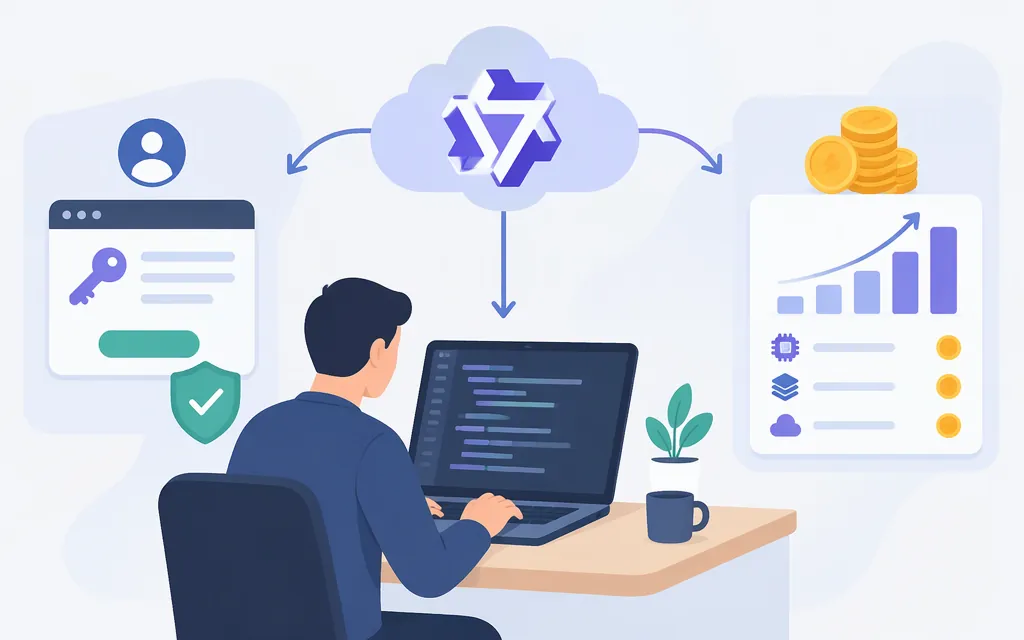
Choose your API provider before creating a key. For direct access, create an Alibaba Cloud Model Studio key and use Model Studio’s regional endpoint and model catalog. For a third-party platform or aggregator, create that provider’s key and use its endpoint and catalog instead. OpenAI-compatible APIs may share a request format, but that does not make their keys, model IDs, billing, or terms interchangeable. (Alibaba Cloud: API keys)
Alibaba Cloud lists Qwen3.5 models such as qwen3.5-plus in Model Studio. Confirm the model is available in your selected region before using it. (Qwen3.5-Plus model information)
Official Alibaba key vs. a platform key
| Access route | Whose key you create | Where the request goes | Who bills API usage |
|---|---|---|---|
| Direct Alibaba Cloud Model Studio | A Model Studio API key for the selected region | That region’s Model Studio endpoint | Alibaba Cloud; Model Studio API calls are pay-as-you-go by default. |
| Third-party platform or aggregator | A key issued by that provider—for example, a DeepInfra token or OpenRouter key | That provider’s endpoint, using a model ID in its catalog | That provider. OpenRouter, for example, deducts usage from account credits. |
Alibaba’s documentation provides separate regional endpoints and says to use a key created for the corresponding region. Third-party platforms have their own credentials and endpoints: DeepInfra documents its own API token and OpenAI-compatible endpoint. Do not send an Alibaba key to a third-party endpoint or a platform key to Alibaba’s endpoint. (Alibaba Cloud: regional API compatibility; DeepInfra: Chat Completions; OpenRouter FAQ)
With an aggregator, check its current model catalog before choosing it—especially if you need Qwen3.5. Its catalog determines which model IDs you can call, and its own pricing and service terms apply. OpenAI compatibility can reduce code changes; it does not guarantee identical parameters or behavior across providers. (Alibaba Cloud: Qwen3.5-Plus model information; OpenRouter FAQ)
Create an Alibaba Cloud key and make your first request
This example uses Alibaba Cloud Model Studio’s OpenAI-compatible Chat Completions API in Singapore. You need an Alibaba Cloud account with Model Studio activated. Create a Model Studio API key for Singapore, and have your workspace ID available from the Model Studio console. Use the key and endpoint for the same region. (Alibaba Cloud: first API call; OpenAI-compatible Chat API)
- Choose Singapore in Model Studio and confirm the model you want is listed for that region.
- Create a Model Studio API key for that region. Copy it and store it outside your source code; do not expose it in browser-side code.
- Set the key and workspace-specific endpoint in your shell. Replace the example values with your Singapore key and workspace ID.
- Send a Chat Completions request using the exact model ID
qwen3.5-plus. Alibaba identifies this model as served by Model Studio and lists regional capabilities, including Singapore. Check the current model page and console before relying on a particular region or capability. (Qwen3.5-Plus model information)
export DASHSCOPE_API_KEY='YOUR_SINGAPORE_MODEL_STUDIO_API_KEY'
export QWEN_WORKSPACE_ID='YOUR_WORKSPACE_ID'
export QWEN_BASE_URL="https://${QWEN_WORKSPACE_ID}.ap-southeast-1.maas.aliyuncs.com/compatible-mode/v1"

curl "${QWEN_BASE_URL}/chat/completions" \
  -H "Authorization: Bearer ${DASHSCOPE_API_KEY}" \
  -H "Content-Type: application/json" \
  -d '{
    "model": "qwen3.5-plus",
    "messages": [
      {"role": "user", "content": "Reply with a one-sentence greeting."}
    ]
  }'
The request uses the documented Singapore workspace endpoint and Chat Completions path. A successful call returns a JSON completion response with generated assistant content; consult Alibaba’s Chat API documentation for the response fields and parameters. This is a documentation-based example, not a claim that the request was run here. (OpenAI-compatible Chat API)
Using a third-party platform instead? Follow that platform’s instructions for its own key and endpoint, then select a Qwen model ID from its catalog. Do not reuse the Alibaba endpoint or assume qwen3.5-plus is available on that platform without checking. (DeepInfra: Chat Completions)
If the first call fails
- 401 or invalid API key: Check that you used the key for the endpoint’s region. For a platform request, use that platform’s key—not your Alibaba key. (Alibaba Cloud: regional API compatibility)
- 404: Check the base URL,
/chat/completionspath, workspace ID, and endpoint format. (OpenAI-compatible Chat API) - Model not found or unsupported: Confirm the exact model ID and its availability in the selected provider’s current regional catalog. (Alibaba Cloud: Qwen3.5-Plus model information)
Which Qwen model and route should you choose?
For direct Alibaba Cloud access, choose a model listed in the Model Studio catalog for your region and copy its exact ID. Alibaba’s model documentation lists qwen3.5-plus; regional availability and capabilities can differ, so check the model page and console before building around it. (Qwen3.5-Plus model information)
Choose a third-party platform when you specifically want its account, unified API, or billing workflow—and only if its live catalog lists the Qwen model you need. That route uses the platform’s key, endpoint, price, and terms. (DeepInfra: Chat Completions; OpenRouter FAQ)
Qwen API costs: what to check before budgeting
There is no single universal Qwen API price: rates depend on provider, model, region, and sometimes request size. Alibaba Cloud says Model Studio API calls are pay-as-you-go by default and charges input and output tokens separately. Its pricing documentation explains that the price tier for some models depends on the total input tokens in a single request. The Model Studio rate-card page reports an update date of November 7, 2026 and says it lists standard prices; check the console for promotions. (Alibaba Cloud Model Studio pricing)
As a Singapore example, Alibaba’s rate card lists Qwen3.8-Max at $2 per 1 million input tokens and $6 per 1 million output tokens, for requests with up to 1 million input tokens. The rate card displays prices with a $ symbol; the captured table does not spell out a currency code. At those listed rates, a hypothetical request with 100,000 input tokens and 20,000 output tokens costs $0.32 before taxes or other account charges: (100,000 ÷ 1,000,000 × $2) + (20,000 ÷ 1,000,000 × $6). This is a Singapore example, not a U.S. quote or a Qwen3.5 price. Check the current rate card for your region and exact model before estimating spend. (Alibaba Cloud Model Studio pricing; Alibaba Cloud pricing documentation)
For a third-party route, use that provider’s current model listing and price page rather than Alibaba’s rate card. Compare input and output rates, currency, billing unit, region, tier thresholds, and whether charges are token-, credit-, or subscription-based. Alibaba also notes that batch and context-cache discounts cannot be combined when both apply. (Alibaba Cloud Model Studio pricing)
Sources
Make your first API call to Qwen — Alibaba Cloud Model Studio
How to obtain an API key — Alibaba Cloud Model Studio
Call Qwen models via OpenAI API — Alibaba Cloud Model Studio
OpenAI compatible - Chat — Alibaba Cloud Model Studio
qwen3.5-plus Model Info — Alibaba Cloud Model Studio
Alibaba Cloud Model Studio model pricing