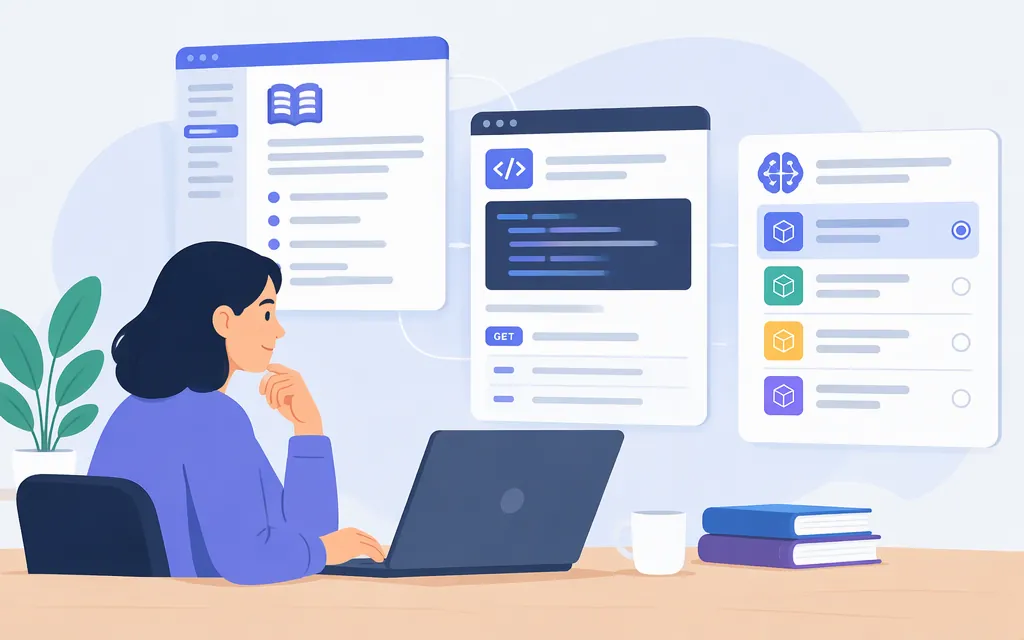
If you’re looking for Qwen documentation, start with the Qwen documentation home for model guides, quickstarts, inference, deployment, and framework integrations. For a hosted Qwen API, use Alibaba Cloud Model Studio’s first API call guide instead. They answer different questions: Qwen’s documentation covers using and deploying models; Model Studio’s guide covers calling models through that service.
Choose the documentation for your setup
- Browse Qwen model and developer guides: The Qwen documentation home links to getting-started material, quickstarts, local inference and deployment guides, and framework pages. Its Qwen3 quickstart shows examples using Transformers and ModelScope, plus deployment options. Check the guide’s prerequisites and the specific model page before copying an example.
- Call a hosted model through Alibaba Cloud Model Studio: Follow the Model Studio API quickstart. It covers obtaining an API key, selecting a model in the request, and configuring the service. The documentation says Model Studio supports OpenAI-compatible interfaces and the DashScope SDK.
- Implement Qwen3 function calling: Use the focused function-calling guide. It explains tool schemas and the Qwen-Agent and vLLM workflows. It is not a general Qwen index or hosted API reference.
Shortlist by task, then confirm the model
Use capability descriptions to narrow your search—not to assume an exact model is currently available through your chosen provider. Alibaba Cloud’s Qwen overview associates Qwen-VL with vision, Qwen-Audio with audio, Qwen-Omni with multimodal interaction, Qwen3-Coder with coding, Qwen-Image-Edit with image editing, and Qwen3-32B with a tool-use demonstration. These are examples from an overview, not a current availability matrix or performance ranking.
| Your task | Preliminary direction | What to confirm in current model documentation |
|---|---|---|
| Understand images | Look for a vision-capable Qwen model, such as the Qwen-VL family named in the overview. | The exact model ID, supported image inputs, limits, and availability through your provider. |
| Process audio | Look for an audio-capable model, such as the Qwen-Audio family named in the overview. | Supported audio tasks, formats, languages, limits, and whether audio is supported in your selected API. |
| Work across modalities | Investigate the Qwen-Omni example in the overview. | Which input and output modalities the exact model and endpoint support. |
| Generate or edit images | Check image-generation or image-editing documentation, rather than assuming a text model handles the task. | Exact model, request format, supported editing operations, and provider availability. |
| Write or review code | Compare current coding-capable models and test them on representative tasks. | Current model ID, tool or coding workflow support, latency, and cost for your workload. |
| Call external tools | Read the Qwen3 function-calling guide if you are implementing the application-side tool loop. | Framework and model compatibility, argument validation, and how your application executes and checks tool calls. |
Qwen’s documentation home describes Qwen3 model variants and their capabilities, while the hosted service has its own model list and API instructions. Check the exact model name and feature support in the documentation for the deployment path you plan to use; don’t infer API compatibility from a family name alone.
Hosted API or self-hosted inference?
Choose a hosted API when you want a managed service and are prepared to follow that provider’s account, key, endpoint, and model instructions. For Alibaba Cloud Model Studio, the current quickstart describes both OpenAI-compatible interfaces and the DashScope SDK. The regional instructions for US (Virginia) conflict: the first-call guide says not to include a WorkspaceId in the base URL, while the OpenAI-compatible API reference shows a Virginia SDK base-URL template containing {WorkspaceId}. The cited instructions do not establish when each applies, so don’t copy either configuration from this summary; confirm the correct base URL for your interface and account in the current provider documentation before deployment.
Choose self-hosting when you intend to run model weights using your own infrastructure and serving stack. Start with the Qwen quickstart or the documentation’s deployment section, and check the selected model’s hardware and framework requirements. A local address such as http://localhost:8000/v1 in an example is not a hosted Qwen API endpoint.
Production checklist before integrating
For the exact provider and model you plan to use, confirm:
- Model ID and modality: Does the current model list include the model, and does it support the inputs and outputs your feature needs?
- Region and endpoint: Which region serves your account, and what base URL configuration applies to your interface?
- Authentication: How do you create and store the provider’s API key? Model Studio recommends using an environment variable rather than hard-coding the key.
- Request and response format: Follow the chosen API’s current reference and SDK instructions. OpenAI-compatible interfaces and DashScope are supported options in the Model Studio guide, but don’t assume every feature behaves identically across interfaces.
- Limits and operational behavior: Check the provider’s current model list, rate-limit, error-code, and pricing documentation for the selected model and region. The documentation center lists these as separate topics; this article does not establish a price, quota, or service guarantee.
- Tool-call safety: If you enable function calling, validate generated tool names and arguments before your application executes them. The Qwen3 guide cautions that calls may not always follow the expected protocol or may be malformed; your application—not the model—runs the requested functions.
Bottom line
For general Qwen guides, begin at the Qwen documentation home. For a managed API, follow the Model Studio Qwen API quickstart and verify the regional endpoint for your interface. For Qwen3 tool use, open the focused function-calling guide. Select a model only after checking its current ID, supported features, and availability in the documentation for your chosen deployment path.
Sources
Make your first API call to Qwen — Alibaba Cloud Model Studio
Call Qwen models via OpenAI API — Alibaba Cloud Model Studio