The short answer
There is no single architecture shared by every Qwen model. The Qwen3 Technical Report describes that generation as including both dense and Mixture-of-Experts (MoE) models, and a unified framework for thinking and non-thinking modes. Those are family-level statements—not a specification for every Qwen generation or named model. The abstract gives a Qwen3 family parameter range of 0.6–235 billion, but does not map each size to a variant or architecture.
For model selection, treat the specific model’s documentation and the exact provider endpoint as decisive. An architecture label alone does not establish a model’s speed, cost, memory needs, API controls, or suitability for your workload.
Dense vs. MoE: the practical distinction
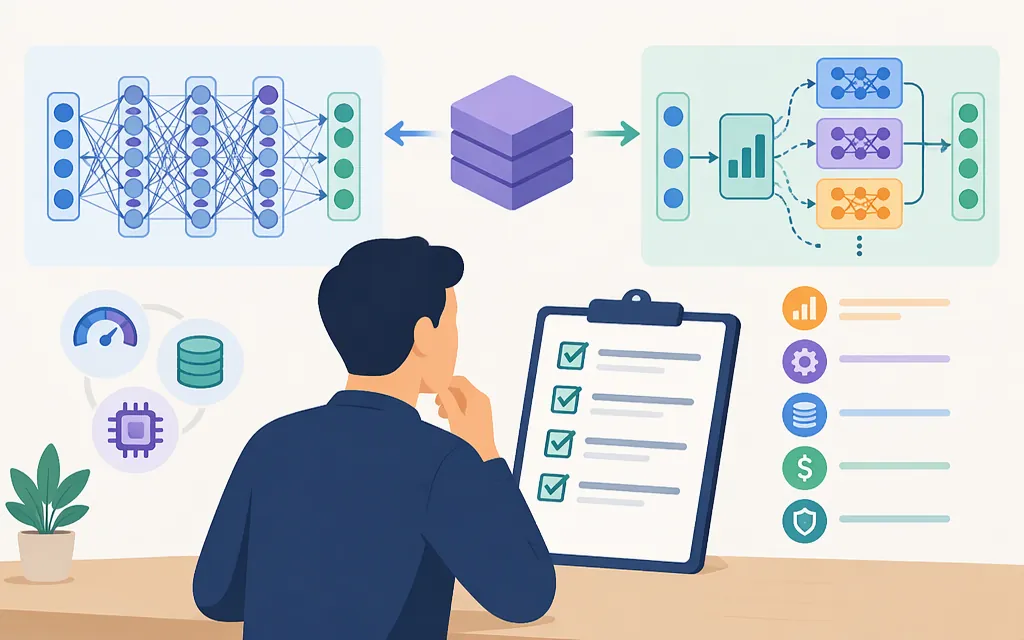
A dense model uses its model layers for each input token. An MoE model has multiple expert sub-networks and routes tokens through a subset of them. That is a useful conceptual distinction, but the Qwen3 report abstract confirms only that both kinds exist in the family; it does not specify routing details or identify every variant’s architecture.
MoE is not automatically cheaper or faster in production. Total parameter count, active parameters, hardware, serving software, batch size, input length, and traffic all affect resource use and latency. If a source gives total and active parameter counts, treat them as model-specific facts to verify—not as a direct estimate of your deployment’s cost or response time.
Qwen’s current catalog also illustrates why checking the variant matters: Alibaba Model Studio describes Qwen3.8-27B as a native vision-language dense model, while its Qwen3.8-Max page describes a 2.4-trillion-parameter MoE model. These are product-page descriptions, not a basis for assuming that all Qwen models share either design or the same capabilities. (help.aliyun.com)
Qwen3 thinking modes: behavior is not an API specification
The Qwen3 report describes thinking mode for complex, multi-step reasoning and non-thinking mode for rapid, context-driven responses. It also describes a thinking-budget mechanism intended to balance latency and performance according to task complexity. The abstract does not give budget units, request fields, template syntax, or a model-by-model account of which services expose these controls.
For an API integration, check the documentation for the precise model and provider. Alibaba’s deep-thinking guide says that mixed-thinking models can be configured to enable or disable thinking, but that the control parameter varies by model. That is a reason to consult the model-specific instructions rather than copy a setting across the Qwen family. (help.aliyun.com)
How to choose a Qwen model or production API
Use this short evaluation path:
- Define the workload. Note whether you need text only or image/video input, reasoning or low-latency responses, long context, or another documented capability.
- Identify the exact model. Confirm its generation, model identifier, architecture label, input/output modalities, and relevant limits in the provider’s model documentation. Do not infer these from the Qwen family name alone.
- Check the serving path. Hosted API access and downloadable weights are different options. Confirm that the specific model is available through your chosen provider, region, and endpoint.
- Test with representative requests. Compare answer quality, latency, throughput, and cost under your own prompts and expected traffic. Architecture labels and parameter counts are not substitutes for these measurements.
- Verify API behavior before shipping. Check authentication, request format, supported parameters, errors, rate limits, and billing terms for the exact endpoint and plan.
Alibaba Model Studio’s API documentation lists multiple interfaces—including OpenAI-compatible Chat Completions and Responses, Anthropic-compatible Messages, and DashScope—and distinguishes text-generation from multimodal-generation endpoints. Its instructions also describe region-specific endpoints. Choose the interface and region documented for the model you intend to call; the existence of an interface does not prove that every Qwen model supports every feature through it. (help.aliyun.com)
What the available architecture evidence does not establish
The Qwen3 report abstract is useful for the family-level distinction between dense and MoE, and for the high-level description of thinking modes. It does not provide layer counts, attention design, expert-routing configuration, a named-variant architecture map, or production API settings. Current provider pages can add model-specific descriptions, but they still need to be read alongside the documentation for the exact API channel and use case.
Selection rule: use architecture to decide what to investigate; use current model and provider documentation, then workload-specific tests, to decide what to deploy.
Sources
qwen3.8-27b Model Info — Alibaba Cloud Model Studio
qwen3.8-max Model Info — Alibaba Cloud Model Studio
How to Use Deep Thinking Models — Alibaba Cloud Model Studio
DashScope API Reference — Alibaba Cloud Model Studio
Text Generation Model API Reference — Alibaba Cloud Model Studio