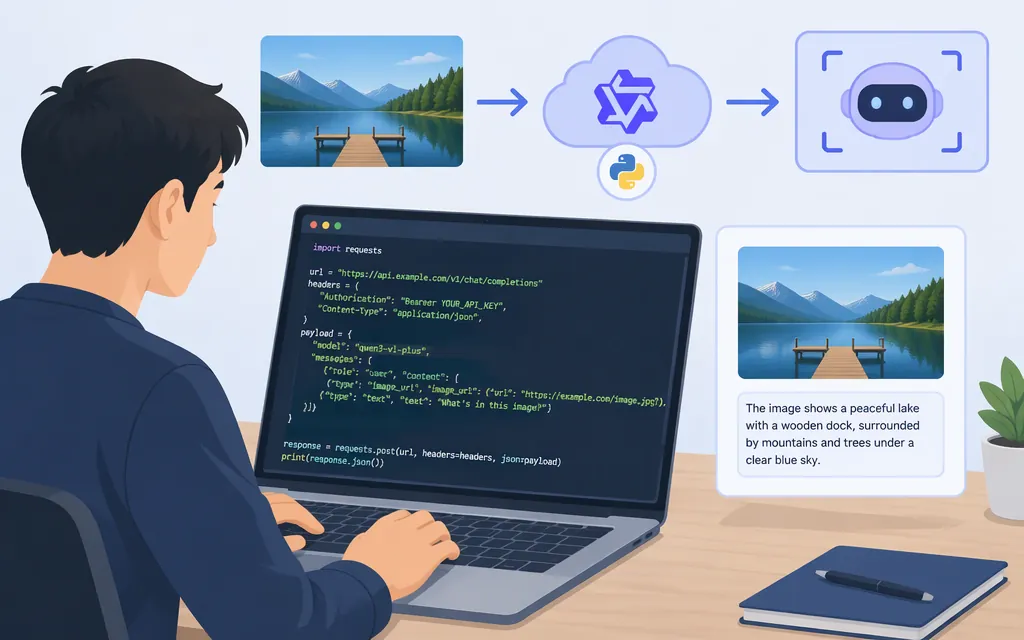
For a direct Qwen vision-language integration, use Alibaba Cloud Model Studio’s OpenAI-compatible Chat Completions API with model ID qwen3-vl-plus. This guide uses the US (Virginia) regional endpoint and sends an image URL with a text prompt. It is a direct Model Studio integration—not a Puter.js wrapper or third-party gateway. Model Studio documents a Virginia endpoint and an image-and-text request example for this model. (API guide)
Prerequisites
- Enable Model Studio access and create an API key for US (Virginia). Use a key and endpoint from the same region; Model Studio says regional keys, endpoints, and model availability are not interchangeable. (API key guide)
- Find your Workspace ID in the Model Studio console. The Virginia endpoint includes it.
- Install the OpenAI Python SDK and set your credentials in the environment:
python -m pip install openai
export DASHSCOPE_API_KEY="your-virginia-api-key"
export DASHSCOPE_WORKSPACE_ID="your-workspace-id"
On Windows PowerShell, set the variables for the current session with $env:DASHSCOPE_API_KEY="your-virginia-api-key" and $env:DASHSCOPE_WORKSPACE_ID="your-workspace-id".
Keep a permanent API key on your server, not in browser or mobile-app code. For client-side access, use a trusted backend to issue a temporary key rather than embedding the permanent key in the app. (Temporary API key guide)
Make a Qwen3-VL-Plus image request
Save this as vision.py and run python vision.py. The image URL below is from Model Studio’s documented vision example. For your own image, use a public URL the service can access. Model Studio’s general vision guidance says the URL response should include Content-Length and Content-Type headers. The request structure and streaming response handling follow Model Studio’s OpenAI-compatible Qwen VL example; the Virginia Workspace ID is used in place of the example’s Beijing endpoint. (API guide, vision guide)
import os
from openai import OpenAI

workspace_id = os.environ["DASHSCOPE_WORKSPACE_ID"]
client = OpenAI(
    api_key=os.environ["DASHSCOPE_API_KEY"],
    base_url=(
        f"https://{workspace_id}.us-east-1.maas.aliyuncs.com/"
        "compatible-mode/v1"
    ),
)

stream = client.chat.completions.create(
    model="qwen3-vl-plus",
    messages=[
        {
            "role": "user",
            "content": [
                {"type": "text", "text": "Describe the main things happening in this image."},
                {
                    "type": "image_url",
                    "image_url": {
                        "url": "https://dashscope.oss-cn-beijing.aliyuncs.com/images/dog_and_girl.jpeg"
                    },
                },
            ],
        }
    ],
    stream=True,
)

for chunk in stream:
    if not chunk.choices:
        continue
    text = chunk.choices[0].delta.content
    if isinstance(text, str) and text:
        print(text, end="", flush=True)
print()
Reading the result: streamed text arrives in chunk.choices[0].delta.content; the loop prints non-empty text fragments as they arrive. The guard skips chunks without choices, and the empty-string check skips chunks that carry no text. This describes the documented request pattern; it is not an independently run test. (API guide)
Model, region, and production checks
- Model and task: Model Studio lists
qwen3-vl-plusas accepting image input and lists US (Virginia) as a region. Confirm the model is available to your account in that region before deployment. (Model information) - Image URL: Use a public URL the service can retrieve. Model Studio’s vision guidance says public image URLs must return
Content-LengthandContent-Typeheaders; missing or incorrect values can cause download failure. The cited example does not establish that private or access-controlled URLs work. (Vision guide) - Image validation: The cited documentation does not establish the supported image formats, maximum byte size, maximum number of images per request, or model-specific resolution limit for
qwen3-vl-plusthrough this Virginia endpoint. It also does not establish whether restrictions differ between URL and encoded-image inputs. Confirm these details for your route before setting production upload rules; do not treat general vision guidance as a confirmed model-specific limit. (API guide, model information, vision-model guidance) - Errors: Model Studio’s error guidance maps
400to request errors,401to authentication failures,403to access denial,404to a missing model/resource/path,429to throttling or quota limits, and5xxto service-processing errors. Its rate-limit guidance says limits vary and throttled requests are typically rejected with429and recover automatically within about a minute. (Error codes, rate limits) - Application handling: As implementation recommendations—not provider-specific requirements—correct malformed requests and credential or permission problems instead of retrying them unchanged; for transient throttling or server errors, use bounded retries with backoff. Avoid logging API keys or authorization data.
- Context is not image size: The model information lists a 262,144-token context length and a 32,768-token maximum output. These figures do not specify image dimensions, image count, or upload size. (Model information)
- Credentials: Keep the long-lived API key server-side. If a browser or mobile client must call the service, use the provider’s temporary-key flow through a trusted backend. (Temporary API key guide)
Direct API versus wrappers
Use the direct Model Studio route above when you want Alibaba Cloud’s regional endpoint, account credentials, and provider billing. Third-party services may use different model identifiers and request contracts. For example, a Puter.js tutorial demonstrates an image call through Puter.js, while an AI SDK community-provider page warns that its provider is not compatible with AI SDK 5. Neither is the direct qwen3-vl-plus request shown here. (Model Studio API guide)
Sources
Alibaba Cloud Model Studio: OpenAI-compatible vision API for Qwen VL
Alibaba Cloud Model Studio: Image and video understanding
Alibaba Cloud Model Studio: Vision model guidance
Alibaba Cloud Model Studio: Qwen3-VL-Plus model information
Alibaba Cloud Model Studio: Get and configure an API key
Alibaba Cloud Model Studio: Generate a temporary API key