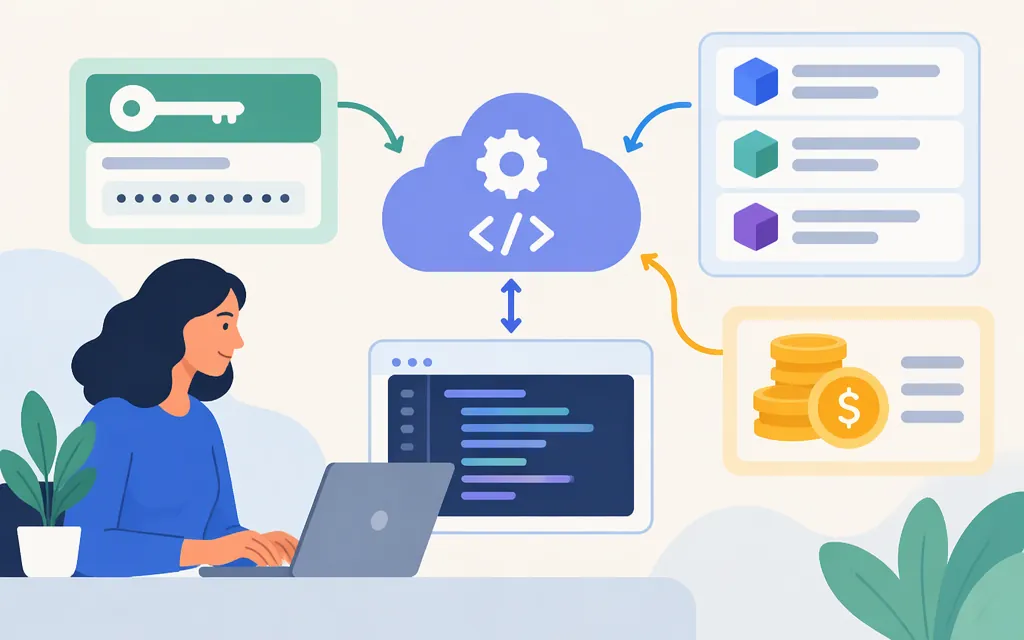
There is no universal Seedance API key. Your credential, API host, model ID, and request format belong to the provider you choose. This guide covers one documented direct route: BytePlus ModelArk. Activate the model in your BytePlus account, create a ModelArk API key, send it as a Bearer token, and use the matching task-generation API. Other gateways have their own credentials and contracts; a BytePlus key is not a general-purpose Seedance key.
Where to get a Seedance API key
For BytePlus ModelArk, activate the Seedance model you intend to use, then obtain an API key through ModelArk’s API key management. Keep the key on your server, such as in an environment variable; don’t expose it in browser code or a public repository.
BytePlus’s activation documentation lists these prerequisites for enabling Seedance 2.0 or 2.5: a BytePlus account balance greater than US$30, a dedicated AI Savings Plan at the US$30 tier or above, or a Seedance resource pack with quota available. Check the ModelArk console for the option and model activation status applicable to your account.
The documented API host in the example below is BytePlus’s Asia Pacific endpoint. A third-party route guide advises creating the key in the ModelArk resource project that owns the intended model or endpoint, and keeping the key, project, region, and host aligned. Treat a gateway’s key as belonging to that gateway—not as a substitute for a BytePlus credential.
Match the model version to the BytePlus route
BytePlus’s video API creates tasks with POST /api/v3/contents/generations/tasks and retrieves them with GET /api/v3/contents/generations/tasks/{id}. The model identifier goes in the request’s model field. These are BytePlus model IDs, not universal Seedance identifiers; confirm model access in your account before production use.
| Model | BytePlus model ID | What to know |
|---|---|---|
| Seedance 2.5 | dreamina-seedance-2-5-260628 |
The current create-task documentation describes generation up to 30 seconds and reference inputs of up to 30 images, 10 videos, and 10 audio clips. |
| Seedance 2.0 | dreamina-seedance-2-0-260128 |
A separate model entry with its own request and pricing details. |
| Seedance 2.0 Fast | dreamina-seedance-2-0-fast-260128 |
A separate 2.0 model entry; check its own availability and rate. |
| Seedance 2.0 Mini | dreamina-seedance-2-0-mini-260615 |
A separate 2.0 model entry; check its own availability and rate. |
Do not copy a model ID, host, or payload from another provider’s API. For example, some gateways use their own model aliases and endpoint paths even when they offer access to a ByteDance model.
Make a basic Seedance API request
Here is a text-to-video Seedance 2.0 example for BytePlus ModelArk. It follows the BytePlus Standard example in LaoZhang’s Seedance API guide; LaoZhang is a third-party guide, so confirm the current fields and model availability against your BytePlus account and BytePlus’s create-task reference. Keep the API key server-side.
import os
import requests

base_url = "https://ark.ap-southeast.bytepluses.com/api/v3"
api_key = os.environ["ARK_API_KEY"]
headers = {"Authorization": f"Bearer {api_key}", "Content-Type": "application/json"}
payload = {
    "model": "dreamina-seedance-2-0-260128",
    "content": [{"type": "text", "text": "A calm tabletop product shot, slow camera move, natural studio sound"}],
    "ratio": "16:9",
    "resolution": "720p",
    "duration": 5,
    "generate_audio": True,
}

response = requests.post(
    f"{base_url}/contents/generations/tasks",
    headers=headers,
    json=payload,
    timeout=30,
)
response.raise_for_status()
task_id = response.json()["id"]  # Save this ID before polling.

while True:
    response = requests.get(
        f"{base_url}/contents/generations/tasks/{task_id}",
        headers=headers,
        timeout=30,
    )
    response.raise_for_status()
    task = response.json()
    if task["status"] in {"succeeded", "failed", "expired"}:
        break

if task["status"] == "succeeded":
    print(task["content"]["video_url"])
else:
    raise RuntimeError(task)
In this example, the create response’s task ID is the id property. Use it in the retrieval URL; don’t substitute a job or generation ID from another provider. BytePlus’s video-generation tutorial describes the asynchronous create-and-poll flow. The retrieved task uses status to report its state and, when successful, provides the video at content.video_url. BytePlus says video URLs are valid for 24 hours, so download or transfer the result to storage you control promptly. See the retrieve-task reference.
Seedance API pricing: compare the unit and conditions
BytePlus ModelArk lists token prices in U.S. dollars per million tokens. Its pricing table separates requests with and without video input and lists online-inference resolutions. For Seedance 2.5 without video input, the listed rates are $10.70 per million tokens for 480p or 720p, and $11.70 per million tokens for 1080p. The pricing page is marked updated November 2, 2026. Check the live BytePlus pricing table before budgeting; video-input requests have separate pricing conditions.
These are token rates, not fixed prices per clip. The retrieved pricing excerpt establishes the token unit, resolution mapping, and no-video-input condition, but does not establish the exact token-counting formula for a particular request. So it does not support a reliable per-video estimate by itself. Check the live rate card and your usage records for the applicable billing formula and the separate rows for other models or video-input requests.
Model activation and inference billing are separate: activation determines whether the model can be enabled for your account, while API usage is billed according to the applicable token rate and balance or quota. A qualifying activation option is not a flat per-video price.
Before you integrate
- Keep the provider key, API host, model ID, and request schema together; don’t mix values across providers.
- Confirm the intended model is activated for your account and that the selected host matches your route.
- Save the returned task ID and retrieve that task rather than submitting duplicate jobs while it is processing.
- Copy completed output from the temporary video URL before it expires.
- Recheck the provider’s current model catalog, API documentation, and pricing before launch.
Bottom line: for the documented direct route, get a BytePlus ModelArk key, activate the matching Seedance model, and use BytePlus’s task-based video API. Treat the listed prices as token-metered rates, not fixed per-video quotes. If you plan to use Token Forge Cloud or another gateway, confirm that provider’s own key, model IDs, endpoints, and billing terms first.
Sources
Activate, use, and cancel Dreamina Seedance 2.5 and 2.0 series models — BytePlus ModelArk
Create a video generation task — BytePlus ModelArk
Retrieve a video generation task — BytePlus ModelArk