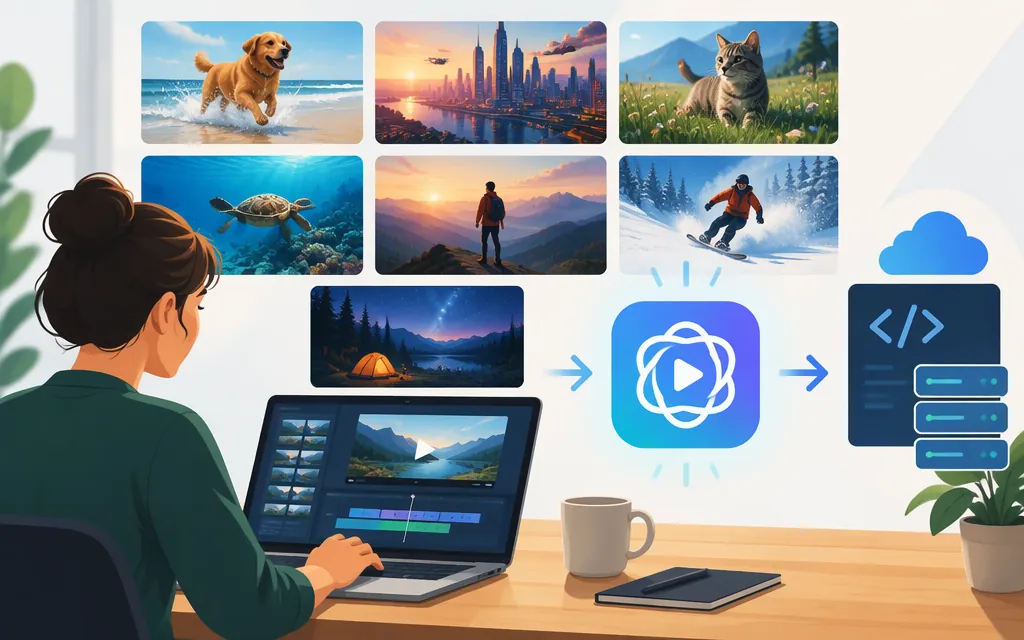
Important for production planning: OpenAI discontinued the Sora web and app experiences on April 26, 2026, and discontinued the Sora API on September 24, 2026. As of November 9, 2026, these prompts are useful as creative examples—not as requests you can submit to OpenAI’s Sora API. (help.openai.com)
The examples below are illustrative prompt drafts, not demonstrated Sora outputs. They’re adapted from concepts in a third-party article that lists seven Sora prompt ideas; that article does not establish that the prompts were run or that its described results were produced. (cometapi.com)
7 Sora video prompt examples
1. Product reveal: premium camera
Use for: A short product-ad concept.
Prompt:
A cinematic product film featuring a premium mirrorless camera on a wooden table. Begin with a slow camera push through warm morning light. Cut to an overhead view of hands opening the box; emphasize the soft rustle of cardboard and a precise magnetic click. End on a three-quarter close-up of the camera on dark velvet, with a gentle lens flare. Warm, polished lighting; restrained ambient synth. Voiceover: “Meet the focus of your next story.”
Adapt it: Swap in your product and its distinctive details. If a future video tool accepts reference images, a product photo may help communicate the design—but confirm that tool’s image-input feature before building a workflow around it.
2. Rainy-night street musician
Use for: A vertical mood piece or music-led social concept.
Prompt:
Vertical cinematic scene on a rainy Tokyo backstreet at night. Neon signs shimmer across wet pavement. Follow a street musician from behind, then arc around to a close-up of fingers strumming an acoustic guitar. The mood is quiet and melancholy. Layer rain on an umbrella, distant traffic, soft guitar, and a subdued crowd murmur. Keep the musician and camera movement natural and unhurried.
Adapt it: Replace the setting or instrument, and say whether the sound should feel close and intimate or part of the wider street ambience.
3. Animated logo sting
Use for: A short brand-intro concept.
Prompt:
A clean, high-contrast brand sting. The camera moves toward a bright circular iris that transforms into a simple geometric emblem. The emblem makes one quick 180-degree turn, settles into a glossy 3D form, and holds clearly in the center of frame. Add a brief electronic chord and one sustained cymbal shimmer. Minimal background; crisp edges; no extra text.
Adapt it: Describe the logo’s shape and the transition you want. If accurate brand reproduction matters, don’t assume a text prompt alone will preserve the exact logo; check what reference-image or editing options your chosen tool supports.
4. Whiteboard explainer
Use for: A simple educational or onboarding concept.
Prompt:
A 10-second hand-drawn whiteboard explanation of how smarter templates can reduce onboarding time. Show a laptop, a clock, and a person. At 0:03, the clock shrinks as a progress bar appears on the laptop. At 0:07, the person celebrates. Use clean black-ink drawings with small blue accents and a steady, front-facing camera. Friendly voiceover: “Cut onboarding time in half with smarter templates.” Add a light, plucky musical cue.
Adapt it: Keep the idea to a few visual elements and clear changes. Check any key wording in the finished video: generated text may not match the copy you intended.
5. Fictional character greeting
Use for: A character-led welcome or story beat.
Prompt:
A friendly, fictional animated character steps into a cozy living room, sits in an armchair, and looks toward the camera. The character says, “Hey—welcome back!” Keep the movement small and relaxed. Warm lamplight, a softly steaming kettle in the background, and a faint record-player crackle. Frame the character in a medium shot and leave a short pause after the greeting.
Adapt it: This version avoids relying on a real person’s likeness or an uploaded face. Do not assume a future tool allows likeness or image inputs; check the applicable tool’s current features and rules first.
6. Sunrise travel vignette
Use for: A scenic travel or nature concept.
Prompt:
A cinematic sunrise over rugged coastal cliffs. Start with a wide view as slow clouds drift above the ocean. Let the light brighten and move quickly across the cliff face, then finish on the silhouette of a lone hiker standing safely back from the edge. Golden-hour color, deep blue water, gentle ocean ambience, distant seabirds, and a sparse piano motif. Keep the horizon steady and the final silhouette clear.
Adapt it: Name the progression you want—such as “clouds drift, the light brightens, then the figure appears”—rather than asking for many unrelated events in one short clip.
7. Two-line thriller hook
Use for: A compact story or trailer concept.
Prompt:
A tense nighttime exchange in a narrow alley lit by one flickering streetlamp and cool neon. Character A whispers, “You were followed.” Cut to a tight shot of Character B’s eyes; visible breath catches in the cold air. Then show Character A’s hand revealing a small data drive. Add a distant siren, a low sustained synth tone, and one sharp rustle of fabric. Keep the action restrained and the final reveal easy to read.
Adapt it: Make the beats and the reveal explicit. If a specific duration or number of shots matters, verify that the video tool you choose supports it rather than treating a prompt’s timing as a product setting.
How to adapt a video prompt
A reusable structure is:
- Scene and purpose: What is happening, and what should the viewer take away?
- Main action: Give the subject one clear thing to do.
- Beats: Add a small number of ordered actions or transitions when timing matters.
- Camera and composition: Describe the framing or movement that helps tell the story.
- Look and sound: Add lighting, style, dialogue, or sound cues only when they matter to the idea.
For example, the product reveal prompt can be reduced to three beats: push in on the product; show the box opening; finish on a clear hero shot. Add lighting, foley, and voiceover only if they serve that brief. This is a way to make the creative direction legible, not a guarantee of a particular result.
OpenAI’s archived Sora prompting guide similarly presents prompting as creative direction rather than a contract, and says repeated generations can differ. The guide is explicitly marked archived and may refer to outdated models or APIs, so don’t rely on it for current product settings. (developers.openai.com)
Can you use these examples with a production Sora API?
No—not with OpenAI’s discontinued Sora API. OpenAI says the Sora API was discontinued on September 24, 2026. Its Sora web and app experiences had already been discontinued on April 26, 2026. That means the examples above should not be treated as runnable production Sora requests, and there is no current Sora model or API price to select for a new production integration. (help.openai.com)
A third-party article lists sora-2, sora-2-pro, and example per-second rates, but those claims are not current OpenAI production options after the shutdown. Do not use those rates for budgeting. The same article’s image-field names vary, another reason not to treat its parameter descriptions as implementation guidance. (cometapi.com)
OpenAI’s earlier Sora 2 announcement described synchronized dialogue and sound effects, and its original Sora showcase stated that the videos on that page were generated directly by Sora without modification. Those pages document historical examples and capabilities; they do not mean the Sora product remains available. (openai.com)
Which example should you choose?
- Product or brand concept: Start with the camera reveal or logo sting. Prioritize a clear product description, simple motion, and a readable final frame.
- Education: Use the whiteboard example when a few visual changes can explain one idea.
- Scenery: Choose the travel vignette for a visual-first concept with little dialogue.
- Character or story: Use the greeting or thriller prompt when speech or a narrative beat matters. For a real person’s likeness, check the chosen service’s current rules and permissions before proceeding.
These are creative starting points, not evidence that a current service supports the same inputs, duration, sound, or visual controls. For production, choose a currently available video service only after checking its own documentation, supported request fields, output settings, and pricing. Sora itself is no longer an available API choice.
Sources
What to know about the Sora discontinuation — OpenAI Help Center
Sora 2: Prompting Guide — OpenAI Developers (archived)
Sora: Creating video from text — OpenAI
7 Stunning Prompt Examples for OpenAI’s Sora 2 to Make Video — CometAPI