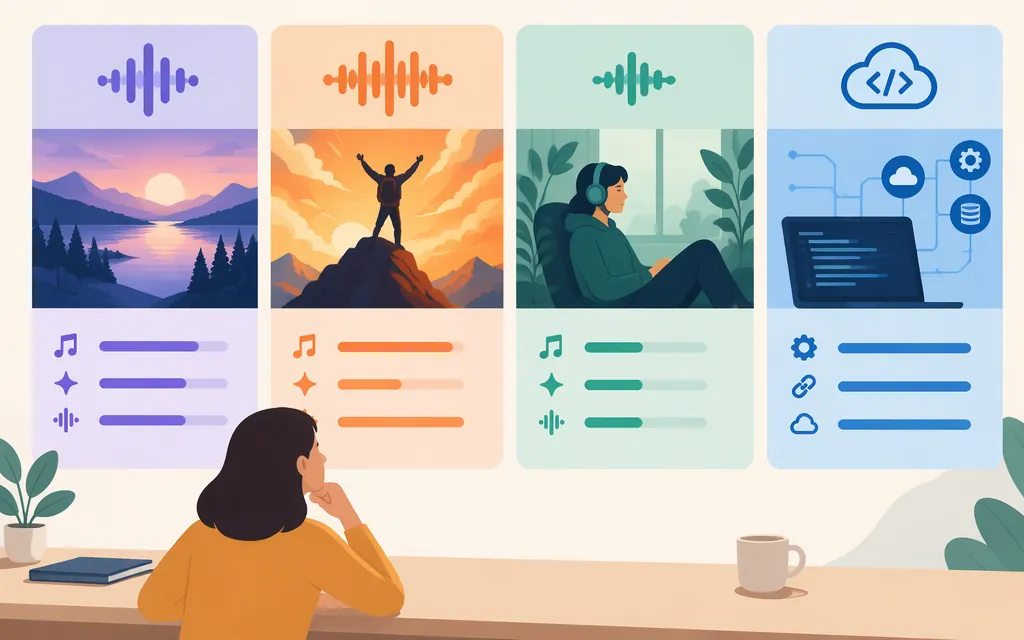
Short answer: Suno lists v6, v6-wild, and v6-mini as its current model family. Start with v6 when you want a more directed result, try v6-wild for less predictable ideas, and use v6-mini for a faster, lighter option. Suno lists v6 and v6-wild for Pro and Premier subscribers, and v6-mini for all users. These are Suno’s descriptions—not results from a controlled comparison across prompts or genres. (Suno’s current-model guide)
For software developers, Suno has an official API portal. In a report published October 30, 2026, Music Business Worldwide said Suno’s developer API remained in beta; Suno had told the publication earlier that month that it planned to start with selected partners and had not named them. That is dated reporting, not confirmation of who can access the API now or which models an individual account can use. (Music Business Worldwide, October 30, 2026)
Suno model comparison
| Suno option | Consider it when… | Access Suno lists | What Suno says |
|---|---|---|---|
| v6 | You have a clear direction and want a more controlled result. | Pro and Premier | Suno describes it as reliable, precise, and polished. (Suno’s current-model guide) |
| v6-wild | You want to explore less predictable directions or unexpected ideas. | Pro and Premier | Suno describes it as less predictable and more varied; it suggests ideas can be brought back into v6 for refinement. (v6 FAQ) |
| v6-mini | You want a faster, lighter starting point, including on the free plan. | All users | Suno describes it as a faster, more efficient way to use the v6 generation experience. (Suno’s current-model guide) |
| Custom Models | You want to personalize a model using music you have rights to use. | Pro and Premier | Suno says eligible users can create up to three models from at least six tracks, and must own the rights to uploaded tracks. The cited guidance does not establish that Custom Models are part of, or compatible with, the v6 family. (Using Custom Models) |
Suno’s documentation describes intended differences; it does not guarantee that one option will produce better results for every prompt or genre.
Which Suno model should you choose?
- Need a quick draft or a lower-friction starting point? Try v6-mini. If you want more control and your plan includes it, compare the same brief in v6. (Suno’s current-model guide)
- Know what sound you want? Start with v6, which Suno positions as its more directed, precise option. (v6 FAQ)
- Want a creative surprise? Try v6-wild. You could then bring a promising idea into v6 for further refinement; that is a practical workflow suggestion, not a claim that Suno requires or guarantees this sequence. (v6 FAQ)
- Want personalization from your own catalog? Consider a Custom Model if you meet Suno’s plan, track-count, and rights requirements. Do not assume compatibility with a particular general model version unless Suno confirms it for your account. (Using Custom Models)
Example: For a specific brief with a defined mood and arrangement, test v6 first. For a broad prompt where you want unusual directions, compare v6-wild. For quick sketches, start with v6-mini. This is a way to structure your own comparison, not a tested quality ranking.
Model, feature, and personalization are different things
- Model variants—v6, v6-wild, and v6-mini—are Suno’s listed generation options. (Suno’s current-model guide)
- Custom Models are personalized from eligible users’ tracks. Suno’s Custom Models guidance states the plan, track-count, and rights requirements, but does not establish v6 compatibility. (Using Custom Models)
- Voices is a separate feature, not another v6 model variant. Suno’s Voices FAQ says New Voices requires selecting v5.5 and says other models do not support that feature. If Voices is essential, check Suno’s current instructions and the model picker in your account rather than assuming it works with v6. (Voices FAQ)
Can you use Suno through a production API?
Suno has an official API portal, but public information cited here does not establish generally available self-serve access or the models available to every API user. The October 30, 2026 report described beta access planned to begin with selected partners; it did not name those partners. Treat access and model coverage as unconfirmed for your account until Suno confirms them directly. (Music Business Worldwide)
A concrete third-party route is documented at docs.sunoapi.org, which brands its service “Suno API.” Its generation documentation lists provider model labels V6, V6_WILD, and V6_MINI. The quick-start example shows a request using a prompt, model, customMode and instrumental settings, and a callback URL; it also specifies Bearer-token authentication. The callback documentation describes task-result delivery by POST to the supplied callback URL, with a stated 15-second timeout. These are the documented service’s workflow details, not evidence that its model labels guarantee access to identical official Suno models.
The documentation describes a third-party platform but does not establish that the service is operated or authorized by Suno, nor does the material cited here identify its operator. It also does not, by itself, establish production suitability, service commitments, or applicable commercial rights. Confirm the operator, model mapping, terms, pricing, and support directly before building around it. (Suno API documentation)
Suno’s official MCP connector is another distinct route: Suno describes it as account-connected, using Suno credits and saving songs to the user’s library. That is not the same as evidence of an open developer API for embedding generation in your own product. (Suno MCP)
Production-readiness checklist
Before committing to an API route, verify:
- Provider: Is the service Suno, an authorized partner, or an independent provider?
- Model identity: Are the model labels mapped to specific Suno versions, and can that mapping change?
- Workflow and limits: What inputs are required, how are results delivered, and what duration, rate, or other constraints apply?
- Rights and charges: What terms cover your intended use? Keep Suno plan terms separate from a provider’s API charges and terms.
- Operational commitments: What availability, support, and version-change commitments are documented?
The public material cited here does not establish Suno’s official API model coverage or verify the third-party provider’s identity and authorization. That is not enough evidence to recommend either route for a specific production deployment.
Plan access, downloads, and commercial use
Suno’s model guidance lists v6 and v6-wild for Pro and Premier, and v6-mini for all users. Separately, Suno’s download FAQ lists up to seven lifetime trial downloads for Free accounts, 20 downloads per month for Pro, and 60 per month for Premier. It describes the free trial downloads as personal, non-commercial use and the paid-plan allowances as including commercial-use rights. These statements concern Suno’s product and plans; they do not establish rights under a third-party API provider’s terms.
Suno’s policy update says songs remain playable and shareable on Suno on every plan. Check the applicable terms for your account and intended use. The sources cited here do not establish the official developer API’s price or billing terms, so this guide does not give an API cost estimate.
Bottom line
Choose v6 for a more directed starting point, v6-wild to explore less predictable ideas, and v6-mini for a faster, lighter option. Consider Custom Models only when their track, plan, and rights requirements fit; do not assume v6 compatibility. For software products, distinguish Suno’s beta, partner-oriented developer API from the separately documented third-party service, and verify access, model mapping, provider identity, and terms before committing.
Sources
Current Models: v6 — Suno Help Center
Using Custom Models — Suno Help Center
Upcoming Changes FAQ: Downloads, Models, and Terms of Service — Suno Help Center
An update to our downloads policy and Terms of Service — Suno