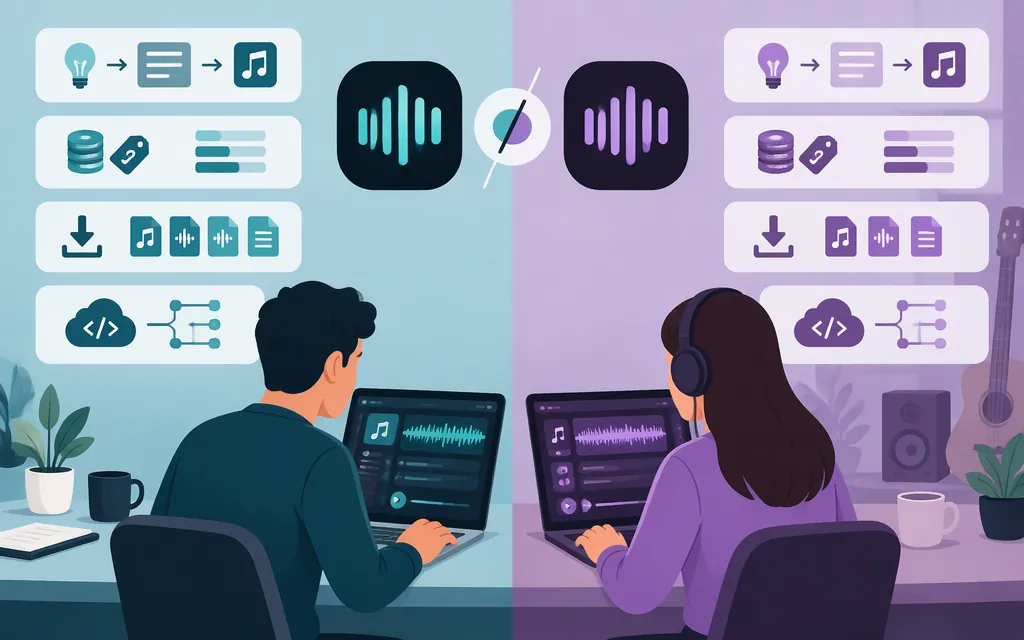
Quick verdict
For prompt-led song ideas, Suno is the simpler place to start; for creating from audio you supply, Udio documents an audio-upload workflow for paid subscribers. That distinction is a workflow-based guide, not a claim that one platform produces better music. For downloadable consumer output, Suno has published paid-plan download allowances, while Udio’s Help Center says audio, video, and stem downloads are disabled. For production API use, Udio says it does not currently offer a public API; Suno has an API account portal, but the public information reviewed here does not establish production access or technical terms. Product and plan details below reflect the available official information reviewed for this comparison as of November 8, 2026.
| Decision factor | Suno | Udio |
|---|---|---|
| Creation workflow | A competitor comparison describes prompt-led creation using a song description, lyrics, and style choices to generate complete variations; current official workflow details were not confirmed here | Official help describes using uploaded audio and audio clips or existing Udio songs as style references |
| Audio upload | No current, tier-specific comparison established here | Audio upload is documented as a paid-subscriber feature |
| Downloads | Paid plans list monthly song-download allowances | Udio’s Help Center says audio, video, and stem downloads are disabled |
| Public API | An official API-account portal exists; public materials reviewed here do not establish production readiness | Udio says it does not currently offer a public API |
| Paid consumer price examples | Pro: $10 monthly or $96 annually; Premier: $30 monthly or $288 annually | U.S. examples: Standard $10 monthly or $96 annually; Pro $30 monthly. A current annual Pro price was not confirmed |
Consumer subscription prices are not API prices. Udio’s annual Standard figure is a U.S. example before tax; prices and terms can change.
Workflow and features
The practical workflow distinction is prompt-led song ideation versus working from an audio reference. Tad AI’s comparison characterizes Suno as generating complete song variations from a description, lyrics, and style choices, while describing Udio as a more iterative, modular creation workflow. That is attributed comparison context—not a verified current Suno specification or a controlled product test.
Udio’s own Help Center describes two relevant options: paid subscribers can upload audio, and its Styles feature can use audio clips or existing Udio songs as references when creating music. For example, a creator who wants to start from a recorded riff or another audio reference has a documented Udio workflow to investigate. A creator who wants to begin with a written song idea can consider Suno based on the competitor description, but should confirm Suno’s current creation steps and plan eligibility in the product before relying on a specific feature.
The available information does not establish a current, tier-specific Suno editing capability that can be fairly compared with Udio’s audio upload. Nor does it prove that one service sounds better for every prompt or genre. Earlier comparison articles offer subjective impressions about vocals, hooks, and instrumental clarity, but do not provide a controlled, reproducible test. If sound is the deciding factor, compare your own outputs using the same brief and judge the results for your intended use. That is a suggested test, not a test conducted for this article.
Production API: a major distinction
If you need to generate music from your own application or backend, do not treat a consumer subscription as proof of production API access.
- Udio: Its Help Center’s public API article says it does not currently offer a public API. The article is dated March 11, 2025, so confirm with Udio if API availability is a deciding requirement.
- Suno: Suno has an official portal labeled “Manage your Suno API account.” The public information reviewed here does not establish who can obtain access, supported models, authentication and request formats, limits, API pricing, or production service commitments. The portal indicates an API account channel exists; it is not enough to conclude that access is generally available or suitable for a particular production workload.
- Suno MCP is separate: Suno’s MCP beta uses a user’s Suno credits and saves created songs to the user’s Suno library. That is not the same as a documented REST API for integrating generation into your own product.
Production recommendation: If direct API access is essential, ask Suno to confirm access, documentation, terms, pricing, and service commitments before building around it. Udio’s published Help Center position is that it does not currently offer a public API. Do not assume consumer-plan terms or MCP provide production API guarantees.
Consumer pricing, credits, downloads, and rights
Suno
- Free: The official help material reviewed describes Free-plan songs as intended for personal, non-commercial use. The exact current Free credit allowance and download eligibility were not confirmed here, so this comparison does not state a precise quota.
- Pro: $10 per month on monthly billing or $96 billed annually—equivalent to $8 per month. The plan lists 2,500 credits and 20 song downloads per month.
- Premier: $30 per month on monthly billing or $288 billed annually—equivalent to $24 per month. The plan lists 10,000 credits and 60 song downloads per month.
Commercial-use condition: Suno’s paid-rights Help Center article says songs downloaded while subscribed receive commercial-use rights. That wording makes the download while subscribed—not simply the generation date—the supported condition to state. The material reviewed here does not establish whether paying later changes the rights for a song made on the Free plan, so do not assume it does. Check the applicable terms for the specific track and use.
The regular Pro and Premier download allowances are 20 and 60 songs per month, respectively. An exception to those quotas for Suno Studio workflows was not confirmed from the available official passages, so this comparison does not claim one.
Udio
- Free: Exact current daily and monthly credit rules, and how they combine with any generation cap, were not confirmed in the official excerpts reviewed here. Check Udio’s current credit-limit guidance before estimating how much you can create.
- Standard: $10 per month on monthly billing. Udio gives a U.S. annual-subscription example of $96 plus tax. The Help Center lists 2,400 credits per month.
- Pro: $30 per month on monthly billing; the Help Center lists 6,000 credits per month. A current annual Pro price was not confirmed from the official material reviewed here.
Downloads: Udio’s Help Center says downloading audio, video, and stems has been disabled. Credits and creation tools therefore do not, by themselves, make Udio suitable when the deliverable must be an exported audio file. Confirm export status before subscribing for an export-dependent workflow.
Commercial use: Current free- and paid-account commercial-use permissions, including any attribution or timing conditions, were not confirmed from the official terms material available for this comparison. Export availability and commercial permission are separate questions; the download restriction does not establish what uses are licensed. If confirmed commercial rights are required, do not rely on Udio output for that use until you have checked the applicable current terms.
Which should you choose?
- Try Suno for prompt-led song ideation if you want to start with a written song description, lyrics, and style choices. That workflow description comes from a competitor comparison, so verify the current creation flow and relevant plan details in Suno before subscribing for a specific capability.
- Consider Udio when you want to create from an audio reference. Its help materials document audio upload for paid subscribers and audio-based references through Styles. This may fit a creator starting from a riff or clip, but Udio’s stated download restriction is a major limitation if you need an exported file.
- For an application that must call a music-generation API, Udio says it does not currently offer a public API. Suno has an API account portal, but the public details reviewed here are insufficient to establish production suitability. Treat MCP as a separate assistant integration, not a substitute for documented API access.
- For commercial use, check the specific terms and workflow. Suno’s published paid-plan rights guidance ties commercial-use rights to downloading while subscribed. Udio’s relevant permissions were not confirmed here; do not infer them from a consumer plan or from export availability.
Bottom line: The clearest creation distinction is starting from a written idea with Suno, as characterized by a comparison source, versus using an uploaded audio reference with Udio, as described in Udio’s help materials. Suno has clearer published paid-plan download allowances and a stated download-based commercial-use condition. Udio documents audio-guided creation, but its Help Center says downloads are disabled. For production API integration, verify Suno’s access and service terms directly before committing to either platform.
Sources
What rights do I have with a paid subscription? — Suno Help Center
What rights do I have with the free plan? — Suno Help Center
How many downloads come with my subscription? — Suno Help Center
Udio public API — Udio Help Center
Changes associated with the UMG partnership — Udio Help Center
Credits and credit limits — Udio Help Center
Changing or canceling your subscription — Udio Help Center