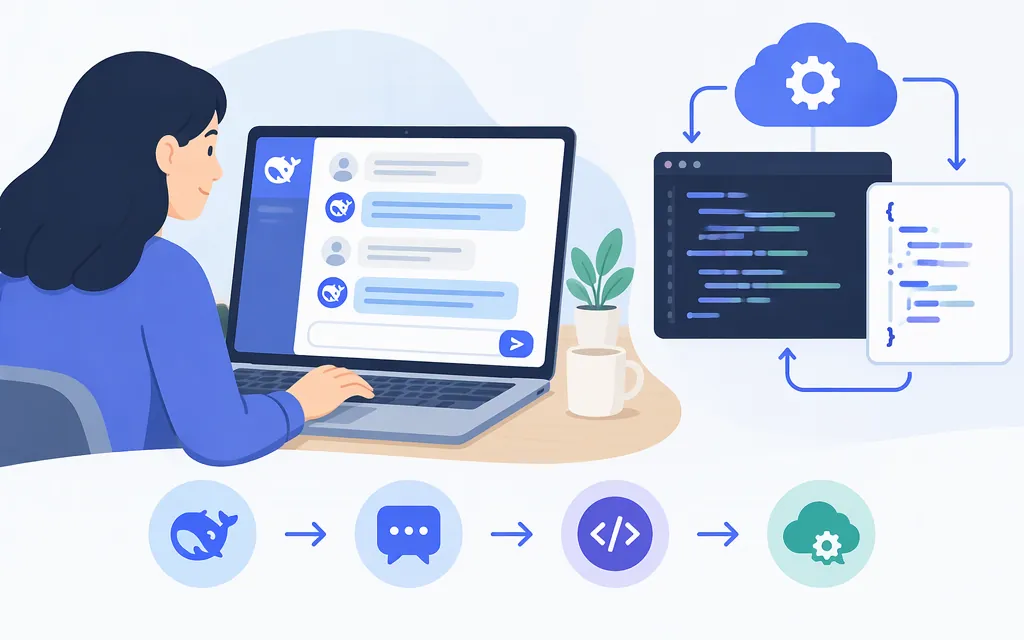
Use DeepSeek chat for an individual task. Use the DeepSeek API when your software needs to send model requests and handle responses. They are different access routes, so do not assume their billing or data terms are the same.
This guide shows a basic chat workflow and a first-party API request. The API example uses DeepSeek’s documented endpoint and model identifier—not a third-party provider’s configuration. Check the linked official documentation for updates before deploying.
Choose how to use DeepSeek
| Your goal | Starting point | Keep in mind |
|---|---|---|
| Ask a question, draft text, or explore an idea | DeepSeek chat | This is a chat service, not an API integration. Follow the sign-in options shown on the service. |
| Add model responses to software | DeepSeek API | You’ll need an API key, code that sends requests, and a plan to monitor usage and validate outputs. |
| Run a downloadable model yourself | A specific model’s repository and setup instructions | This is a separate deployment route. Don’t assume installing a desktop app means model processing happens locally. |
A model, a chat application, and an API are not interchangeable. The model generates responses; the service or application provides the interface and may add its own tools and rules. Third-party services may use different endpoints, model identifiers, prices, and data terms.
Start a DeepSeek chat and get a useful answer
- Open DeepSeek chat and follow the sign-up or login options shown there.
- Give it one clear task. Include the context it needs, who the answer is for, and the format you want.
- Check the answer against your source material or expected result. Ask a focused follow-up if something is missing or unclear.
For example, to summarize text you provide, try:
Summarize the text below for a nontechnical reader. Give me five key points, list dates and numbers that should be checked, and identify anything the text does not tell us. Use only the supplied text.
For a coding review, include the programming language, relevant code, exact error, and intended behavior. Ask for a proposed change and a small test case, then run the code yourself. Treat an AI answer as a suggestion to verify—not proof that the result is correct.
Make a first-party DeepSeek API request
This example uses DeepSeek’s OpenAI-compatible Chat Completions format, the documented endpoint https://api.deepseek.com/chat/completions, and the model identifier deepseek-flash. DeepSeek’s current documentation says this identifier is served by DeepSeek-V4.1-Flash-1017. (First API call, Chat Completions reference)
Prerequisites
- A DeepSeek API key. The API reference links to the DeepSeek Platform API-key page.
- A terminal with
curlinstalled. - An environment variable named
DEEPSEEK_API_KEYcontaining your key.
Set the key in your terminal session rather than putting it directly in source code. On macOS or Linux, for example:
export DEEPSEEK_API_KEY="your-api-key"
In production, use your deployment platform’s secrets manager or equivalent. Don’t put a real key in browser code, a public repository, or a log.
Send a small test request
curl -i https://api.deepseek.com/chat/completions \
  -H "Content-Type: application/json" \
  -H "Authorization: Bearer ${DEEPSEEK_API_KEY}" \
  -d '{
    "model": "deepseek-flash",
    "messages": [
      {"role": "user", "content": "Give me three concise tips for writing a clear project update."}
    ],
    "stream": false
  }'
The -i option includes the HTTP status line and headers in the output, so you can tell whether the request succeeded before inspecting the response body. In the non-streaming Chat Completions response, read the model’s text at choices[0].message.content. Inspect the usage object for the request’s token counts; DeepSeek bills model usage based on input and output tokens. The official quick start uses the same answer path in its code example. (First API call, Token usage)
If the status is 401, check that DEEPSEEK_API_KEY contains a real DeepSeek API key and that the request sends it as Authorization: Bearer …. DeepSeek’s troubleshooting guidance for its integration example specifically advises checking that the value is the real API key, not the API URL. Fix the key or header before retrying; repeatedly sending the same invalid credential will not resolve the error. (DeepSeek integration troubleshooting)
This is a minimal request, not a production-readiness test. Before deployment, test representative inputs and failure cases in your own application, validate the response fields your code depends on, and decide how to handle timeouts, non-success responses, and unexpected output. Do not assume that an example written for another provider will work unchanged.
Estimate API usage using the current price table
DeepSeek’s pricing page lists model prices in U.S. dollars per 1 million tokens. For deepseek-flash, the listed peak rates are $0.006 per million cache-hit input tokens, $0.30 per million cache-miss input tokens, and $1.20 per million output tokens. Off-peak rates are half the peak rates. Peak hours are 01:00–04:00 and 06:00–10:00 UTC, Monday through Friday, excluding Chinese public holidays; all other hours are off-peak. Search and Fetch are priced separately per successful request. DeepSeek says prices may change, so check the live table when budgeting. (DeepSeek Models & Pricing)
For an example using the listed peak cache-miss input and output rates, 100,000 input tokens and 20,000 output tokens would cost about $0.054: (100,000 × $0.30 + 20,000 × $1.20) ÷ 1,000,000. This assumes all input tokens are cache misses and excludes separately billed tools. Your actual charge depends on cache hits, request timing, token usage, and the rates in effect when you make the request.
For a real estimate, use the applicable rates for each token category: (cache-hit input tokens × cache-hit rate + cache-miss input tokens × cache-miss rate + output tokens × output rate) ÷ 1,000,000. Measure token use on representative requests, check the current model rates and peak schedule, and include any separately priced API services your application calls.
Check capabilities, cost, and data terms before production
Before connecting an API to a production workflow:
- Test the selected model on examples similar to the inputs it will receive.
- Check current model documentation for supported inputs, parameters, output formats, and limits.
- Verify important facts, quotations, calculations, and generated code against appropriate source material or tests.
- Monitor errors and usage, and set your own operational and budget controls.
- Estimate costs using the current rates for the exact model and any separately billed services.
Review terms for the API you’ll use
The DeepSeek API reference links to the Open Platform Terms of Service, which apply to Open Platform API services. The terms define requests from developers or their end users as “Inputs” and model responses as “Outputs,” and address rights in those inputs and outputs. That rights allocation does not establish whether DeepSeek uses API inputs or outputs to train or improve its own models.
The official material retrieved for this guide also does not establish a specific retention period or deletion schedule for API request content, or whether controls or exceptions change those conditions. Do not use consumer-chat policies, app-store disclosures, or another organization’s policy as a substitute for API-specific terms. (Open Platform Terms, API reference, Platform Privacy Policy)
Until you have confirmed the applicable API data-use and retention terms with DeepSeek and your organization has approved the intended use, limit testing to non-sensitive inputs. This is a restriction based on what this guide could establish—not a conclusion that the API is or is not suitable for a particular data category.
Quick production checklist
- Correct route: You’re using chat for an individual task or the API for software integration.
- Correct provider and model: The endpoint and model identifier match the official docs for the service you intend to call.
- Protected credentials: The API key is stored outside client-side code and public repositories.
- Tested behavior: Representative outputs are checked, and your application handles errors and unexpected responses.
- Known cost basis: You’ve estimated tokens and any separately billed services using current published rates.
- Reviewed data terms: You’ve checked the terms for the exact service and confirmed that your intended data use is permitted.
DeepSeek can help with drafts, explanations, and software tasks, but fluent output can still be wrong. Use it as part of a workflow that checks results against the evidence or behavior that matters.
Sources
Your First API Call | DeepSeek API Docs
Chat Completions API | DeepSeek API Docs
Token & Token Usage | DeepSeek API Docs
Models & Pricing | DeepSeek API Docs
Integrate with WorkBuddy/CodeBuddy | DeepSeek API Docs
DeepSeek API | DeepSeek API Docs