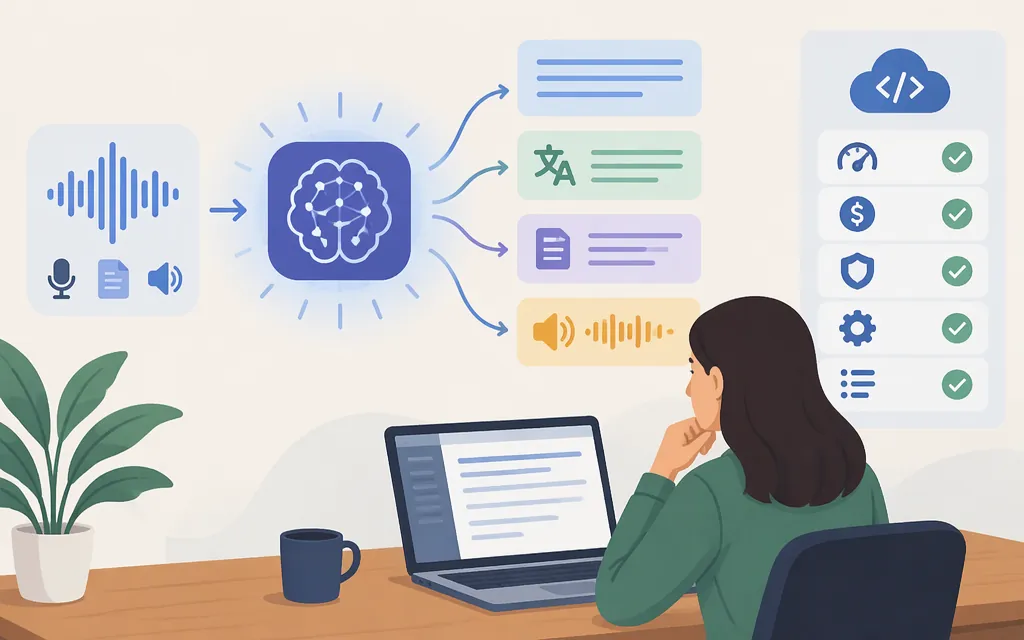
Whisper is OpenAI’s automatic speech recognition (ASR) model family: it turns speech audio into text, and its multilingual models can also translate speech into English. It can suit prerecorded transcription and related speech-to-text tasks. But choosing Whisper is not the same as choosing an API: file limits, speaker labels, streaming, pricing, and authentication depend on the provider and deployment.
OpenAI introduced Whisper as an open-source model and inference code in 2022. Its original description covers multilingual transcription, language identification, and translation into English. These are model capabilities—not a guarantee that every service exposing Whisper supports every task. (openai.com)
Choose by workload: prerecorded files or live audio
- For a finished recording—such as an interview, call, or video—consider an offline transcription workflow: submit the file and receive a completed transcript.
- For live captions or an application that needs words while someone is speaking, choose a service that explicitly supports real-time streaming and incremental transcript updates. An offline Whisper model is not automatically a streaming API.
Microsoft’s documentation makes this distinction for its Azure transcription services: offline processing handles a complete file in one request, while realtime workflows stream audio and return updates as it arrives. It identifies its gpt-transcribe workflow as offline; realtime transcription uses a separate streaming workflow. These are Azure product details, not universal Whisper behavior or TokenForge specifications. (learn.microsoft.com)
A model might run fast enough to process audio at or near its playback speed on suitable hardware, but that alone does not provide a streaming service, latency guarantee, or incremental results. For live use, verify streaming support with the provider and test it against your latency target.
Local Whisper model or hosted transcription API?
| Choose this path when… | What it involves | What to check |
|---|---|---|
| Local inference | Consider this when your architecture or governance requires audio processing within infrastructure you control, and you have the capacity to operate the inference workload. You manage the compute and inference operations. | Running locally does not by itself establish that privacy or compliance requirements are met. Evaluate the relevant controls and test speed and transcript quality on your audio. Arm documents a Hugging Face Transformers setup using openai/whisper-large-v3-turbo on an Arm CPU; its 32-core, 8 GB RAM, and 32 GB disk figures apply to that demonstrated setup, not to all Whisper deployments. (learn.arm.com) |
| Hosted API | Consider this when provider-managed inference fits your requirements and you accept that provider’s documented data-handling and service terms. Your application still needs to integrate with and evaluate the service. | Confirm the exact model, endpoint, authentication, request and response formats, file constraints, supported tasks, streaming behavior, availability, and price with that provider. |
For a concrete example of a provider-specific API, Microsoft documents POST /openai/v1/audio/transcriptions for its Azure v1 endpoint format. Separately, its deployment-style example sends an audio file as multipart form data, authenticates with an Azure API key, and can include a language hint. Those deployment-style request details should not be assumed to apply to the v1 route, or to another provider. (learn.microsoft.com)
Token Forge Cloud’s official homepage search listing describes managed APIs for Qwen, DeepSeek, GLM, and Seedance. I could not substantiate a Whisper listing or Whisper-compatible transcription endpoint from the official material located for this article, so don’t assume it is available through TokenForge; confirm the current catalog and documentation before designing an integration. No TokenForge Whisper price or API terms are established here. (tokenforgecloud.com)
Check the constraints that can change your choice
Language and translation direction. Whisper is described as multilingual, with translation into English among its tasks. The original OpenAI description does not mean that every hosted implementation supports every language or translation direction. Check the specific provider’s current task and language documentation, then test the languages, accents, and recording conditions you expect in production. (openai.com)
File size, formats, and batch needs. These are often service-specific limits. For example, Microsoft lists MP3, MP4, MPEG, MPGA, M4A, WAV, and WebM for its Azure OpenAI transcription option and gives it a 25 MB file limit. Its Azure Speech batch comparison is presented for larger files—over 25 MB up to 1 GB—and lists MP3, WAV, and OGG. Don’t apply those Azure limits to a local model or another API. (learn.microsoft.com)
Speaker labels and timestamps. In that same Azure comparison, Azure OpenAI transcription does not support diarization; Azure Speech batch is recommended for diarization and word-level timestamps. If you need to know who spoke each segment or align words to media, verify that the exact service returns those fields. (learn.microsoft.com)
Model size and speed. Whisper has model variants, but the sources cited here do not provide comparable benchmark results. A 2023 SuperAnnotate article gives only a qualitative comparison—tiny is faster and less precise than large—without measurements or hardware details. Treat that as a rough trade-off, not a performance guarantee; compare candidate models using your own representative recordings. (superannotate.com)
A practical selection checklist
Before committing to a Whisper model or transcription API, write down:
- Input pattern: prerecorded file or live stream with incremental results?
- Required output: transcript only, English translation, speaker labels, timestamps, or another feature?
- Real audio conditions: languages, accents, noise, overlapping speech, and typical recording quality.
- Operational limits: formats, file size and duration, batch volume, latency target, and regional availability.
- Provider terms: exact model and endpoint, authentication, errors and rate limits, privacy and retention terms, service commitments, and billing unit and price.
Then run a representative evaluation: submit the same set of recordings to the candidates, compare transcripts against human-reviewed references, and measure end-to-end latency under expected traffic. The research cited here does not establish current cross-provider accuracy, latency, or cost results, so those should be measured for your use case rather than inferred from a model name.
Bottom line: Whisper is a strong candidate to evaluate for speech-to-text, especially when multilingual transcription or translation into English is relevant. For prerecorded audio, assess an offline workflow; for live captions, require explicit streaming support. Choose local inference or a hosted API only after checking the specific deployment’s capabilities and testing it on your real audio.
Sources
Transcription models from OpenAI — Microsoft Learn
GPT Realtime Transcribe overview — Microsoft Learn
Set up the Whisper Model — Arm Learning Paths
OpenAI Whisper — Your speech-to-text AI: History and usage — SuperAnnotate